
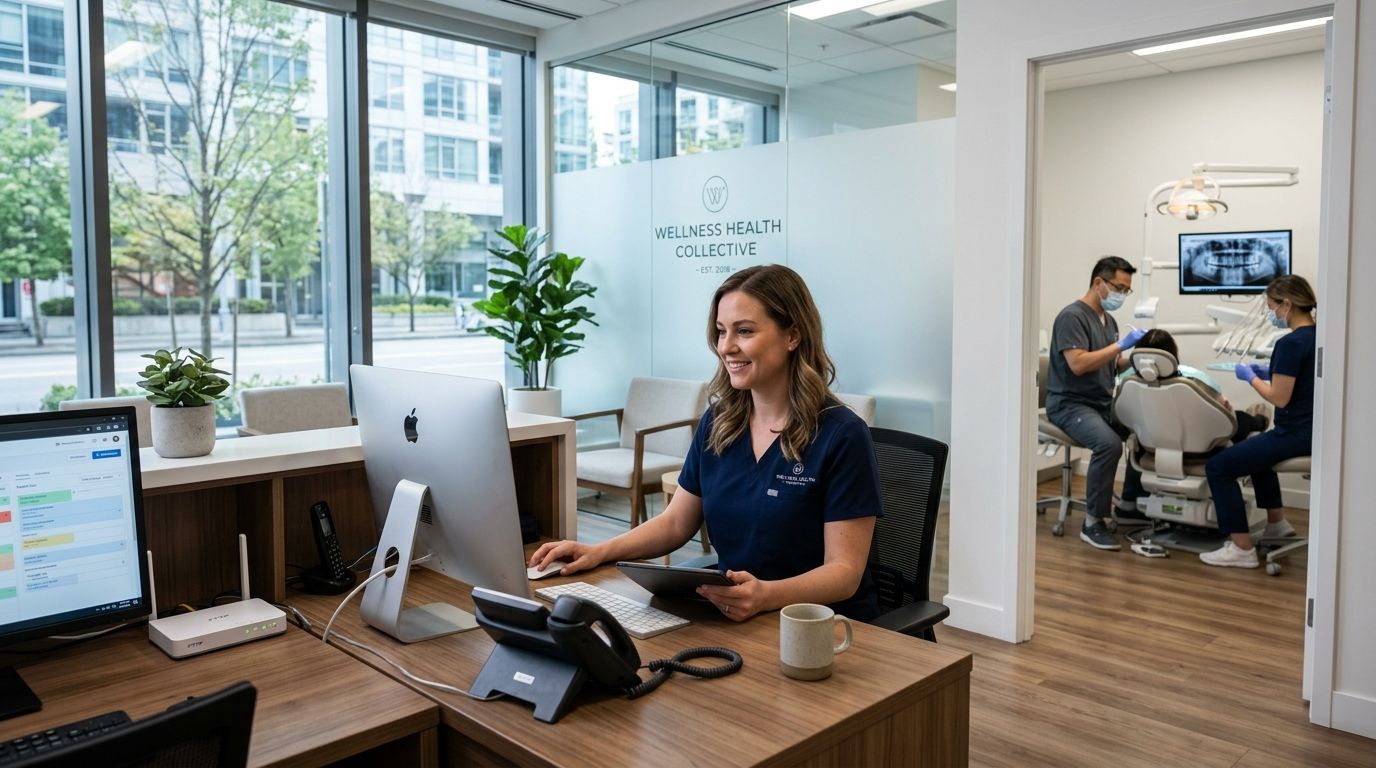
Fiber internet for medical and dental offices is a dedicated, symmetrical connection built to keep electronic health records, digital imaging, and VoIP phones running at the same time without stalling when every exam room is booked. A dropped connection at a dental office means a patient sits in the chair while an X-ray file hangs in the cloud. A medical office loses a chart mid-visit. Fiber internet for medical and dental offices has to guarantee upload speed as much as download speed, because outbound traffic — imaging uploads, telehealth video, EHR syncs — runs nonstop during business hours, not just at peak times like it does at home.
- Fiber internet for medical and dental offices needs symmetrical upload speed for EHR syncs, imaging uploads, and telehealth visits.
- SumoFiber runs no-contract fiber plans across Utah, Idaho, Montana, Colorado, California, Wisconsin, Illinois, and New York.
- Most slowdowns in a practice come from network design, not bandwidth — separate clinical devices from patient WiFi first.
- A backup connection (cellular failover or a second line) is the cheapest insurance against a canceled day of appointments.
- Bundling internet, managed WiFi, and phone service under one provider cuts the number of vendors you call when something breaks.
Why fiber internet matters for medical and dental offices
A retail shop can survive a slow afternoon of buffering. A dental office running cone-beam imaging or a medical office on a telehealth call cannot. Cloud-based practice management software keeps a live connection open all day, digital X-rays and scans push large files upward to servers, and video visits depend on steady upload bandwidth in both directions, not the download-heavy pattern most home connections are built for.
Staff also stack traffic in ways a home network never sees: three exam rooms syncing charts, a front desk running scheduling software, a phone system carrying calls, and a waiting-room WiFi guests expect to work. Fiber internet for medical and dental offices has to handle all of that at once, every business day, not just during a burst of streaming at night.
Build the network your practice actually needs
Measure your real bandwidth use, not the plan on paper
Most practices are paying for a speed tier nobody has actually tested against a normal Tuesday. Start here before changing anything.
- Log into your router admin panel and check connected device count at your busiest hour
- Note whether imaging exports or scans stall or slow other traffic
- Ask front-desk staff if scheduling software lags around midday
- Run an upload speed test, not just download, during a busy stretch
- Compare that number against your billed plan speed
Separate exam-room traffic from the guest network
A shared network between clinical devices and patient WiFi is the single most common cause of slow charts and slow guest streaming at the same time.
- Create a second WiFi network (SSID) just for patients and guests
- Keep imaging equipment, EHR terminals, and phones on the primary network only
- Ask your router whether it supports VLANs to fully wall off clinical traffic
- If your current router can't isolate traffic cleanly, a managed WiFi provider for business handles the segmentation and coverage across every exam room without staff managing settings themselves
Prioritize voice and video traffic with QoS
A phone call or telehealth visit that cuts out mid-sentence is worse than a slow download nobody notices.
- Turn on Quality of Service (QoS) settings in your router if available
- Rank voice and video traffic above file downloads and general browsing
- Test call quality during your busiest overlap of phone lines and video visits
- If your practice runs VoIP, a purpose-built business phone system for small offices keeps call quality steady even when the rest of the network is under load
Add a backup connection for zero-downtime days
One outage on a single connection can cancel a full day of scheduled patients.
- Set up a cellular failover device that switches over automatically
- Keep a second, lower-cost line active as a manual backup
- Test the failover once a quarter, not just when it fails for real
- Confirm your phone system also fails over, not just internet browsing
Lock down the network before patient data touches it
Patient scheduling data, chart access, and imaging files all travel across your network daily.
- Use WPA3 encryption on every WiFi network, clinical and guest
- Restrict which devices can access EHR terminals by MAC address or VLAN
- Change default router admin passwords immediately after setup
- Require staff devices to connect only to the clinical network, never guest WiFi
Pick a plan that matches how fast your practice grows
A locked multi-year contract signed before you know your real usage is expensive to unwind if you add an exam room or a second location.
- Confirm upload speed tiers, not just the advertised download number
- Ask what happens to pricing and terms if you add a location mid-contract
- Check whether the provider requires equipment rental fees stacked on top
- Favor month-to-month or no-contract terms while your practice is still scaling
Consolidate phone, WiFi, and internet under one bill
Every separate vendor is another support call when something breaks mid-appointment day.
- Count how many different providers you currently call for internet, WiFi, and phone
- Ask each vendor whether they support 24/7 troubleshooting, not business-hours-only
- Weigh the time cost of coordinating three vendors against one combined service
Connection types for medical and dental offices, compared
| Connection type | Best for | Key limitation |
|---|---|---|
| Fiber internet | Multi-room practices running EHR, imaging, and phones together | Availability limited to fiber-built service areas |
| Cable internet | Solo practices with lighter upload needs | Upload speed lags far behind download, slows imaging exports |
| Fixed wireless | Rural practices without fiber or cable access | Performance drops in bad weather or heavy tree cover |
| DSL | Backup line for failover only | Speeds too low to run telehealth or imaging as a primary line |
Fiber internet wins for any practice with more than one exam room or a phone system running alongside EHR traffic. DSL and satellite are fine as a backup line, never as the primary connection for a working practice.
Common mistakes medical and dental offices make
- Buying on download speed alone. Imaging uploads and EHR syncs run on upload bandwidth, and a plan with fast downloads but weak uploads still stalls at the chair.
- Running patient WiFi and clinical devices on one network. A guest streaming video and a chart failing to load are usually the same root cause.
- Skipping a backup connection. One outage on a single line means a canceled day, not a slow afternoon.
- Signing multi-year contracts during a growth phase. A practice adding a second location six months into a locked contract pays twice to fix it.
- Treating the phone system as a separate line item. Voice quality suffers most when it's never coordinated with the rest of the network.
“A dropped connection at a dental office means a patient sits in the chair while an X-ray file hangs in the cloud.”
Check fiber availability for your practice
See coverage across Utah, Idaho, Montana, Colorado, California, Wisconsin, Illinois, and New York.
FAQ
What internet speed does a medical or dental office need?
A single-provider practice generally needs symmetrical speeds in the hundreds of Mbps to run EHR access, imaging uploads, and phone calls at once without one task slowing another. Multi-room practices with imaging equipment and telehealth need higher upload speeds specifically, not just a faster download number.
Is fiber internet better than cable for a dental office?
Fiber wins for practices running imaging uploads, EHR syncs, and phone calls together because its upload speed matches its download speed. Cable connections are download-heavy and slow down noticeably during imaging exports or file uploads.
Do medical offices need a separate network for patient WiFi?
Yes. Running guest WiFi on the same network as clinical devices is the most common cause of both slow charts and slow patient streaming. A second WiFi network keeps clinical traffic isolated and prioritized.
How much does fiber internet cost for a small medical practice?
Pricing depends on speed tier, location, and whether phone or managed WiFi are bundled in, so check current plans directly rather than relying on a generic number. No-contract options let a practice start smaller and scale up as patient volume grows.
Can a dental office run on a no-contract internet plan?
Yes, and it's often the safer choice for a growing practice. A no-contract plan avoids early termination costs if the office adds a location or upgrades speed tiers before a locked term ends.
What happens if a medical office's internet goes down?
Without a backup connection, an outage can cancel appointments, block chart access, and cut phone lines all at once. A cellular failover device or a secondary line keeps scheduling and calls running until the primary connection is restored.
Does a dental office need a business phone system separate from internet?
Not necessarily. VoIP phone systems run over the same internet connection, so coordinating both under one provider avoids call quality issues caused by an unprioritized network.
Is managed WiFi worth it for a medical office?
For practices with more than one exam room, managed WiFi solves the coverage gaps and network segmentation issues that a single consumer router usually can't handle across walls and equipment.
One last thing
Most practices check a speed quote by reading the download number and stop there. Ask for the upload number specifically — that's the figure that decides whether an X-ray uploads in seconds or stalls while a patient waits in the chair. In 2026, upload bandwidth is the real bottleneck for any practice running imaging or telehealth, and it's the number cable plans quietly bury behind a bigger download figure.