
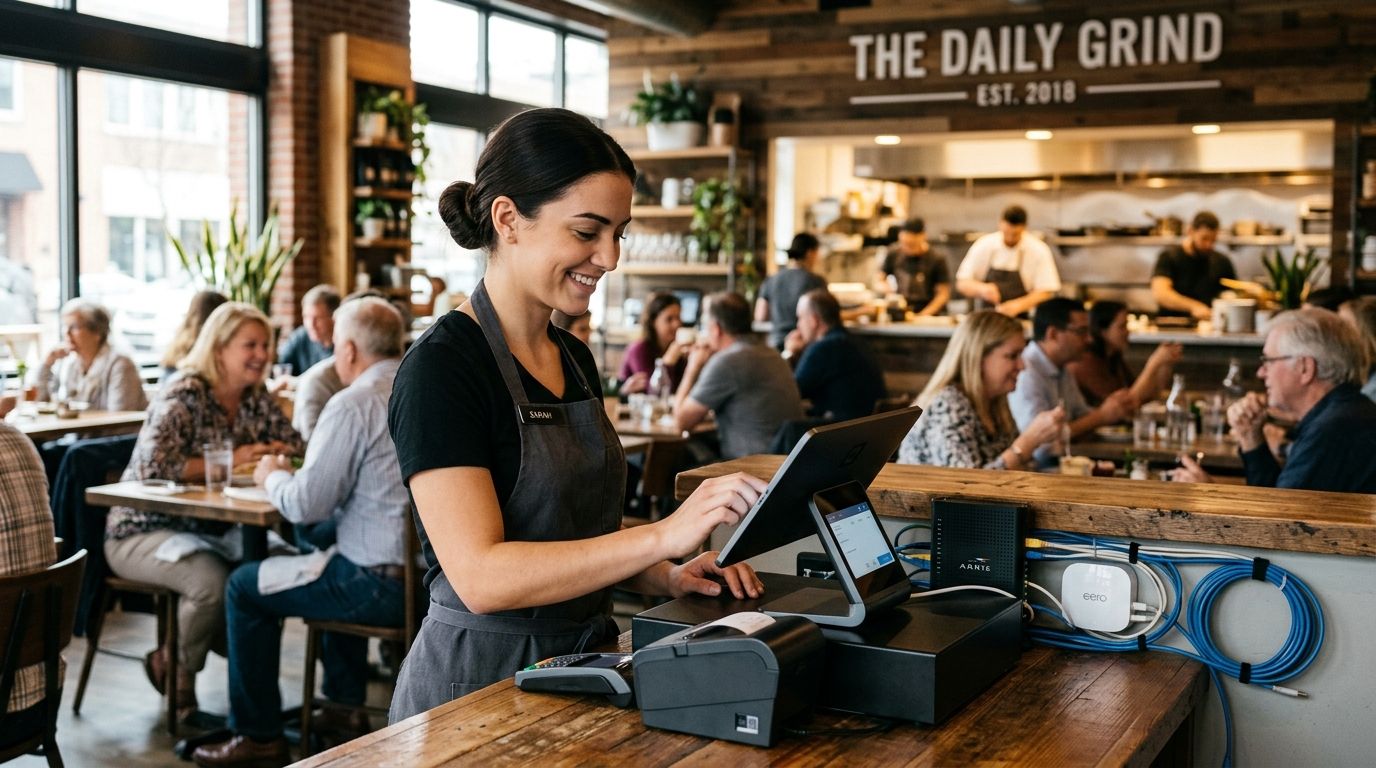
Fiber internet for restaurants means a dedicated, symmetrical connection sized for point-of-sale traffic, guest WiFi, streaming, and vendor video calls running at the same time during peak service. A restaurant's network has to survive a Friday dinner rush without dropping a card transaction or freezing the game on the bar TVs — a coffee shop or retail store rarely stresses a connection the same way.
- Fiber internet for restaurants needs symmetrical upload speed, not just fast download, because cloud POS and card processing push data out constantly.
- Separate networks for POS, guest WiFi, and back-office staff cut the risk of a busy Saturday night crashing your payment system.
- A second connection as failover matters more for restaurants than almost any other small business — a dead network during dinner rush means no card payments.
- SumoFiber's managed WiFi and 24/7 human support fit multi-zone restaurant layouts better than a single consumer router.
Why fiber internet matters for restaurants
A restaurant runs more devices on one network than most small businesses realize: POS terminals, kitchen display screens, third-party delivery tablets (DoorDash, Uber Eats, Grubhub each with their own device), guest WiFi, back-office accounting, and bar or dining-room TVs streaming sports. All of that hits the network at the exact same time, every Friday and Saturday night, on a fixed schedule you can't move.
Cable connections built for households throttle upload speed hard — usually a fraction of download. That's fine for a family streaming Netflix. It's a problem when your cloud-based POS is uploading every transaction, your kitchen display syncs orders in real time, and a manager is on a video call with a food distributor about a delivery mix-up, all while 40 tables are connected to guest WiFi. Fiber internet for restaurants fixes this because upload and download run at matching speeds, so the connection doesn't buckle the moment traffic runs both directions at once.
Separate your POS network from guest WiFi
The single most common cause of a restaurant's network meltdown during a rush is guest WiFi and POS traffic sharing the same router. One customer streaming a video on the free WiFi can slow down the terminal ringing up a table's check.
- Put POS terminals, kitchen displays, and card readers on a dedicated VLAN or separate SSID
- Never let guest WiFi and staff systems share bandwidth priority
- Set guest WiFi with a bandwidth cap so it can't starve payment traffic
- If you run a manual setup, most business-grade routers support VLAN separation without extra hardware
- Managed WiFi services handle this segmentation automatically and monitor it for you
Size bandwidth for peak service, not average
A restaurant's traffic isn't steady through the day — it's a flat line for hours, then a spike at 6 PM and again on game nights. Sizing your connection for the average hour guarantees a slowdown at the worst possible moment.
- Count every device that's active during your busiest hour: POS terminals, delivery tablets, kitchen displays, TVs, staff phones
- Add guest WiFi capacity for full-capacity seating, not half-full weekday lunch
- Budget extra headroom for sports nights when every TV is streaming simultaneously
- Ask your provider for symmetrical speed, not just a high download number
- Review usage after your first month and adjust if the connection strains during rush
Add a backup connection for card payments
A restaurant losing internet at 7 PM on a Saturday isn't an inconvenience — it's lost revenue every minute the POS can't process a card. Cash-only service during a rush turns tables away.
- Keep a secondary connection (cellular backup or a second ISP line) that fails over automatically
- Test the failover manually at least once a quarter — untested backups fail silently
- Confirm your POS provider supports offline mode or automatic failover switching
- Ask whether your fiber provider offers a no-contract plan so you can add or drop backup service without a penalty
- Document the failover process so any manager on shift can trigger it, not just the owner
Set up managed WiFi across the dining floor
A single router mounted behind the host stand rarely reaches the patio, the back dining room, or the upstairs private event space evenly. Dead zones mean frustrated guests and staff tablets that drop connection mid-order.
- Map dead zones with a phone before deciding how many access points you need
- Place access points to cover patios, private rooms, and bar seating separately
- Use managed WiFi with a dashboard so you can see device load in real time during service
- Set a splash page for guest WiFi that doesn't slow down the login process
- Restart or reset access points on a schedule rather than waiting for a complaint
Configure phone and reservation systems correctly
A restaurant runs table reservations, online ordering call-ins, and vendor calls over the same connection as everything else. A dropped call during a reservation is a lost table, not just an annoyance.
- Route VoIP phone traffic with quality-of-service priority so calls don't lag during busy WiFi hours
- Test call quality during peak dinner hours, not just at 10 AM when the network is quiet
- Confirm your phone system works with your reservation software's call notifications
- Ask if your internet provider bundles phone service so you manage one bill, not three
- Keep a backup line for reservations if your primary VoIP depends on internet uptime
Test streaming reliability before a big sports night
A bar-and-grill losing the game feed during the fourth quarter of a playoff game loses the customers watching it. Streaming boxes and smart TVs pull heavy, steady bandwidth for hours at a time.
- Run a live streaming test on your busiest scheduled sports night before committing to a plan
- Check whether your TV package or streaming app needs a dedicated bandwidth allocation
- Avoid placing streaming devices on the same congested SSID as guest WiFi
- Confirm your connection's upload speed doesn't dip when download demand spikes
- Keep firmware on streaming boxes updated — outdated firmware causes buffering that looks like a bandwidth problem but isn't
Plan for scaling if you run multiple locations
A second or third location multiplies every network problem instead of solving it. Inconsistent internet quality across locations makes centralized reporting and inventory systems unreliable.
- Standardize on one connection type and one router configuration across every location
- Centralize network monitoring so a manager doesn't have to call each site to check status
- Negotiate business terms that scale as you add locations rather than starting a new contract each time
- Confirm fiber availability at a new site before signing a lease
- Keep failover backup consistent at every location, not just the flagship restaurant
Fiber internet reaches restaurants across Utah, Idaho, Montana, Colorado, California, Wisconsin, Illinois, and New York through providers like SumoFiber, which pairs the connection with managed WiFi and 24/7 human support rather than a call-center queue.
Comparing internet options for restaurants
| Option | Best for | Key limitation |
|---|---|---|
| Fiber internet | Full-service restaurants running POS, guest WiFi, and streaming together | Availability still limited to certain build-out areas |
| Cable internet | Low-traffic counter-service spots with light guest WiFi | Upload speed lags far behind download, strains cloud POS |
| Fixed wireless | Rural locations with no fiber or cable access | Speed and reliability shift with weather and line of sight |
| Satellite internet | Backup-only for locations with zero wired options | High latency makes it unreliable for live card processing |
Fiber internet is the right call for any restaurant running a cloud POS, multiple delivery tablets, and guest WiFi at the same time — the symmetrical speed is the deciding factor, not the download number on a flyer.
Get restaurant internet built for rush hour
Check fiber availability and managed WiFi options for your location.
Common mistakes restaurants make with internet setup
- Sharing one network for guest WiFi and POS — the fastest way to crash card processing during a rush
- Sizing bandwidth for a slow Tuesday instead of a packed Saturday — the connection that works fine at lunch fails at 7 PM
- Skipping a backup connection — a single outage during dinner service means turning away paying tables
- Ignoring VoIP quality-of-service settings — reservation calls drop right when guest WiFi traffic peaks
- Locking into a long contract before confirming fiber actually reaches the building — always confirm availability first
FAQ
What's the best internet for a restaurant in 2026?
Fiber internet is the best option for most restaurants in 2026 because it delivers matching upload and download speeds, which cloud POS systems and multiple delivery tablets need at the same time. Cable works for very small counter-service spots but strains once guest WiFi and card processing run together.
Is fiber internet better than cable for a restaurant?
Yes, for any restaurant running a cloud-based POS, fiber wins because its symmetrical speed avoids the upload bottleneck cable connections have. Cable can work for a small takeout counter with minimal guest WiFi demand.
How much bandwidth does a restaurant need?
Bandwidth needs scale with peak-hour device count, not average traffic — count every POS terminal, delivery tablet, streaming TV, and guest WiFi user active during your busiest hour. A full-capacity dinner rush with sports on the TVs needs meaningfully more bandwidth than a quiet Tuesday lunch.
Do restaurants need a backup internet connection?
Yes, restaurants lose more from a dead connection than most businesses because card payments stop working the moment the network goes down. A cellular or secondary ISP failover keeps the POS running through an outage.
Should guest WiFi and POS systems share the same network?
No, guest WiFi and POS traffic should run on separate networks or VLANs. A guest streaming video on free WiFi can slow down the terminal processing a table's check if they share bandwidth.
Can fiber internet handle multiple delivery apps at once?
Yes, fiber's symmetrical speed handles DoorDash, Uber Eats, and Grubhub tablets running simultaneously alongside POS and guest WiFi without one device slowing down another.
What internet speed do sports bars need for streaming?
Sports bars need enough sustained bandwidth to stream to every TV at once for hours, which is why testing on an actual game night before signing a contract matters more than the advertised speed number.
Does SumoFiber offer managed WiFi for restaurants?
SumoFiber pairs fiber internet with managed WiFi for business locations across its service area, covering guest WiFi, POS network separation, and multi-zone coverage for dining rooms and patios.
One last thing
Most restaurants troubleshoot a slow network by blaming the router when the real problem is upload speed — a cloud POS syncing every transaction and three delivery tablets pushing orders out at the same time will choke a cable connection long before the download number ever becomes the bottleneck. Check upload speed on any quote before signing, not just the number in bold on the flyer.