
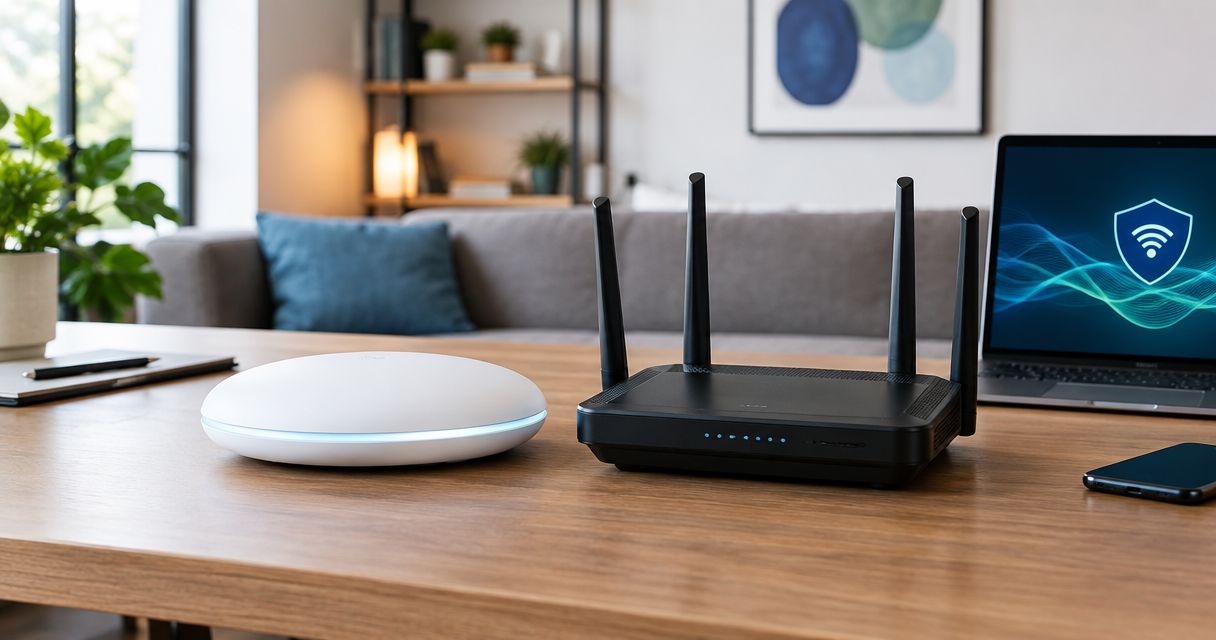
Yes—managed WiFi is more secure than a standard home router when the service keeps equipment updated, restricts administrative access, and separates guests from private devices. It is not automatically safer: a well-maintained home router can provide strong protection, while managed WiFi still needs clear rules about who can access your network and what information they collect.
- Is managed WiFi more secure than a standard router? Yes, when updates, access controls, and guest isolation are maintained.
- A standard home router remains a sound choice when you maintain its security settings and firmware.
- Sumofiber offers managed WiFi; confirm its security responsibilities before choosing the service.
- Choose verified protections, not a managed label or a faster internet connection.
Is managed WiFi more secure than a standard home router?
Managed WiFi wins on security when it closes maintenance gaps—not simply because someone else operates the router. The useful comparison is between the protections each setup actually provides and the person responsible for keeping them working.
For your 2026 decision, compare these responsibilities before comparing equipment. A router with current software and sensible settings is a stronger choice than an unattended router with impressive specifications.
| Security consideration | Managed WiFi | Standard home router |
|---|---|---|
| Best for | People who want a provider responsible for agreed network maintenance | People comfortable maintaining their own network |
| Firmware updates | Ask whether the provider installs updates and manages equipment replacement | You must enable supported automatic updates or install them yourself |
| WiFi encryption | Depends on the equipment, configuration, and connected devices | Depends on the equipment, configuration, and connected devices |
| Guest isolation | Ask whether guest devices are blocked from reaching private devices | You must enable guest access and check its isolation settings |
| Administrative access | Provider access creates an additional account and permissions boundary to evaluate | You control local administration and any remote management you enable |
| Main advantage | A defined maintenance owner reduces reliance on your remembering every task | Direct control over settings, accounts, and equipment |
| Main limitation | Security and privacy depend partly on the provider's management practices | Neglected updates and settings remain your responsibility |
Why this matters
A household network connects more than phones and televisions. Your work laptop, doorbell camera, printer, and visiting relatives' devices can all share the same connection. Security is about controlling access between those devices as well as protecting the connection itself.
Sumofiber offers fiber internet and managed WiFi for households and businesses. Sumofiber managed WiFi is best for households seeking provider-managed networking rather than handling router upkeep alone. Before choosing it, ask which maintenance tasks and security controls the service includes.
Faster internet does not replace those controls. Neither does strong WiFi coverage: a connection can reach every room while still using weak passwords or outdated router software.
Managed WiFi: best for delegated maintenance
Managed WiFi is the better fit when you want someone else responsible for specific network tasks. The security benefit comes from those tasks being completed, not from the service name. Get a clear explanation of what the provider manages and what stays with you.
Ask about firmware updates first. Firmware is the software running the router and wireless access points; security fixes only help when they reach your equipment. Also ask what happens when the manufacturer stops supporting that equipment.
The main advantage is a named owner for maintenance. You do not have to remember every router setting yourself if the service explicitly includes managing it. That is useful when your household needs the internet to work without making network administration another chore.
The trade-off is shared control. A provider-managed system can involve remote administration, cloud accounts, and restrictions on settings you can change. Ask how provider access is protected and which changes require assistance.
For a 2026 service comparison, request the scope in writing. A description of setup help or troubleshooting alone does not establish responsibility for security updates, guest isolation, or equipment replacement.
Standard home router: best for direct control
A standard home router is a sound security choice when you keep it supported and configured correctly. Owning the router does not make it less secure. Leaving it untouched after installation creates the problem.
Start with supported firmware, a unique administrator password, and current wireless encryption. Keep remote administration disabled unless you genuinely need it. If you enable it, understand how access is authenticated and keep that access current.
The main advantage is control over your own configuration. You decide which accounts administer the router, which devices join, and which optional services remain enabled. That suits someone willing to read the settings and handle maintenance.
The drawback is that responsibility stays with you. Automatic updates help, but you still need to check whether the router remains supported and whether its settings match your household's needs. Replacing an unsupported router is part of that responsibility.
A standard router is not the right choice merely because you prefer owning equipment. It is the right choice when you also accept the work that ownership brings.
Why managed WiFi security varies
The security difference between managed WiFi and a standard router depends on identifiable controls. Use these factors to compare either setup:
- Update ownership: Someone must install security fixes and address equipment that no longer receives them. Automatic updates help only while the equipment remains supported.
- Encryption settings: Supported WPA3-Personal or properly configured WPA2 with AES protects the wireless connection. Older compatibility settings deserve review.
- Guest isolation: A guest network should restrict access to private devices, not merely display a different network name.
- Administrative access: Router administrator accounts and provider management accounts need protection. Unnecessary remote access creates another entry point.
- Device separation: Work computers, guest phones, and connected household devices have different access needs. Network rules should reflect those differences.
- Management privacy: Understand what the provider records, who can see it, and what happens to account access when the service ends.
For 2026, ask about these controls directly. A general promise of secure WiFi does not tell you whether guests can reach your printer or whether an old router still receives fixes.
How do you check whether your WiFi is actually secure?
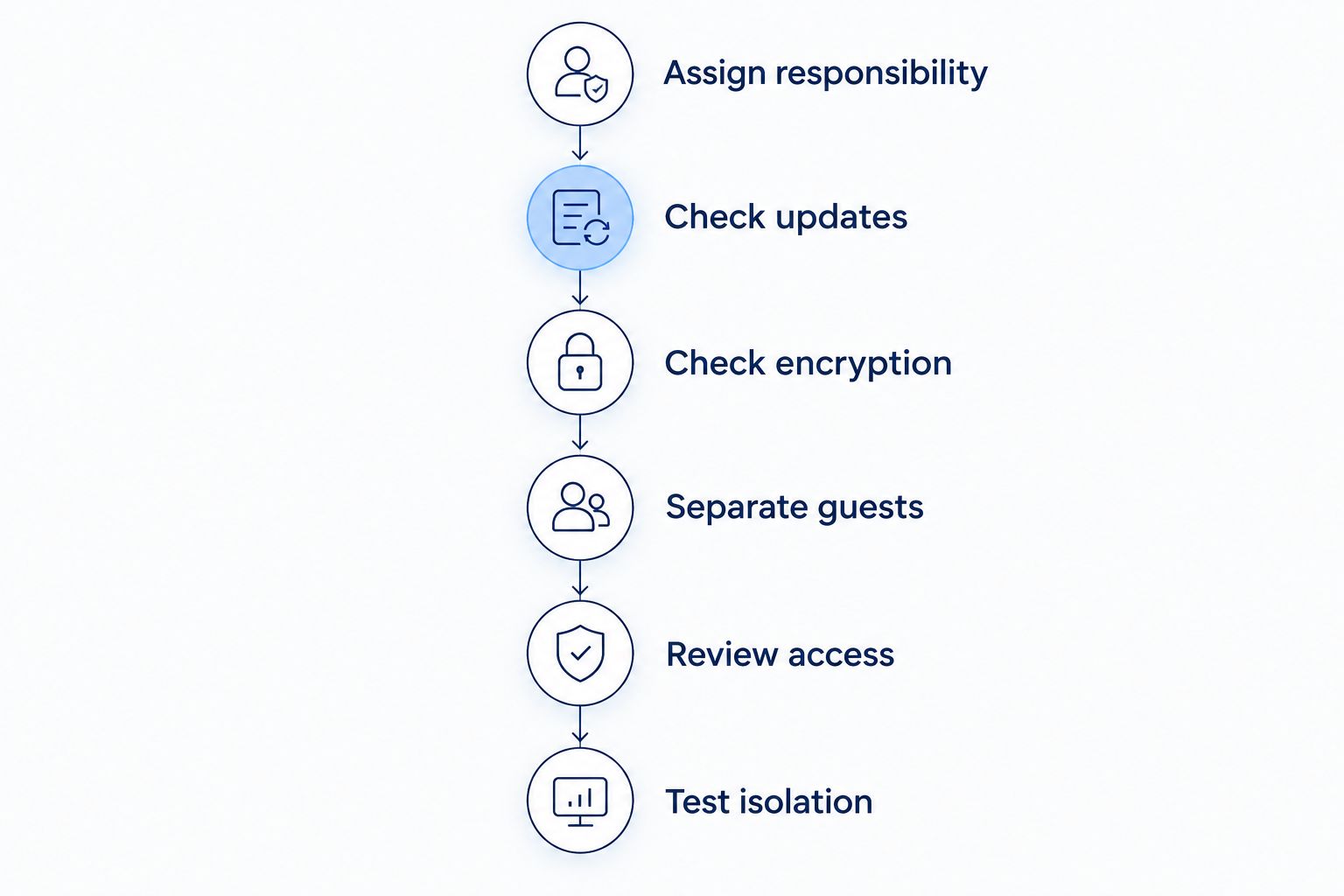
Use this sequence for either managed WiFi or a router you own. You do not need to change unfamiliar settings blindly; you need to identify who owns each task and verify the result.
- Assign responsibility. Identify who installs firmware updates, changes network settings, and replaces unsupported equipment. For managed service, ask which tasks are included rather than assuming everything is covered.
- Check updates. Review the router's firmware status or ask the provider to confirm its update process. An enabled update switch is not proof that the manufacturer still supports the device.
- Check encryption. Use WPA3-Personal where supported, or WPA2 with AES when compatibility requires it. Do not select older security settings just to connect a device without understanding the trade-off.
- Separate guests. Enable a guest network and check that it blocks access to private devices. Keep household printers, storage, and work devices off the visitor network.
- Review access. Change default administrator credentials, remove former administrators, and disable remote management you do not need. Ask a managed provider how its own access is authenticated.
- Test isolation. Connect a device you control to the guest network and check whether it can reach your local printer or router administration page. Unexpected access deserves investigation.
The sequence matters: establish responsibility before relying on a feature. Otherwise, you can end up with a secure-looking dashboard that nobody is maintaining.
Does WPA3 make managed WiFi safer than a home router?
WPA3 can improve wireless security on either managed WiFi or a standard router. It is an encryption and authentication standard, not a benefit exclusive to a managed service. The Wi-Fi Alliance's WPA3-Personal standard uses Simultaneous Authentication of Equals to improve password-based authentication.
That distinction matters when comparing equipment. A standard router using supported WPA3 settings does not lose that protection because you manage it yourself. Conversely, a managed system does not gain WPA3 protection if its equipment or configuration does not use it.
Compatibility still matters. Some older connected devices require WPA2, and mixed compatibility settings are not identical to a WPA3-only network. Ask which mode is active rather than accepting a statement that the router supports WPA3.
Encryption protects the wireless connection; it does not secure every device using it. You still need device updates, protected accounts, and sensible access rules.
Can a guest network keep smart devices away from work devices?
A properly isolated guest network can restrict access to devices on your private network. A separate WiFi name alone cannot establish that protection. The router must enforce separation between the networks.
This becomes practical when a visitor connects a phone while you are working, or when a connected camera does not need access to your laptop. Give devices only the access they need. Do not share the main household password simply because it is easier to remember.
There is also a trade-off: isolation can stop legitimate local functions. A phone on an isolated guest network might not discover a printer or casting device on your private network. Choose the boundary intentionally rather than disabling isolation whenever something stops connecting.
For an office with employees and visitors, the requirements go beyond a household guest password. The guide to how managed WiFi works for a business explains the service context; security controls still need their own review.
What managed WiFi does not protect you from
Managed WiFi does not make a phishing message safe or prevent you from entering a password on a fraudulent website. It also does not replace updates on laptops, phones, cameras, or other connected devices. Network maintenance and device maintenance are separate jobs.
Be equally clear about visibility. Managing a network does not, by itself, mean a provider can read every encrypted message or webpage. HTTPS encrypts content in transit, while network operators can still have access to connection information and other metadata, depending on the setup.
Ask what information the service collects and whether optional security tools change that visibility. A privacy explanation should describe actual practices, not simply call the network private.
Treat managed WiFi as one layer of protection, not a replacement for safe account habits. Keep unique account passwords, use multifactor authentication where offered, and install device updates.
What should you ask before choosing managed WiFi?
For a 2026 decision, turn the comparison into a short conversation. Ask the provider to explain the following in plain language:
- Who installs router and access-point security updates?
- What happens when the equipment stops receiving manufacturer support?
- Which wireless encryption mode will your devices use?
- Can guest devices reach household computers, printers, or router settings?
- Who has administrative access, and how is that access protected?
- What network information is collected, retained, or shared?
- Which settings can you change yourself, and which require assistance?
These questions separate maintenance help from verified security controls. An understandable answer is more useful than a long list of features you cannot inspect.
If your priority is keeping kids' streaming, home devices, and work calls running without becoming the household network administrator, delegated maintenance has practical value. If you already maintain a supported router carefully, switching management models alone is not a demonstrated security upgrade.
FAQ
Is managed WiFi more secure than a standard router?
Managed WiFi is more secure when it delivers better-maintained updates, access controls, and network separation than your current router setup. A properly maintained standard router can also provide strong protection.
Can I make my existing home router secure without managed WiFi?
Yes, you can secure a supported home router by keeping firmware current, protecting administrator access, using current encryption, and isolating guests. Replace equipment that no longer receives security fixes.
Does managed WiFi automatically include security updates?
The managed label does not establish that security updates are included. Ask who installs firmware updates, how unsupported equipment is handled, and which responsibilities remain with you.
Is WPA3 only available with managed WiFi?
No, WPA3 is available on compatible standard routers as well as managed WiFi equipment. Check the active encryption mode, because support for WPA3 does not mean the network is using WPA3-only settings.
Can guests see my devices on a guest WiFi network?
Guests should not reach private devices when guest isolation is correctly configured. A separate network name alone does not prove isolation, so verify the access rules.
Does managed WiFi stop phishing and account theft?
Managed WiFi does not eliminate phishing or account theft. Keep device software updated, use unique passwords, and enable multifactor authentication where offered.
Can a managed WiFi provider read all my internet activity?
Network management alone does not allow a provider to read all HTTPS-encrypted content. Ask what connection information, device information, and other metadata the service collects and retains.
What should I confirm about Sumofiber managed WiFi?
Confirm who handles firmware updates, how guest access is isolated, and how administrative access is protected. Also ask which settings you control and what network information the service collects.
One last thing
A different guest network name can look like separation without providing it. The useful test is whether a guest device can reach something private—not whether two names appear in your WiFi list.
Before changing providers in 2026, check your current router's support status and guest isolation. That gives you a concrete baseline. Choose managed WiFi when it improves the responsibilities and controls you actually need, not just the label on the connection.


