
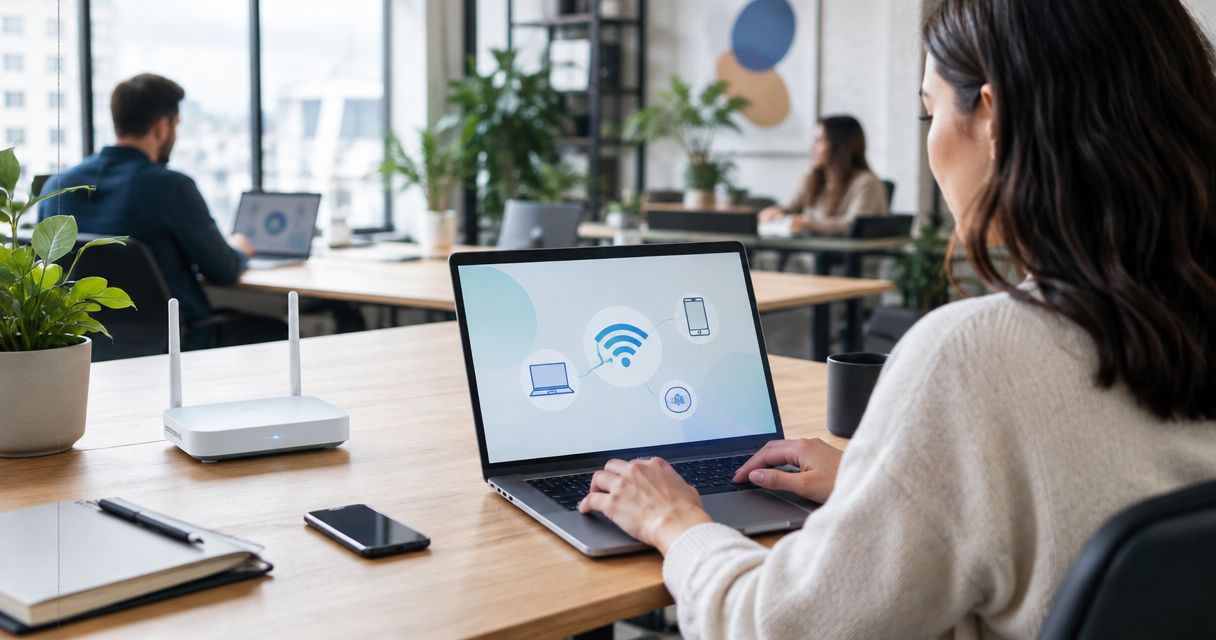
Managed WiFi means your internet provider designs, installs, and runs your business's wireless network instead of you buying a router off a shelf and hoping it covers the back office. You get one point of contact when a device won't connect instead of guessing whether it's the router, the modem, or the laptop.
- Managed WiFi for a business means the provider designs, installs, and monitors the network remotely instead of staff running a home router.
- Commercial access points replace one consumer router, so signal stays even across multiple rooms or floors.
- 24/7 remote monitoring flags dropped devices and dead zones before customers or employees notice.
- Guest WiFi gets separated from staff devices and point-of-sale systems as a standard part of setup.
- SumoFiber builds managed WiFi into its business fiber plans across Utah, Idaho, Montana, Colorado, California, Wisconsin, Illinois, and New York.
Why this matters
A single consumer router works fine for a five-person office in one room. It falls apart the moment you add a second floor, a lobby full of guest devices, a point-of-sale terminal, and a dozen employee phones all fighting for the same signal.
Managed WiFi exists because most businesses don't have an IT department watching the network at 7pm on a Friday when the WiFi drops mid-transaction. The provider watches it instead, and that's the entire pitch: someone else owns the uptime, not your front desk staff.
How does managed WiFi work for a business?
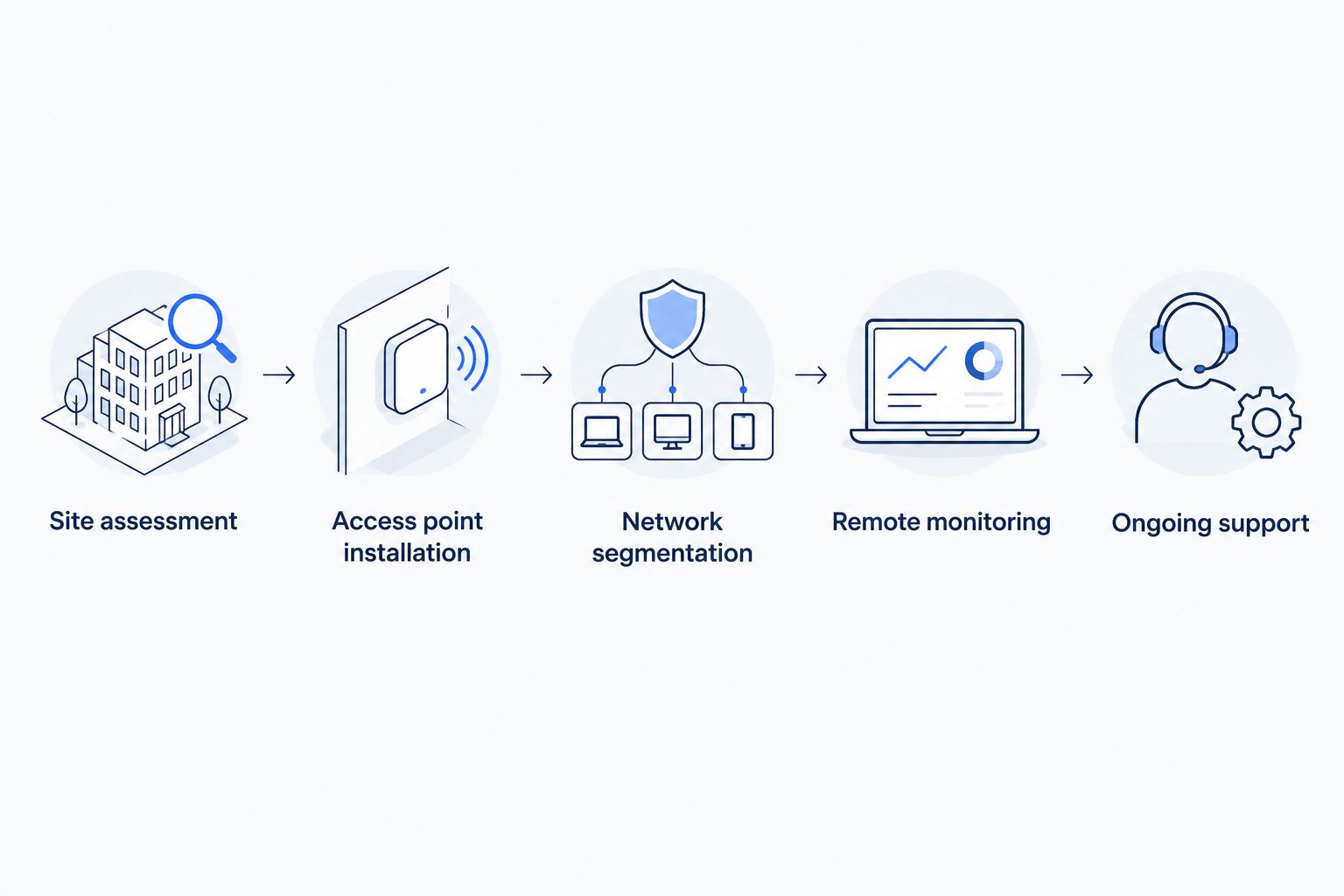
The process runs in five stages, and each one happens before you ever notice a difference in day-to-day WiFi speed:
- Site assessment — the provider walks the building or reviews a floor plan to find dead zones, thick walls, and high-traffic areas like a lobby or dining room.
- Access point installation — commercial-grade access points go up in place of a single router, positioned so coverage overlaps instead of leaving gaps.
- Network segmentation — staff devices, guest WiFi, and point-of-sale or medical equipment get split into separate virtual networks so a guest's phone can't see the register.
- Remote monitoring — the provider's network operations team watches uptime, bandwidth use, and device counts around the clock, not just when someone calls to complain.
- Ongoing support and updates — firmware patches, security updates, and access point swaps happen without your staff logging into anything.
A business that signs up through SumoFiber gets this bundled with the fiber connection itself, so the access points and the internet line are managed by the same team instead of two separate vendors pointing fingers at each other.
Network monitoring: the part you don't see working
The access points themselves aren't the interesting part — most commercial hardware performs similarly. The monitoring layer is what separates managed WiFi from a router you bought yourself.
When a device drops off the network repeatedly, or an access point starts throttling, the provider's monitoring system flags it before a customer complains about slow WiFi. That's the difference between a restaurant finding out its WiFi is down from a one-star review and finding out from an automated alert an hour earlier.
Guest network segmentation: why it's not optional anymore
Running guest WiFi and staff WiFi on the same network is a security problem waiting to happen, especially anywhere a point-of-sale system or patient records touch the network. Managed WiFi separates these automatically during setup:
- Staff network — internal devices, printers, and business software.
- Guest network — customer and visitor devices, rate-limited so it doesn't choke bandwidth for staff.
- Operations network — point-of-sale terminals, security cameras, or medical devices kept isolated from both.
A coffee shop and a medical office need this for different reasons, but the mechanism is identical: nobody's personal phone should share a network with the credit card reader.
Why managed WiFi setups vary from business to business
No two managed WiFi installs look the same, and the differences come down to a short list of real factors:
- Building size and layout — a single-floor retail space needs far fewer access points than a two-story office with concrete walls.
- Device count — a restaurant with 40 tables of guest phones plus staff tablets needs more capacity than a five-person office.
- Industry requirements — medical offices need stricter network isolation than a coworking space; construction sites need coverage that survives changing job trailers.
- Existing cabling — buildings with prewired ethernet drops install faster than ones needing new runs to each access point location.
- Number of locations — a business running WiFi across three branches needs centralized management, not three separate setups.
How much bandwidth your setup actually needs also shifts these numbers — a rough sense of how much bandwidth a small business actually needs helps before deciding how many access points to plan for.
See if managed WiFi is available at your address
Check business fiber and managed WiFi availability for 2026 installs.
Is managed WiFi different from a mesh router I buy myself?
Managed WiFi differs from a self-bought mesh router because a provider designs, monitors, and maintains the network remotely instead of leaving setup and troubleshooting to whoever's available in the office. A mesh kit from a retail store covers a building reasonably well but offers no monitoring, no segmentation between guest and staff traffic, and no one to call when an access point fails at 9pm.
Does managed WiFi work for a business with multiple locations?
Managed WiFi works across multiple locations by putting every site's access points under one monitoring dashboard instead of separate logins per branch. That means a dropped connection in one store shows up the same way it would in the main office, without a manager driving over to check a blinking light.
What happens if a device keeps dropping off the network?
A device that keeps dropping off the network usually triggers an automated alert to the provider's monitoring team before staff even notice a pattern. From there the fix is either a firmware push, an access point reposition, or a hardware swap — not a guessing game run by whoever's at the front desk that day.
FAQ
How does managed WiFi work for a business?
Managed WiFi works by having the internet provider design the access point layout, install commercial-grade hardware, segment staff and guest traffic, and monitor the network remotely so businesses don't manage it themselves. Support and firmware updates happen without staff touching a router.
Is managed WiFi worth it for a small business?
Managed WiFi is worth it for any small business where WiFi downtime costs money — restaurants, retail, medical offices, and coworking spaces. A single-employee home office rarely needs it; a business serving customers over WiFi usually does.
Does managed WiFi include guest network separation?
Yes, guest network separation is a standard part of managed WiFi setup, keeping customer devices off the same network as point-of-sale systems, staff computers, or medical equipment.
Can managed WiFi handle multiple business locations?
Managed WiFi can handle multiple locations under one centralized monitoring system, so a dropped connection at any branch gets flagged the same way regardless of which site it happens at.
What's the difference between managed WiFi and a regular business router?
The difference is monitoring and design: a regular router just sits there until something breaks, while managed WiFi includes remote monitoring, professional access point placement, and network segmentation from the start.
Does managed WiFi cost extra on top of business internet?
Managed WiFi is typically bundled into a business fiber plan rather than sold as a separate line item, though exact packaging depends on the provider and location — check current plan details directly.
How fast does managed WiFi get installed for a new business?
Installation timing depends on building size, existing cabling, and site assessment results, since larger or multi-floor spaces need more access points placed before the network goes live.
One last thing
The part most businesses skip until it breaks: someone still has to physically let a technician in when an access point needs swapping. Managed WiFi removes almost every technical task from your plate in 2026, but it doesn't remove the need for a person with a key.


