

A good internet speed for working from home in 2026 is 100 Mbps download and 20 Mbps upload for a household where other people use the connection during your workday. That is a practical planning target, not a minimum for every job: Zoom lists 3.8 Mbps upload and 3.0 Mbps download for a 1080p group video call. Your plan speed alone does not account for weak WiFi, competing uploads, or an unstable connection.
- A good internet speed for working from home in 2026 is 100 Mbps download and 20 Mbps upload for a shared household.
- A single 1080p Zoom group call needs 3.8 Mbps upload and 3.0 Mbps download under Zoom's published requirements.
- Test wired speed, WiFi speed, and call stability before changing internet plans.
- SumoFiber internet service is best considered when you want fiber service alongside household connectivity options.
Why this matters
A work call uses both directions of your connection: you download other people's video and upload your own. If someone else starts a large upload while you speak, the upload side can become the constraint even when downloads still feel fast. In 2026, compare both numbers on your speed test with what happens during a real call, not just the download number on your plan.
The question also changes with the household. A person working alone has a different workload from someone taking calls while others stream video or play games. SumoFiber offers residential fiber internet, but the right service for your address still depends on what is available there and how your household uses it.
What is a good internet speed for working from home?
Use 100 Mbps download and 20 Mbps upload as your 2026 starting target for a shared household. For one person on a video call with little other activity, a slower connection can meet the call application's published bandwidth requirements. What matters is the speed you actually receive while working, particularly upload speed, rather than the plan label alone.
| Work-from-home situation | Speed to assess | What the number tells you |
|---|---|---|
| One person on a 1080p Zoom group call | 3.8 Mbps upload and 3.0 Mbps download | Zoom's published bandwidth requirement for that video setting; it is not a whole-home recommendation. |
| One worker with limited competing use | 25 Mbps download and 5 Mbps upload | An example connection that exceeds Zoom's stated call requirement if those speeds are actually available during the call. |
| Worker sharing the connection with other household activity | 100 Mbps download and 20 Mbps upload | A practical planning target that gives you more room than the call alone requires. |
The 100/20 Mbps target also matches the Federal Communications Commission's broadband speed benchmark. The FCC benchmark is not a guarantee that every call will be smooth, and Zoom's figure is not a recommendation for your entire household. The table separates an application's requirement from a sensible target for a busy home.
Working alone: check the call, not just the plan
If you work alone and your main task is a video meeting, start with the application's own requirements. Zoom's stated 1080p group-video figures are 3.8 Mbps upload and 3.0 Mbps download. A connection delivering 25 Mbps down and 5 Mbps up exceeds those figures, but another upload or poor WiFi can still interfere.
Do not treat the 25/5 Mbps example as a pass for every remote job. File transfers, screen sharing, remote desktops, and your employer's tools can change the workload. Test the activities you actually do at the time you normally work.
Sharing the connection: use 100/20 Mbps as a starting target
For a home with a worker and other active users, 100 Mbps download and 20 Mbps upload is the clearer 2026 planning target. It gives you more capacity than a single call's published requirement without pretending that every household needs the same plan.
Watch the upload side when the house gets busy. Cloud backups, file uploads, and another video call can compete with the video and audio you send. If meetings fail only when others are online, test at that same busy time; a quiet-house speed test answers a different question.
Why work-from-home internet speed varies
The speed you need is shaped by what happens at the same time, not just by your job title. These are the factors to check before choosing a service or changing a plan:
- Video settings. Zoom's published requirement for a 1080p group call is 3.8 Mbps upload and 3.0 Mbps download. A different meeting setting has a different requirement.
- Other people online. Streams, games, downloads, and calls share the household connection. A speed that works when you are alone does not describe the busiest hour at home.
- Uploads in the background. Cloud sync and large file transfers use the same upstream capacity your microphone and camera need.
- WiFi conditions. Distance from the router and interference can reduce the speed reaching your work device even when the incoming internet connection is faster.
- Connection stability. A speed test shows throughput during that test. Brief interruptions or variable latency can still make a conversation difficult.
- Work applications. A meeting, a large upload, and a remote desktop session place different demands on the connection. Check your employer's requirements for tools you must use.
A faster download result does not fix an upload or WiFi problem. If your video freezes while websites load normally, check the upload result and the connection between your device and router before assuming you need a faster download plan.
How to test whether your connection is good enough
A useful test reproduces the conditions of your workday. Take measurements when the connection feels fine and when calls fail; the contrast is more useful than one result from an empty house.
- Wired test. If your work device has an Ethernet connection, test it while connected directly to your router. Record download speed, upload speed, and whether the result changes between tests. This gives you a comparison point for the WiFi test.
- WiFi test. Test from the place you actually work, using the same device where possible. A large drop from the wired result points to your in-home connection as a place to investigate.
- Call test. Join a real meeting or use your meeting app's test features at the time problems usually happen. Note whether others are streaming, gaming, uploading files, or taking calls.
- Repeat at the busy time. Run the same checks when the household is active. If the wired result falls then too, look beyond the room's WiFi coverage; if only WiFi falls, investigate the local setup first.
A wired test is a diagnostic step, not a demand that you work at the router. It helps separate the service entering your home from the wireless connection reaching your desk. In 2026, make that distinction before changing internet plans: otherwise, you can pay for more advertised speed and leave the weak WiFi link untouched.
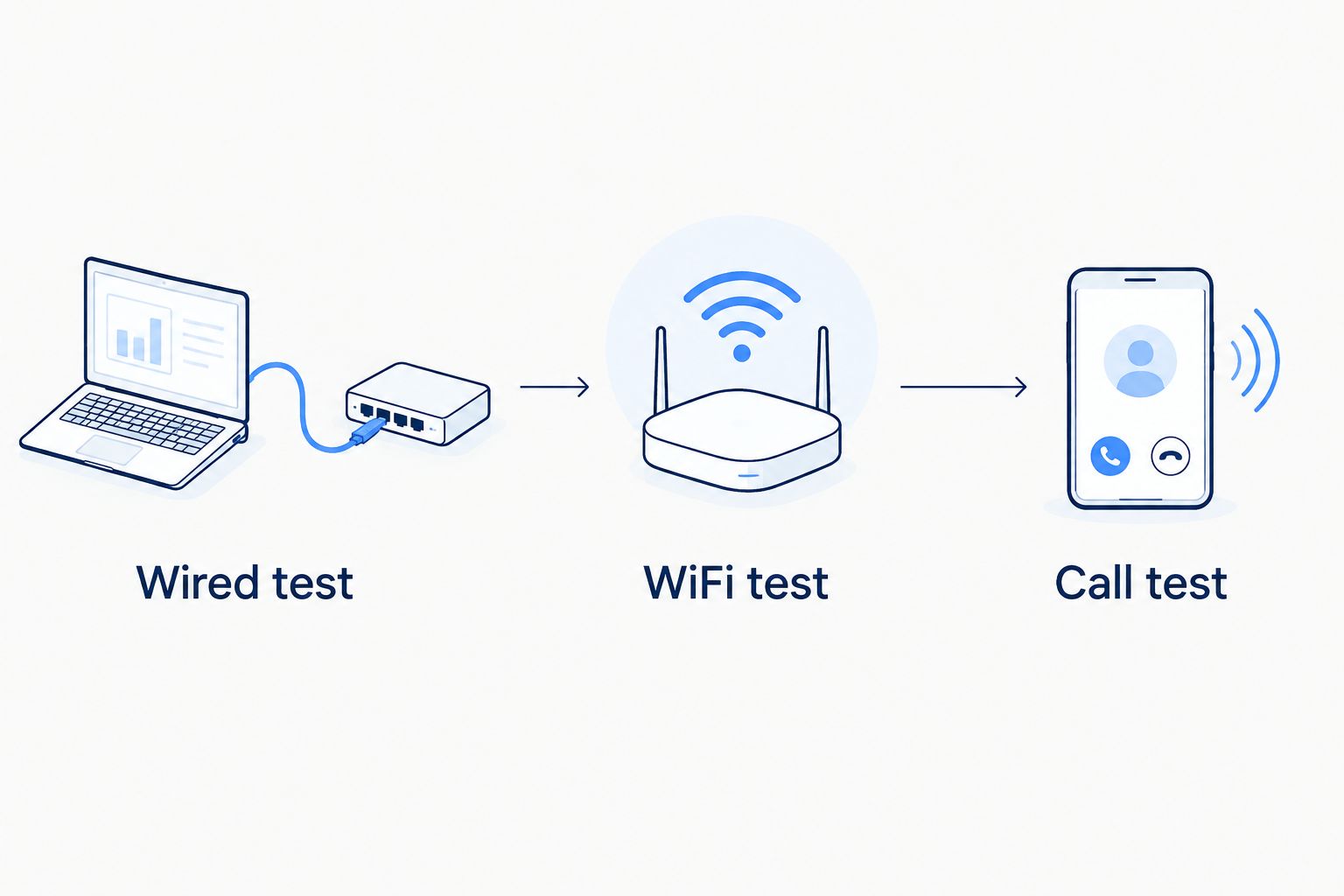
If you cannot connect by Ethernet, you can still compare WiFi results beside the router and at your desk. Keep the device and test method the same. That comparison does not prove what speed your provider delivers, but it can show whether location inside your home changes the result.
When should you change your internet plan?
Change the plan only after you identify the constraint. If wired tests during working hours consistently show less download or upload capacity than your household needs, compare available plans by both advertised directions. If wired performance is sound but your desk struggles, start with WiFi placement and coverage instead.
Ask what happens on the busiest ordinary day, not the busiest day you can imagine. If your main issue is a dropped call, check stability as well as speed. If the issue is a long file upload, focus on upload performance. A plan with a larger download number does not automatically solve either problem.
SumoFiber internet service is best for households that want to consider fiber alongside WiFi, TV, home phone, and mobile services. Its service range is relevant if you want those household options from one provider; it does not, by itself, establish the speed available at your address or resolve a weak WiFi spot. Check the current service details for your location before deciding.
Check your internet options
Compare the current service details for your address and household needs.
Is 25 Mbps enough to work from home?
25 Mbps download can be enough for one worker's call, but you must check upload speed too. A connection delivering 25 Mbps down and 5 Mbps up exceeds Zoom's published 3.0 Mbps download and 3.8 Mbps upload requirements for a 1080p group call. That comparison covers the call, not everyone else using the connection or every work application.
If you see a 25 Mbps download result, do not stop reading the test. Find the upload result, repeat the test during meetings, and check whether the call stays stable. In a shared home, the 100/20 Mbps planning target leaves more room for simultaneous activity.
Is upload speed or download speed more important for video calls?
Both matter; upload speed carries the audio and video you send. Zoom lists 3.8 Mbps upload and 3.0 Mbps download for a 1080p group call, so a high download result cannot make up for insufficient upload capacity. If colleagues say your picture or voice breaks up while you can see and hear them, check upload performance and WiFi stability first.
Does fiber make working from home faster?
Fiber is an internet connection type, not proof that a particular home gets a particular speed. Compare the download and upload details of plans available at your address, then test what reaches your work device. For 2026 work-from-home decisions, SumoFiber fiber internet is an option to assess where its service is available; do not assume a plan's advertised speed describes your WiFi at your desk.
FAQ
What is a good internet speed for working from home in 2026?
A good planning target for a shared household is 100 Mbps download and 20 Mbps upload in 2026. Check actual speeds and call stability during your busiest work hours.
Is 25 Mbps fast enough for Zoom and working from home?
25 Mbps download can exceed Zoom's published download requirement for a 1080p group call, but upload matters too. Zoom lists 3.8 Mbps upload and 3.0 Mbps download for that setting.
How much upload speed do I need for a Zoom group call?
Zoom lists 3.8 Mbps upload for a 1080p group video call. Other uploads on your connection can compete with the call, so test during normal household use.
Why does my video call freeze when my speed test looks good?
A good speed result does not rule out weak WiFi, competing uploads, or brief connection interruptions. Compare wired and WiFi tests, then repeat them when calls usually fail.
Do I need 100 Mbps internet to work from home?
No. The 100 Mbps download and 20 Mbps upload target is a practical starting point for a shared household, not a minimum for every remote worker.
Should I upgrade my plan or fix my WiFi?
Compare wired speed at the router with WiFi speed where you work. If wired performance is sound but WiFi is weak at your desk, investigate the in-home connection before changing plans.
Is fiber internet good for working from home?
Fiber internet is an option to compare for remote work, but the right plan depends on available upload and download speeds at your address. Check the service details and test the connection at your work device.
One last thing
The number that decides a meeting is not always the biggest number on the plan. Check upload speed while the rest of the household is online. That 2026 workday test tells you more than a fast download result taken when nobody else is using the connection.


