
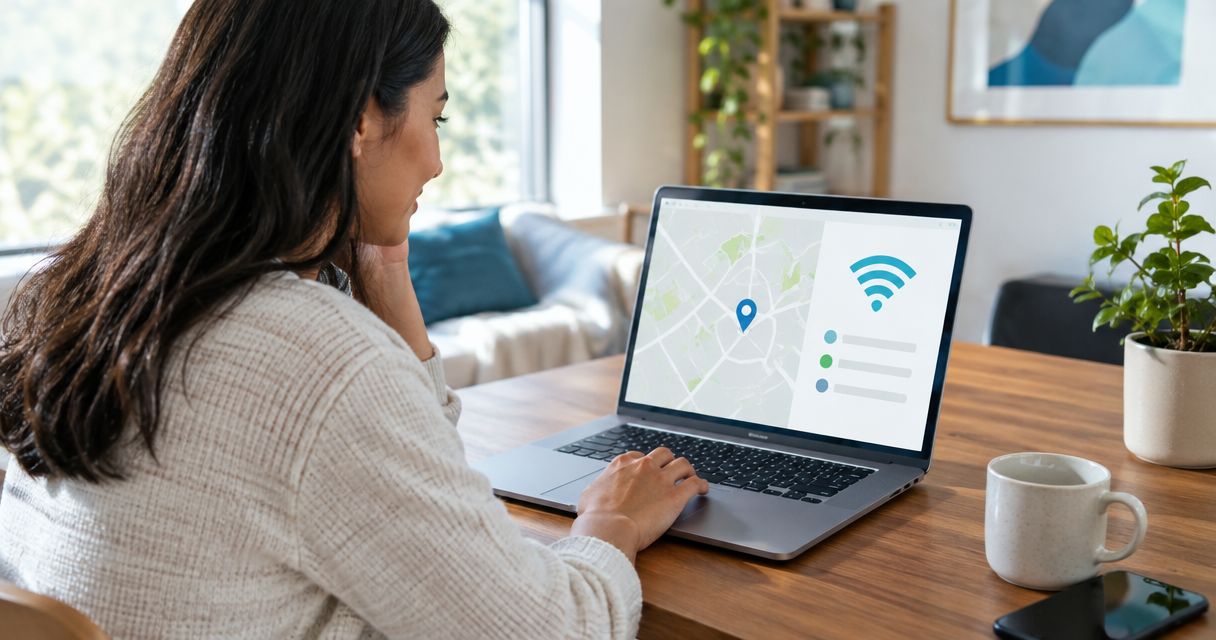
Enter your exact street address, including any apartment or unit number, into a fiber provider’s availability checker. Confirm the result with the FCC National Broadband Map or the provider’s support team before treating fiber as available in 2026, because citywide coverage does not guarantee service at your building.
- To find fiber internet in my area, check the complete service address rather than only the city or ZIP code.
- SumoFiber serves parts of eight states in 2026, but availability still depends on the individual address.
- Confirm an unclear result with the FCC National Broadband Map and the provider’s support team.
- Apartments and condos need unit-level confirmation plus approval for any required building access.
Why this matters
Fiber coverage changes from one street or building to the next. A provider can serve your city without having a connection ready at your property, while a nearby home can qualify even when your address does not.
Start with the provider that serves your region. SumoFiber fiber internet is offered to households and businesses across parts of Utah, Idaho, Montana, Colorado, California, Wisconsin, Illinois, and New York. That is eight states, but the state list is only a starting point; the exact address decides whether service is available.
A correct check also prevents a gap in service. Do not cancel your current connection because a map shows fiber nearby. Wait until the provider confirms that your address is serviceable and explains the installation requirements.
SumoFiber is best for households and businesses in its listed service areas that want fiber internet backed by human support 24 hours a day, 7 days a week.
How do I check if fiber internet is available at my address?
Use the provider’s address checker first, the FCC map second, and direct confirmation third. These sources answer different parts of the question, so combining them gives you a clearer result in 2026.
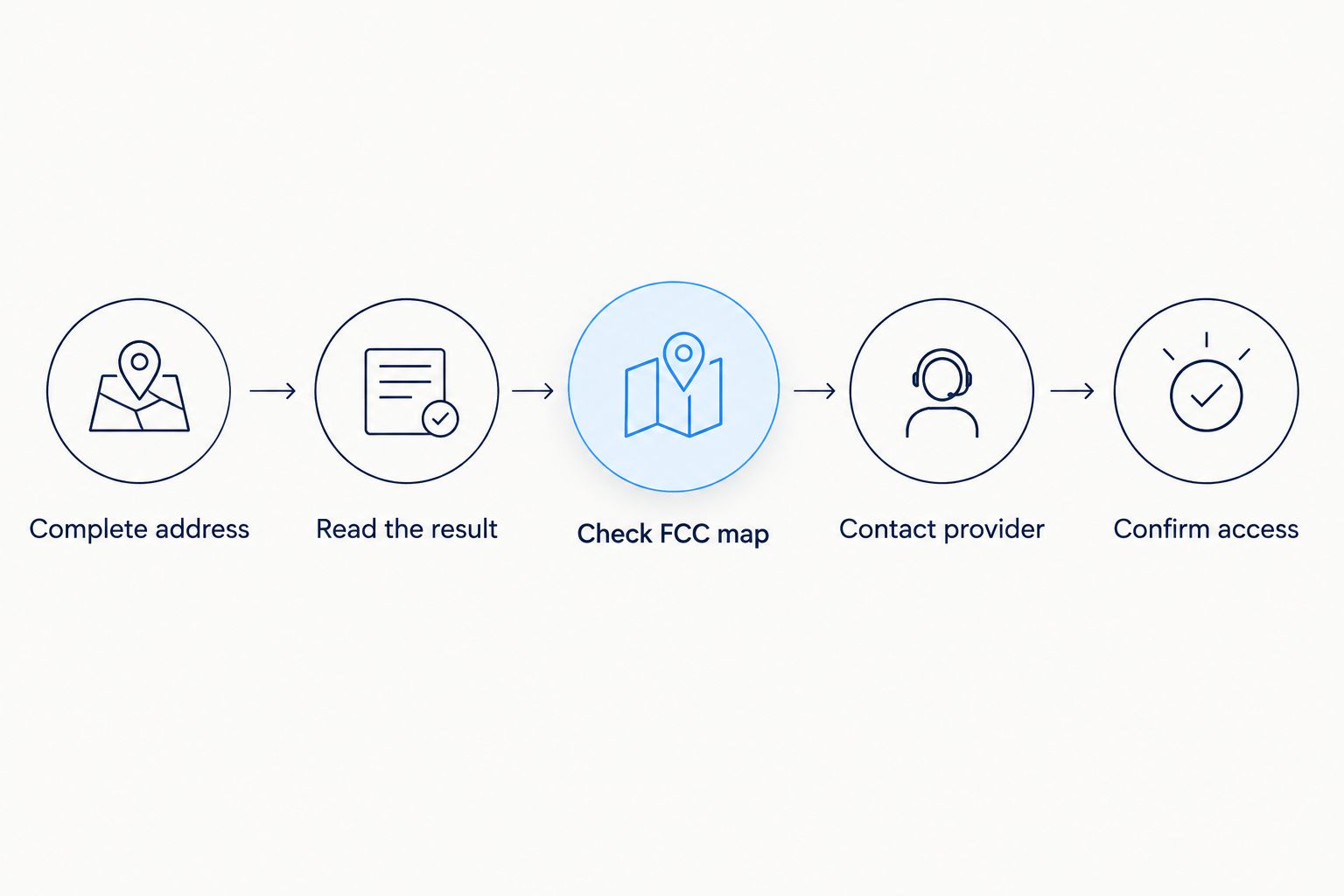
- Enter the complete service address. Use the street number, street name, city, state, ZIP code, and apartment or unit number. A ZIP code can identify a general coverage area, but it cannot confirm service at one building.
- Read the result carefully. Look for a clear serviceability result rather than a general message saying the provider operates in your area. If plans or an installation step appear, continue far enough to confirm that the address was accepted without completing an order.
- Check the FCC National Broadband Map. Search the same location and review which fixed broadband providers report fiber service there. The map is a useful cross-check, but the provider still makes the final serviceability decision.
- Contact the provider when the sources disagree. Give support the exact address and explain what each tool showed. Ask whether the location is serviceable, pending construction, missing from the address database, or outside the current network boundary.
- Confirm property access. Renters, apartment residents, condo owners, and businesses in shared buildings should ask the property manager whether fiber equipment is already installed and whether additional access approval is required.
Use the same spelling and unit format shown on a lease, utility bill, or postal record. Address databases sometimes treat forms such as “Unit B” and “Apartment B” as separate locations, even though they refer to the same residence.
Compare the three availability checks
| Check | Best for | What it tells you | Limitation |
|---|---|---|---|
| Provider address checker | Starting the search | Whether the provider currently recognizes the address as serviceable | The address record can be missing, outdated, or unclear |
| FCC National Broadband Map | Finding reported providers | Which companies report fixed fiber service at the location | Reported coverage does not replace provider confirmation |
| Provider support team | Resolving uncertainty | Whether the address is available, pending, or outside the current build | The answer can still depend on a property or construction review |
| Property manager or HOA | Shared buildings | Whether the provider can access common areas and reach the unit | Building approval does not prove that the outside network is ready |
The provider’s final address confirmation wins. The FCC map helps you identify options, while a landlord or HOA confirms access inside a shared property. Neither source can promise that the provider is ready to accept an order at your exact location.
What does each fiber availability result mean?
Address tools do not always use the same wording, but most results fit one of three categories. Read the result as a current status, not a permanent decision.
Available at your address
“Available” means the provider recognizes the location as serviceable. Before changing your current internet, confirm which service type is being offered and whether the provider needs to run a new line from the street, utility pole, building equipment room, or property edge.
For SumoFiber, availability can apply to residential or business service. The company also offers managed WiFi, TV, home phone, and mobile services, but each option should be confirmed separately for the address rather than assumed from the fiber result.
Available nearby, but not confirmed
This result means the provider operates close to the property but has not confirmed your exact location. It commonly appears when a street has partial coverage, an address is new, a unit is missing from the database, or a building needs a separate review.
Do not submit a neighboring address to force the checker forward. Contact the provider with your real address and ask for an address validation. A valid order must match the location where service will be installed.
Not available at your address
“Not available” means the provider is not accepting an order for that address based on its current records. It does not tell you whether fiber is planned, under construction, blocked by building access, or simply missing from the database.
Ask for the status in plain language: Is the address outside the network, waiting for construction, or unrecognized? That distinction tells you whether to recheck later, correct the address record, or compare other providers in 2026.
Why fiber availability varies
Fiber internet availability depends on more than distance to the nearest city. These six factors explain why two nearby properties can receive different results.
- Network boundary: A fiber network ends at a specific street, block, property line, or service area. Being close to that boundary does not make an address serviceable.
- Address records: New construction, converted buildings, renamed streets, and unusual unit formats can prevent an otherwise valid property from matching the provider’s database.
- Building type: A detached home, apartment building, office suite, and mixed-use property require different access and wiring arrangements. Shared buildings often need coordination with the owner or manager.
- Construction status: Fiber can be visible in the neighborhood before testing and activation are complete. Conduit, cabinets, or utility work show activity, not confirmed service.
- Local permission: Work on public rights of way and private property requires the relevant approvals. A provider cannot complete every connection solely because the broader area has coverage.
- Network and provider roles: In an open-access market, one organization can own the fiber network while another sells internet service over it. Check both network availability and provider availability.
The building question deserves special attention. A provider can reach the property while individual units remain unconnected. The guide to fiber internet for apartment complexes explains the roles of the network operator, internet provider, property owner, and resident.
Why does my neighbor have fiber when I cannot get it?
Your neighbor’s connection proves that fiber is close, not that your address is ready. The network can stop between properties, serve only one side of a road, use a different utility route, or contain an address record that has not been added for your home.
Give the provider your neighbor’s street name as context, but never use the neighbor’s full address to place an order. Ask for an address validation and a clear status for your property.
How do I check fiber for an apartment or condo?
Enter the full address with the correct unit number, then ask the property manager which providers have access to the building. Confirm whether fiber reaches each unit, stops in a shared equipment room, or requires additional wiring approval.
A building-level match is not the same as unit-level serviceability. In 2026, renters should get confirmation from both the provider and property manager before relying on fiber for a move-in date or remote-work setup.
Can I check fiber availability for a business address?
Yes. Use the complete business service address, including the suite, floor, or building identifier, and tell the provider that the location is commercial. A business address can require a different serviceability review from a residence at the same property.
Ask whether the result covers the specific suite and whether building management must provide access to shared communications rooms. SumoFiber offers business internet and managed WiFi, but availability must still be confirmed at the individual location.
What should I do if fiber is not available?
Start by ruling out an address problem before assuming the network cannot reach you.
- Check the spelling, directional prefix, street suffix, ZIP code, and unit format.
- Try the standardized version of the address shown on a utility bill or postal record.
- Check the FCC National Broadband Map for other reported fiber providers.
- Contact the provider and request address validation rather than asking only whether the city has coverage.
- Ask whether the result means unserviceable, pending, or missing from the database.
- Keep your current connection active until a fiber installation is confirmed.
- Save the date and result so you can compare it with a future check.
If the provider confirms availability, ask what must happen before activation. The fiber installation timeline covers the difference between scheduling an appointment, running a line to the property, installing equipment, and activating service.
Check your address with SumoFiber
Review current fiber service options for your location.
FAQ
What is the fastest way to find fiber internet in my area?
Enter your complete address into a fiber provider’s availability checker. Confirm the result with the FCC National Broadband Map or provider support if the wording is unclear.
Can I check fiber availability using only my ZIP code?
A ZIP code can identify providers operating in a broad area, but it cannot confirm service at one property. Use the full street address and unit number for a serviceability decision.
Is the FCC National Broadband Map accurate for fiber availability?
The FCC map is a useful location-level record of provider-reported coverage, but the provider must confirm whether it can serve your exact address. Use the map to find and cross-check providers rather than treating it as an installation promise.
Does fiber at my neighbor’s house mean I can get it?
No, a nearby fiber connection does not guarantee availability at your property. Ask the provider to validate your exact address and explain whether the network reaches it.
How do renters check fiber internet availability?
Renters should enter the complete unit address and confirm building access with the landlord or property manager. Both the outside network and the inside building connection must be ready.
Where does SumoFiber offer fiber internet in 2026?
SumoFiber serves parts of Utah, Idaho, Montana, Colorado, California, Wisconsin, Illinois, and New York in 2026. Availability varies by exact residential or business address within those eight states.
Should I cancel my current internet after fiber shows as available?
No, keep your current service until the fiber provider confirms the address, installation requirements, and activation. A map result alone does not guarantee that the new connection is ready.
One last thing
Take a screenshot of the availability result and record the date. If the answer changes or the provider cannot find your request later, you will have the exact wording and address format used in 2026.
Then repeat the check when you see local fiber construction or receive a provider notice. Availability changes at the address level, so a previous “not available” result should not be treated as permanent.


