

Instead of manually changing call forwarding after an outage, configure provider-side failover to reroute business calls to mobile when internet drops, so new callers can reach your team without the office connection. The forwarding rule must run outside your office, and the receiving mobile phone must work without office WiFi.
- To reroute business calls to mobile when internet drops, use provider-side failover—not a rule running on office equipment.
- Confirm your phone service supports an unreachable destination before changing hosted PBX call routing.
- SumoFiber offers internet, managed WiFi, phone, and mobile services; confirm account-specific call failover support before setup.
- Test incoming calls during a controlled outage, then verify normal routing returns after reconnection.
Why this matters
A restaurant can lose its desk phones while someone’s mobile still works. But that mobile will not receive business calls automatically unless the phone provider has a working route to it.
SumoFiber is best for households and businesses seeking internet, managed WiFi, phone, and mobile services from one provider. Explore SumoFiber for those services, then confirm which call-routing controls apply to your phone account. Offering phone and mobile service does not, by itself, establish automatic failover capability.
For your 2026 continuity plan, separate two jobs: keeping incoming calls reachable and keeping office equipment online. Provider-side call forwarding handles the first job. It does not restore your connection, payment terminal, or desk phone.
Before you start
- Get phone-system access. You need administrator access or help from the provider that routes your business number. Confirm support for forwarding when a phone, extension, or office phone system becomes unreachable—not just when nobody answers.
- Prepare an independent destination. Choose a staffed mobile number, check cellular reception where the person works, and confirm permission to receive business calls. Keep an external calling phone ready for testing.
- Check where the rule runs. A forwarding rule stored only on an office phone system cannot act when that equipment loses connectivity or power. If your provider cannot route calls before they reach the office, resolve that limitation before continuing.
This guide describes the required configuration rather than a particular portal. Field names, permissions, and routing behavior differ by phone system; use your provider’s documented controls instead of searching for an assumed button name.
Incoming call route
Start with the public number customers actually dial. Configuring an employee’s extension will not protect the main number if its menu or queue sends callers somewhere else.
- Call your published business number from an outside phone while the office connection works. Note whether callers reach a menu, receptionist, queue, or individual extension.
- Identify the destination that depends on the office connection. For an on-site phone system, this can be the connection between your provider and that system. For hosted phones, it can be the desk-phone extension or group.
- Ask the phone administrator which failure condition detects that destination becoming unreachable. Confirm whether the condition applies to a disconnected handset, the entire office connection, or both.
- Record the normal route and its business-hours rules before editing anything. Keep enough detail to restore the original configuration.
Expected result: You can name the incoming number, its normal destination, and the provider-side condition that will trigger the backup route.
Do not substitute ordinary no-answer forwarding without checking the difference. A phone that rings unanswered and a phone that cannot be reached are different conditions. Your system’s treatment of each determines what callers experience.
Mobile fallback destination
Choose the person who can answer usefully, not simply the first mobile number you have. Someone must be able to take a message, explain the interruption, and pass urgent requests to the right employee.
- Enter the receiving mobile number using the format required by your phone provider. Confirm that external forwarding is permitted for the account and destination.
- Attach that number to the provider-side unreachable or failover route identified above. Keep the usual business-hours routing intact unless you deliberately want a different schedule.
- Define what happens when the mobile is busy, unanswered, or unreachable. Decide whether callers should reach another staffed destination or business voicemail, using only destinations your system supports.
- Check whether personal mobile voicemail can answer before the business system takes its next action. If supported, use answer confirmation to require a deliberate response before connecting the caller.
- Document the assigned person and a replacement contact. Store this with your 2026 call-routing notes so a staff change does not leave an old employee receiving calls.
Expected result: An unreachable office destination has a defined mobile route, and an unanswered mobile call has a deliberate ending.
Keep the backup route simple. Start with 1 mobile destination, prove that it works, and only then add another handoff. Extra routing creates more places for calls to land somewhere unintended.
Outage test
Test the route under the condition it is meant to handle. Switching a desk phone off proves only how the system treats that phone; it does not necessarily prove how the system treats loss of the whole office connection.
- Schedule a controlled interruption when staff can manage it. Identify equipment that depends on the connection, and do not interrupt emergency, alarm, medical, or other safety-critical services as part of this test.
- Turn off WiFi on the receiving mobile and verify that it can receive an ordinary cellular call. If that fails, fix the mobile destination before testing forwarding.
- Following your administrator’s approved procedure, disconnect the office internet path without changing the business number’s routing manually. Keep an independent way to communicate with the administrator.
- Place 3 test calls from outside the business: answer the first on the mobile, leave the second unanswered, and test the third while the receiving mobile is occupied. Record where each call ends.
- Check both sides of an answered call. Confirm that caller and employee can hear each other, and record what caller ID appears on the mobile.
Expected result: New calls follow the configured fallback route during the interruption, including the unanswered and busy cases your system supports.
An established desk-phone call is a separate test. Do not promise that an active call will move to mobile when the connection fails. Routing new incoming calls and transferring an ongoing conversation are different capabilities.
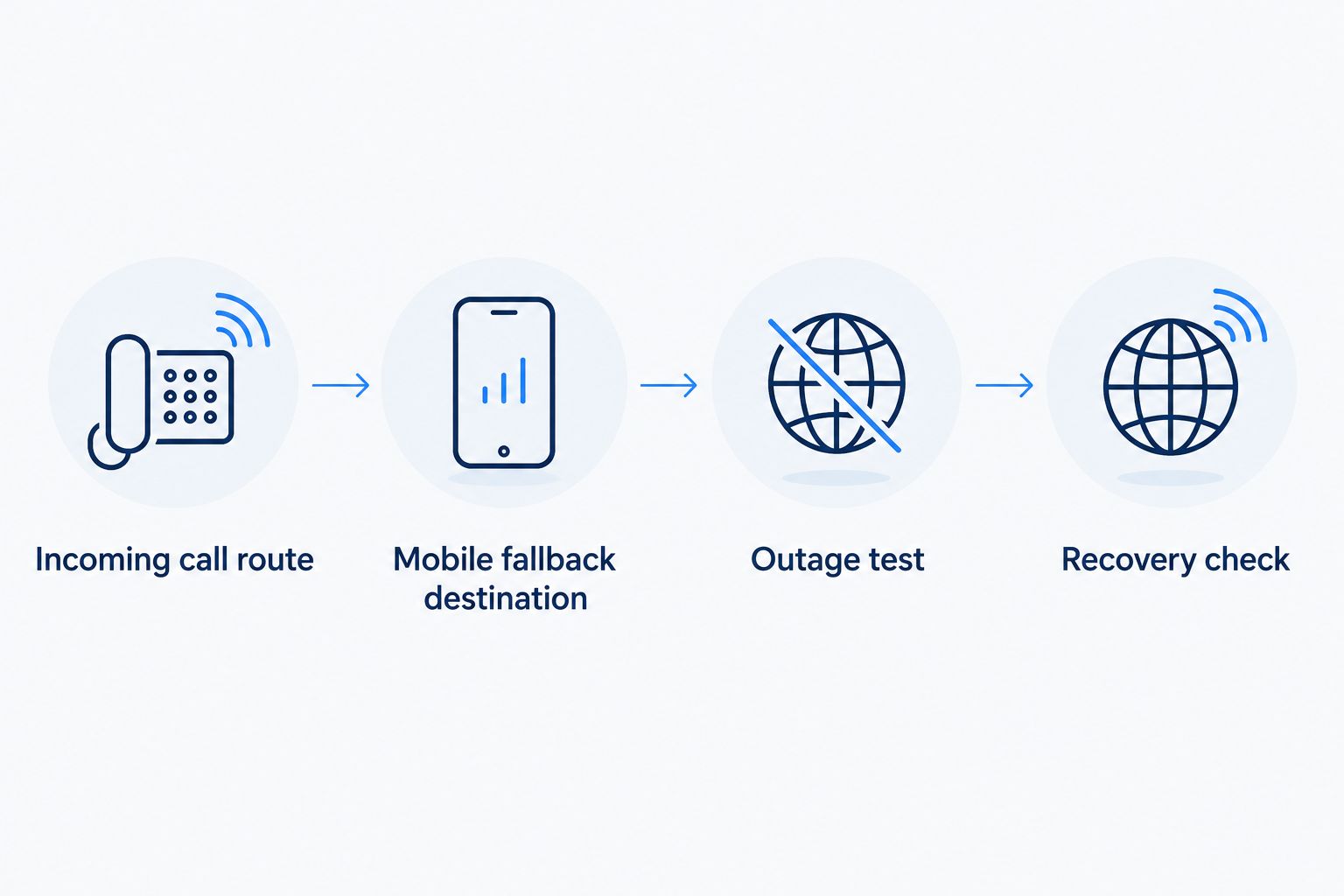
Recovery check
Restoring internet access is not the end of the test. Your phones must reconnect, and new callers must return to the intended route.
- Restore the office connection using the approved procedure. Confirm that the office phones or on-site phone system reconnect to the provider.
- Call the business number again from outside. Check that the normal menu, queue, or desk phone receives the call instead of the mobile fallback.
- If calls still reach mobile, inspect whether the failover condition remains active or a manual forwarding override was left enabled. Follow the provider’s documented recovery process.
- Save the test date, affected number, destination, results, and person responsible for follow-up. Repeat the test after changing providers, phone systems, routing, or mobile destinations.
Expected result: Normal calling returns without leaving the business number permanently forwarded.
For your 2026 test record, describe observed behavior rather than writing “failover works.” A useful entry says which number rang, who answered, where unanswered calls ended, and whether normal routing returned.
Add a no-answer backup for everyday missed calls
You can also send calls to mobile when the office connection works but nobody answers. This is an adjacent workflow, not a replacement for outage detection.
Configure the no-answer destination separately from the unreachable destination where your system permits it. Then test an unanswered desk phone while internet service remains connected. Keep the timing aligned with who is actually available to answer; do not choose a delay just because it is the portal default.
| Approach | Best for | Advantage | Limitation |
|---|---|---|---|
| Provider-side unreachable forwarding | New calls during loss of office phone connectivity | Routes calls without relying on disconnected office equipment | Requires provider support and a working external destination |
| No-answer forwarding | Calls staff miss while phones remain reachable | Gives callers another chance to reach someone | Does not establish that outage failover works |
| Cellular internet backup | Keeping supported office devices connected | Provides another internet path rather than moving calls to a mobile number | Requires suitable network equipment, cellular service, and separate testing |
For SumoFiber phone service, confirm which conditions your account supports before treating these approaches as interchangeable. A backup internet connection is a different setup; the guide to automatically switching to cellular backup when fiber drops covers that workflow.
For 2026 planning, choose the failure you need to address first. A missed receptionist call calls for a different rule than an office-wide connection failure.
Troubleshooting
The mobile never rings
Check that you edited the route for the published number rather than an unused extension. Verify the destination number and external-forwarding permission, then inspect the provider’s call record to see which routing condition actually matched.
If forwarding depends on equipment inside the disconnected office, move the decision upstream with your provider. Changing the mobile number will not fix that dependency.
Personal voicemail captures business callers
Test an unanswered call and listen to the greeting. Adjust the supported business-system handling or use answer confirmation if available; otherwise choose a destination with an appropriate voicemail arrangement. Do not assume a second destination will ring after personal voicemail answers.
The mobile works only on office WiFi
Turn WiFi off and test an ordinary incoming mobile call. If cellular calling fails at that location, use a staffed destination with working reception. Forwarding a business number cannot repair the receiving phone’s cellular connection.
Calls loop back to the business number
Inspect forwarding on both the business route and the receiving mobile. Remove any rule that sends the fallback call back to its starting point, then retest from an outside phone.
Calls stay forwarded after internet returns
Confirm that phones have reconnected and check for a manual forwarding override. If the provider still marks the office destination unreachable, resolve that state before changing the fallback rule.
Customize your workflow
Extend the setup around staffing rather than adding destinations at random. Define an after-hours route, a replacement for the assigned employee, and a business voicemail destination for times nobody can answer.
For businesses using SumoFiber internet and phone services, discuss internet continuity and incoming-call continuity as separate requirements. Ask the phone administrator to explain which equipment or connection each rule depends on.
Keep a 1-page recovery checklist accessible without the office network. Include the affected business numbers, assigned mobile recipients, normal routing, test procedure, and administrator contact details already approved by your business. Review that checklist alongside your 2026 staffing schedule.
FAQ
How do I reroute business calls to mobile when internet drops?
Configure a provider-side rule that forwards new incoming calls when the office phone destination becomes unreachable. Confirm support with your phone provider, assign a working mobile destination, and test during a controlled interruption.
Will ordinary call forwarding work during an internet outage?
It depends on where the forwarding rule runs and what triggers it. Provider-side forwarding can operate without the office connection; a rule that needs disconnected office equipment cannot.
Does SumoFiber automatically forward business calls during an outage?
Confirm automatic outage forwarding for your specific SumoFiber phone account before relying on it. Ask which unreachable conditions are supported, where routing runs, and how normal calling resumes.
Will a call already in progress move to my mobile?
Do not assume an active desk-phone call will move to mobile. Failover for new incoming calls is separate from transferring an established conversation.
Can I use the same mobile for business calls and personal calls?
You can use a personal mobile as a forwarding destination if your phone service permits it and the employee agrees. Test caller ID, busy handling, and personal voicemail before using it for customer calls.
Is cellular internet backup the same as mobile call forwarding?
No. Cellular internet backup gives office equipment another internet path, while mobile call forwarding changes where incoming phone calls are delivered.
How do I know normal call routing has returned?
Place a new outside call after restoring the connection and confirming the office phones have reconnected. Verify that the intended desk phone, queue, or menu receives it instead of the fallback mobile.
One last thing
The backup person matters as much as the backup number. A mobile that rings successfully still fails the business if nobody knows they are responsible for answering it.
Before closing the setup, have the assigned employee answer a test call as the business, take a message, and explain how they will pass it on. That final rehearsal checks the part no routing setting can handle for you.


