

Instead of manually juggling separate analog lines, replace POTS lines with hosted PBX by mapping every number, configuring call routing, testing the new system, and transferring numbers before canceling old service. Use this 2026 workflow to move ordinary business calls without accidentally disconnecting an alarm, elevator phone, or fax machine.
- Replace POTS lines with hosted PBX through an inventory, a tested call plan, number porting, and controlled cancellation.
- Sumofiber suits businesses seeking fiber internet and phone service from one provider; confirm hosted PBX requirements separately.
- Keep alarm and elevator connections outside the ordinary voice migration until the responsible service company approves a replacement.
- Test incoming calls, outgoing calls, emergency-location settings, and outage routing before retiring analog service.
Why this matters
A POTS line is a traditional analog telephone connection. Hosted PBX moves business call control to a provider-hosted system, with compatible phones or applications connecting over an IP network.
The change affects more than your receptionist’s handset. A number printed on invoices might also receive fax calls, while an unlabeled wall jack might connect an alarm panel. Canceling the account before tracing those connections creates avoidable problems.
Sumofiber is best for businesses seeking fiber internet and phone service from one provider. Review Sumofiber for the broader service offering, then confirm the proposed phone system’s features, equipment requirements, and migration responsibilities separately.
For your 2026 transition, treat internet service, call routing, number transfers, and specialty devices as separate workstreams. Completing one does not prove the others work.
Before you start
- Gather account records and authority. Collect the current phone bill, account number, service address, authorized account holder, any required transfer credentials, and permission to administer the new phone system and office network.
- Prepare equipment and a call worksheet. List every public number, extension, handset, fax, alarm, elevator connection, and destination for unanswered calls. Arrange compatible endpoints, network access, and provider-assisted configuration where needed.
- Check the hidden dependency. Ask the current provider whether transferring a number changes any remaining services on the account. Have alarm and elevator service companies approve their own replacement connections before disconnecting anything.
Do not make cancellation your first task. A port request is a transfer instruction, not proof that every service sharing the old account has been replaced.
Line inventory and replacement plan
- Trace every number. Call each public number from an outside phone and record what answers. Match the result to the bill, wall jack, device, and department that uses it.
- Identify specialty connections. Ask building management and service contractors about fire monitoring, security systems, elevator phones, door-entry equipment, fax machines, and payment terminals that use telephone wiring.
- Assign a replacement path. Put ordinary employee calls in the hosted PBX plan. Give each specialty device its own compatibility decision and responsible service company.
- Name an owner. Record who approves the change, who configures it, and who verifies the result. Save the existing call flow before making changes.
Expected result: Every billed number and connected device has a known purpose, a replacement decision, and a person responsible for testing it.
For example, your front desk number can move into a receptionist call flow while a monitored alarm follows a separate contractor-approved transition. They do not need the same solution merely because both currently use copper wiring.
Match the replacement to the job
These are replacement approaches, not interchangeable products. Choose by the job the connection performs.
| Replacement approach | Best for | Advantage | Limitation |
|---|---|---|---|
| Hosted PBX with IP phones or applications | Employee and department calls | Centralizes extensions and call routing | Requires suitable connectivity, endpoint power, and configuration |
| Analog telephone adapter with compatible service | An approved analog handset or device | Retains a compatible analog endpoint | Does not guarantee fax, alarm, or elevator compatibility |
| Specialist-approved communications replacement | Alarm, elevator, and other critical connections | Addresses the device’s specific requirements | Requires the responsible contractor’s review and testing |
Use hosted PBX for business conversations; do not assume it replaces every analog circuit. An adapter changes the connection method. It does not establish that a safety system meets applicable requirements.
Hosted PBX call configuration
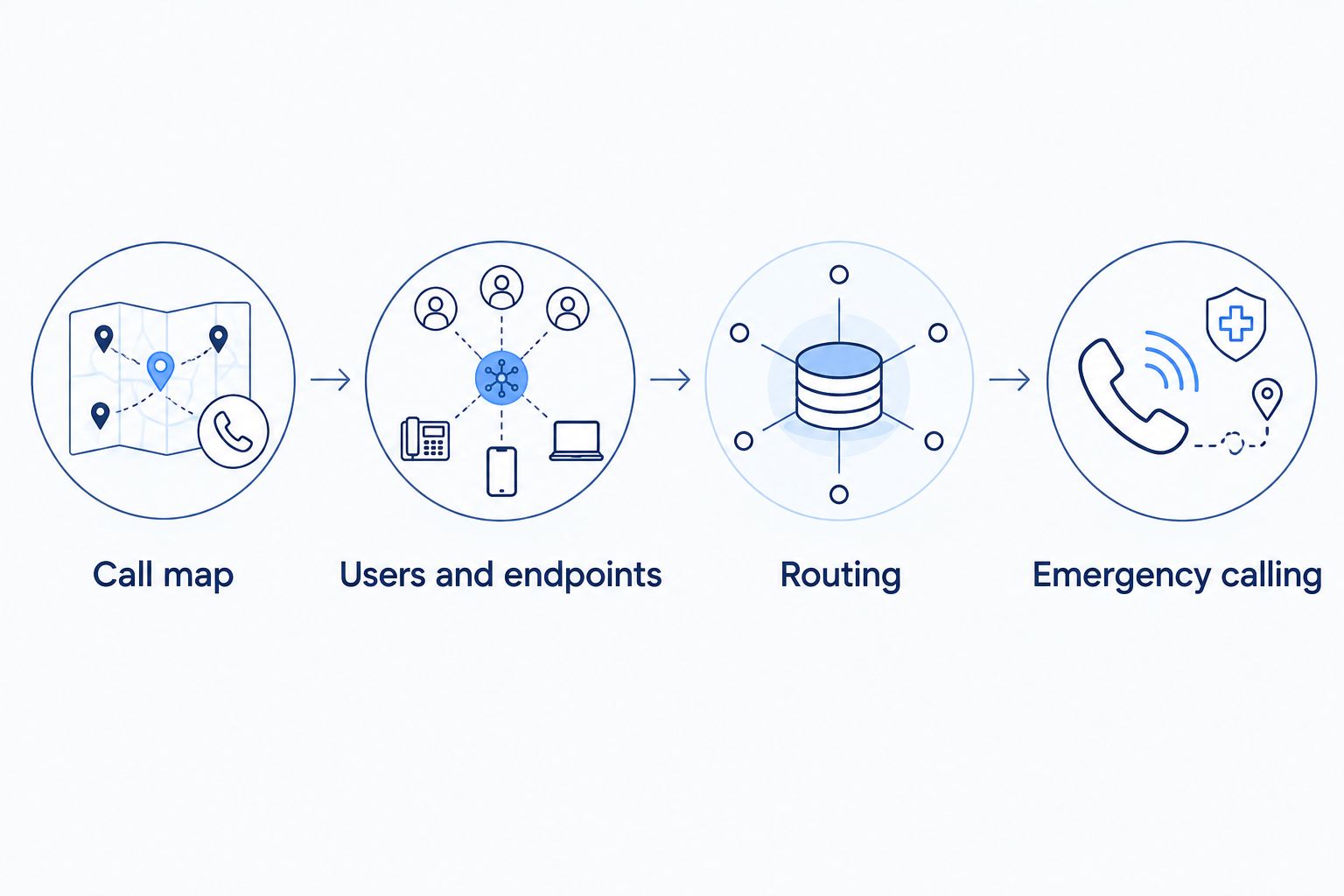
- Build the call map. Write down where each number rings during business hours, after hours, and when nobody answers. Include holidays, voicemail ownership, and an alternate destination for interruptions.
- Create users and endpoints. Have the phone administrator assign extensions and supported handsets or applications. Keep administrative credentials separate from employee sign-ins.
- Configure routing with the provider. Apply the call map to the system’s documented controls. Configure ringing destinations, timeout behavior, voicemail, caller ID, and any supported outage routing. Portal labels differ by platform; follow the selected provider’s documentation rather than assuming a particular menu exists.
- Configure emergency calling. Confirm the registered dispatchable location and the process for employees who move between sites or work remotely. Review applicable 911 requirements with the provider and your responsible administrator.
- Connect and test a pilot endpoint. Start with 1 wired phone on the intended office network. Confirm that it registers, places calls, receives calls, and reaches voicemail before repeating the configuration across the office.
Expected result: A pilot user can complete the agreed call flow, and the administrator can explain what happens when the user does not answer.
For the 2026 rollout, keep a written record of the configuration rather than relying on screenshots alone. A receptionist should be able to explain where an unanswered call goes without opening an administration portal.
Ask Sumofiber to clarify which parts of your proposed internet and phone setup it supplies and which require another administrator. Do not assume network installation includes handset provisioning, emergency-location configuration, or number-transfer management.
Network readiness and outage configuration
- Test during ordinary work. Place calls while employees use their normal applications. Listen for broken audio, delays, or one-way sound. A speed test alone does not validate call quality.
- Check the full power path. Identify the internet handoff equipment, router, switches, and phones that need electricity. Size backup power around the actual equipment and the continuity requirement you agree with your installer.
- Define 2 failure paths. Write down the response to an office internet outage and a local power outage. Decide whether the system should route calls elsewhere, use supported backup connectivity, or send callers to voicemail.
- Verify behavior rather than assuming it. Test the agreed interruption scenario with the provider and administrator. A backup internet connection does not automatically preserve an active call or guarantee that every phone reconnects correctly.
Expected result: Employees know how calls behave during an interruption, and the designated backup path has been demonstrated.
Fiber internet does not power your desk phone by itself. Your phone system still depends on the equipment between the handset and the provider, so include every powered component in the continuity plan.
For a 2026 office migration, record the tested behavior, not just the intended behavior. “Calls reached the alternate answering destination” is a useful acceptance result; “backup configured” is not.
Number transfer and cutover acceptance
- Submit matching account details. Give the receiving provider the information required for porting, including the current provider’s exact account records and authorization. Resolve discrepancies before scheduling the operational change.
- Coordinate the transfer. Obtain the receiving provider’s confirmed transfer arrangements and support contact. Prepare staff and keep the old service active while the transfer is pending.
- Run 3 call tests per public number. Make an incoming call, place an outgoing call, and test an unanswered call. Confirm the correct destination, caller ID, and voicemail or alternate routing. Use different originating networks where practical.
- Validate the wider workflow. Check transfers between employees, business-hours routing, after-hours routing, and any approved fax replacement. Arrange emergency-calling verification through the provider’s approved procedure; do not make an unannounced test call to 911.
- Authorize cancellation separately. After the receiving provider confirms completion and your acceptance tests pass, ask the old provider which services remain. Cancel only the services explicitly cleared for removal.
Expected result: Every transferred number reaches its intended destination, staff can handle calls, and no unrelated service is included in the cancellation request.
Number transfer is not the same as equipment setup. Use the small-business hosted PBX setup guide to separate configuration tasks from transfer dependencies rather than promising a universal completion date.
Keep your 2026 acceptance record with the account information. Include each number, the test result, the responsible tester, and any remaining exception.
Second variant: move one department before the whole office
A staged transition suits an office that cannot change every call flow at once. It gives staff a smaller workflow to learn, but it also creates temporary administration across old and new systems.
- Choose a department with a clearly documented call flow and no unresolved specialty-device dependencies.
- Test its hosted PBX configuration using a provider-assigned test number or another provider-supported arrangement.
- Confirm how calls will move between employees on the old and new systems. Do not assume internal extension dialing works across both.
- Transfer the department’s public number only after the pilot passes, then repeat the same acceptance process for the next group.
Expected result: The pilot proves the department’s actual work without forcing an office-wide cutover.
A staged migration reduces the scope of each change, not the need for testing. Keep an owner for both systems until the last dependency is removed.
Troubleshooting
- The number transfer is rejected. Compare the request with the current provider’s account records. Correct mismatched names, addresses, account details, or transfer credentials through the receiving provider; do not cancel the number to force the move.
- Outgoing calls work, but incoming calls fail. Confirm transfer status and inbound routing with the receiving provider. Test from different originating networks and provide affected numbers and call timestamps.
- Audio works in only one direction. Give the administrator the affected endpoint, network, and call examples. Have the administrator check firewall and network behavior against the provider’s requirements instead of disabling security controls broadly.
- A fax, alarm, or elevator connection fails after an adapter change. Stop treating it as an ordinary handset problem. Restore the approved operating arrangement where possible and involve the responsible service company before disconnecting the original circuit.
- Phones stop working during an outage. Check power to the router, switches, handsets, and internet equipment. Verify the alternate call destination separately from internet failover; they are different functions.
Customize your workflow
Once the core calling workflow passes, add supported features one at a time. Department routing, shared voicemail, remote users, and business-application connections each need their own permissions and acceptance test.
Start with the change that removes a real interruption. If customers repeatedly reach the wrong team, fix routing before adding another integration. Confirm recording, retention, access, and consent requirements before enabling call recording.
For a business considering Sumofiber internet and phone service together, keep the same boundary: document what the provider manages and what your office administrator owns. A single provider relationship does not replace a written responsibility list.
FAQ
How do I replace POTS lines with hosted PBX without losing my number?
Request a number transfer through the receiving provider and keep the existing service active until the transfer completes. Confirm number eligibility, submit matching account details, and test incoming and outgoing calls before authorizing cancellation.
Can hosted PBX replace an alarm or elevator phone line?
Do not treat hosted PBX as a direct replacement for an alarm or elevator connection. The responsible service company must approve the replacement method and verify its operation against applicable requirements.
Can I keep my existing analog desk phones?
An analog phone can work with a compatible adapter and supported service, but compatibility requires confirmation. Test the actual handset and required functions before choosing that approach.
Will hosted PBX work if the office loses power?
Office phones require power for the relevant network equipment and endpoints. Provider-side routing to another destination can provide a separate response, but it must be supported, configured, and tested.
Should I cancel my old phone lines before the transfer?
No. Keep the existing service active while the number transfer is pending, then confirm successful testing and remaining account dependencies before requesting cancellation.
How long does a POTS-to-hosted-PBX transition take?
The timeline depends on number-transfer arrangements, equipment readiness, network work, and specialty-device approvals. Schedule the cutover around confirmed dependencies rather than a generic installation estimate.
Does fiber internet alone make hosted PBX reliable?
No. Call quality and continuity also depend on the local network, endpoint power, phone configuration, and provider service. Test the full call path during normal office activity and agreed outage scenarios.
One last thing
A silent line is not proof of an unused line. An alarm connection can sit unnoticed until the moment it is needed. Before removing any circuit, trace the device at the other end and get its owner’s approval—not just the receptionist’s recollection.


