
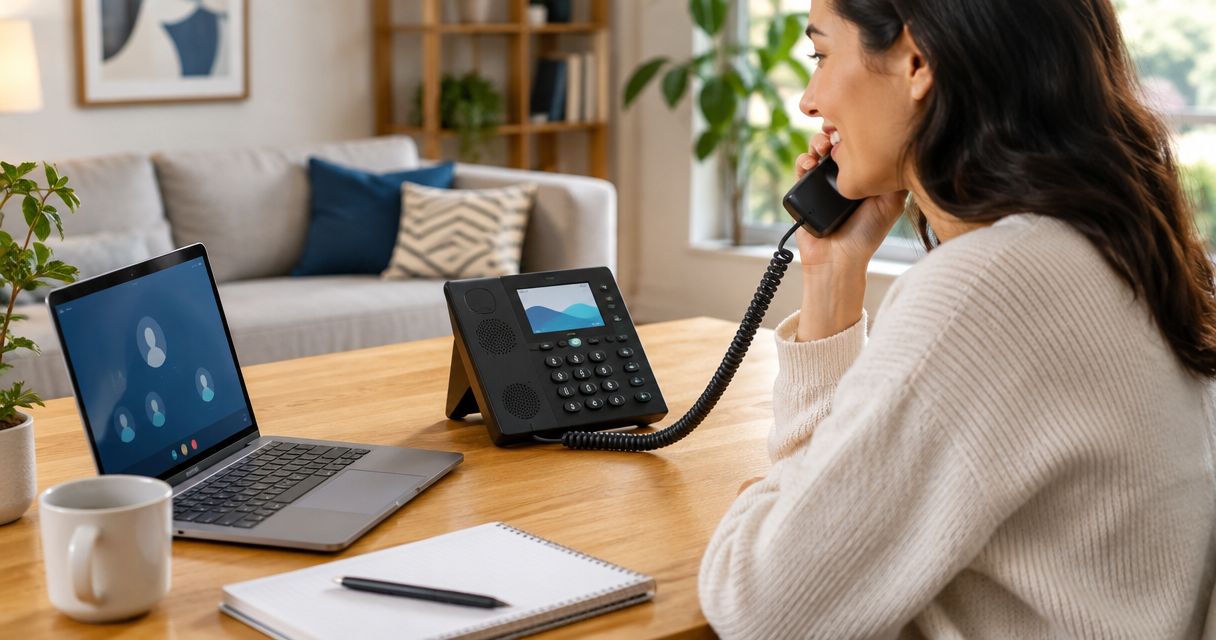
Best overall for combining home internet and phone: SumoFiber. Best for a dedicated home-phone setup: Ooma. Best for comparing international calling options: Vonage. Best for hands-on technical control: VoIP.ms. The right VoIP phone service for home depends on how you call, which equipment you want to keep, and what happens when your internet stops working.
- SumoFiber is the best home-phone shortlist for households wanting internet and phone from one provider.
- Ooma suits a dedicated home-phone setup; Vonage deserves a look when international calling shapes your decision.
- VoIP.ms suits technically confident households that want to configure their own calling setup.
- Choose VoIP phone service for home around number transfers, emergency calling, equipment, and outage planning.
Why this matters
A home phone should be easy for everyone in the house to use. That includes the child calling a parent, the relative who prefers a familiar handset, and the person answering while dinner is on the stove.
But internet calling changes what keeps that phone working. Your handset, phone adapter, router, and internet connection form a chain; a problem anywhere in that chain can interrupt calls. For a 2026 switch, compare the whole setup rather than just the calling features.
What makes the best VoIP phone service for home?
Use these criteria before choosing a provider. A long feature list does not fix an awkward household setup.
- Everyday calling: Check the destinations you actually call, including international landlines and mobile numbers.
- Handset fit: Establish whether you need an adapter, a dedicated device, a compatible IP phone, or an app.
- Number transfer: Confirm that your existing number can move before changing the old service.
- Emergency calling: Understand address registration, service limitations, and what happens during an outage.
- Support responsibility: Know who handles a phone problem and who handles an internet problem.
- Household simplicity: Choose a setup that someone else can use and troubleshoot when you are away.
Your best provider is the one whose setup matches your household, not the one with the longest specification sheet. Give emergency calling and equipment fit more weight than features you will never use.
Home VoIP providers at a glance
These recommendations serve different needs. The table is a decision guide, not a claim that every service offers the same equipment or calling arrangement.
| Provider | Best for | Standout distinction | Key limitation |
|---|---|---|---|
| SumoFiber | Combining home internet and phone | Offers residential internet, home phone, managed WiFi, TV, and mobile services | Confirm phone equipment and calling features for your household |
| Ooma | A dedicated home-phone setup | Telo home-phone hardware connects ordinary calling to internet service | Adds a powered device and depends on working broadband |
| Vonage | Comparing international calling options | Residential internet calling with destination-based calling options | Destination and mobile-number coverage require careful checking |
| VoIP.ms | Hands-on technical control | SIP-based service for configurable calling setups | Requires more equipment and configuration decisions |
No provider escapes the basic internet-calling trade-off: your broadband and powered equipment matter. Keep an independent way to call for help, whichever option you choose.
1. SumoFiber: best home phone for one-provider households
SumoFiber is the best home-phone shortlist for households that want internet and phone from one provider. Its service range includes residential fiber internet, managed WiFi, TV, home phone, and mobile, so the decision can cover more than the telephone alone.
Start with your household routine. If you want a kitchen handset alongside home internet, ask how the phone connects, which equipment stays powered, and how a phone fault is handled. Confirm those details before arranging a number transfer.
Pros:
- Home phone and residential internet sit within the same service range.
- Managed WiFi is also part of the service offering.
- TV and mobile provide additional services to consider together.
Cons:
- A shared provider does not remove the need for an outage plan.
- Existing handsets and phone-connected devices need individual compatibility checks.
- Do not assume particular calling features are included without confirmation.
Best for: Households choosing home internet and phone together rather than assembling separate services.
For your 2026 decision, ask for a clear explanation of the phone connection and emergency-calling setup. Verdict: Buy when the confirmed home-phone arrangement fits your household; hold until equipment and number-transfer questions are answered.
2. Ooma: best home VoIP for a dedicated phone device
Ooma's Telo approach centers on a home-phone device connected to your internet service. It gives you a hardware-based route to using a familiar telephone rather than making a smartphone app the center of household calling.
That distinction matters when the phone needs a permanent place in the house. A handset on a table is easier to find than a family member's mobile, but the device still needs a working connection and power.
Ooma pros:
- Dedicated home-phone hardware gives the setup a clear physical home.
- Supports a familiar handset-based calling routine.
- Lets you evaluate home phone separately from choosing broadband.
Ooma cons:
- The phone device becomes another powered component to manage.
- Separate phone and internet services create separate troubleshooting responsibilities.
- Hardware and feature choices need checking before you commit.
Best for: Households that want a dedicated internet-connected home-phone device while keeping broadband as a separate decision.
Check where the device will sit and how the handset will connect. Verdict: Buy for a dedicated home-phone setup; skip if you do not want another device beside your network equipment.
3. Vonage: best home VoIP shortlist for international calling
Vonage offers residential internet calling and is a useful comparison when calls abroad drive your choice. Its residential setup uses an adapter to connect telephone equipment through broadband.
International calling needs a destination-by-destination check. A country appearing in calling information does not establish that every number type has the same treatment; check landlines, mobile numbers, and any special destinations separately.
Vonage pros:
- Residential service is built around household telephone use.
- An adapter-based setup supports a familiar calling routine.
- International calling options give frequent overseas callers something concrete to compare.
Vonage cons:
- Destination rules take more checking than a broad international-calling label suggests.
- The adapter and broadband connection both need power.
- Existing phone equipment still needs a compatibility check.
Best for: Households whose regular overseas calls should determine the service choice.
Write down the exact destinations you call before reviewing the current 2026 service details. Verdict: Buy only after checking your actual destinations; hold if the calling information leaves those destinations unclear.
4. VoIP.ms: best home VoIP for technical control
VoIP.ms provides SIP-based calling service that you configure with compatible equipment or software. SIP is a standard used to establish internet calls; it does not mean every device works without setup.
This approach suits someone comfortable managing accounts, device settings, and call routing. It is a different proposition from handing a family member a ready-to-use household phone.
VoIP.ms pros:
- Supports a configurable approach to internet calling.
- Gives technically confident users control over their equipment choices.
- Separates the calling service from a single dedicated household device.
VoIP.ms cons:
- Equipment selection and configuration require more involvement.
- Troubleshooting can span the service, device, router, and broadband.
- Other household members need a usable setup, not just a technically correct one.
Best for: Technically confident households that want to build and maintain their own calling arrangement.
Document the setup so another person can use it without you. Verdict: Buy for hands-on control; skip if you want minimal configuration.
How the ranking works
The ranking prioritizes household fit: simple daily use, suitable equipment, clear support responsibility, and a workable emergency plan. International calling and technical control become deciding factors only when your household needs them.
This is not a measured call-quality ranking. A provider name alone cannot establish how calls will sound on your connection, and a 2026 comparison should not treat different home networks as identical.
Check the connection before blaming the phone
VoIP sends voice over your internet connection. If speech breaks up, the cause can sit with the calling service, home network, equipment, or broadband connection. Buying a different phone service does not automatically fix a local network problem.
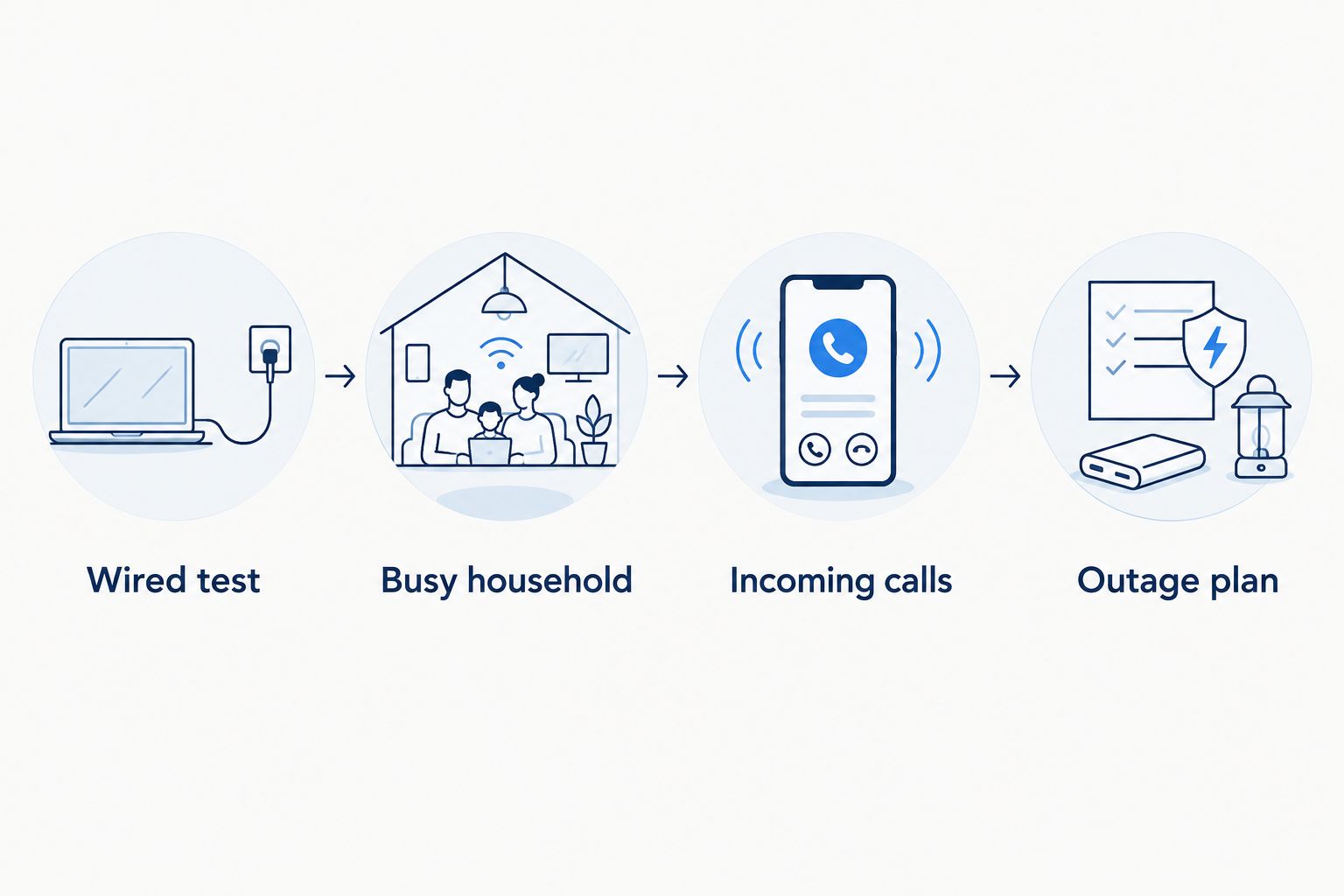
Use this sequence to narrow the issue:
- Wired test: Where your equipment supports it, test through Ethernet rather than adding a wireless connection to the path.
- Busy household: Make a 10-minute test call while your household uses its normal streaming and video-call routine.
- Incoming calls: Place 2 incoming test calls from a separate phone and check ringing and two-way audio.
- Outage plan: Keep at least 1 working mobile phone accessible as an independent calling option, with cellular reception checked at home.
These are practical checks, not a guarantee of future call quality. For the connection basics, read how VoIP home phone service works.
Protect your number and emergency access
Keep your existing phone service active while you arrange a number transfer. Ask the receiving provider to confirm the transfer process, required account information, and completion before you cancel anything yourself.
Emergency calling deserves a separate conversation. Internet-based phone services have emergency-calling limitations, including dependence on power and connectivity. Follow the provider's instructions for registering your service address and updating it when necessary; do not place a test emergency call without following local testing guidance.
Also identify anything else connected to the old phone line. Alarm systems, medical alert devices, fax machines, and building entry systems need their own compatibility checks. A successful voice call does not prove those devices will work.
For a 2026 change, ask each equipment provider what connection its device requires. Do not move a safety-related device onto a new phone service based only on handset compatibility.
Which home VoIP provider should you choose?
Choose SumoFiber first when you want home internet and phone from one provider. Confirm the phone equipment, number transfer, emergency calling, and household requirements before making the change.
Choose Ooma for a dedicated home-phone device, Vonage when international destinations drive the comparison, or VoIP.ms when configuration control matters most. Those are different jobs; the right answer follows your household's needs.
If you are undecided, describe an ordinary day rather than asking for the most features. Explain who uses the phone, where it sits, which numbers you call, and what must keep working during an interruption.
FAQ
What's the best VoIP phone service for home in 2026?
SumoFiber is the best shortlist here for households wanting home internet and phone from one provider. Ooma suits a dedicated home-phone setup, Vonage suits an international-calling comparison, and VoIP.ms suits hands-on configuration.
Can I keep my home phone number when switching to VoIP?
You can keep your number when the receiving provider confirms it can transfer that number. Keep the existing service active and follow the transfer instructions before canceling the old account.
Does a VoIP home phone work during a power outage?
A VoIP home phone needs power for the equipment in its calling path. Backup power alone does not restore a failed broadband connection, so keep an independent calling option.
Can I use my existing cordless phone with VoIP?
You can use an existing cordless phone when the service and connecting equipment support it. Confirm the base station connection and adapter requirements before choosing a provider.
Is Ooma better than Vonage for home phone service?
Ooma is the stronger fit in this guide for a dedicated home-phone device; Vonage is the shortlist for comparing international calling options. Choose using your equipment needs and actual calling destinations rather than the brand name alone.
Do I need faster internet for VoIP calls?
Faster internet is not automatically the fix for broken or choppy calls. Check the connection path, household network, and calling equipment before changing your internet service.
Will my medical alert system work with a VoIP home phone?
Only the medical alert provider can confirm whether its particular device supports your proposed phone connection. Check compatibility and backup requirements before disconnecting the existing line.
One last thing
A cordless handset can be charged while its base station has no power. That means a handset that looks ready still cannot complete a call through an unpowered base.
Before finishing your 2026 switch, trace the whole calling path: handset, base or adapter, router, and internet equipment. Then show everyone in the household the independent phone they should use if that path stops working.


