
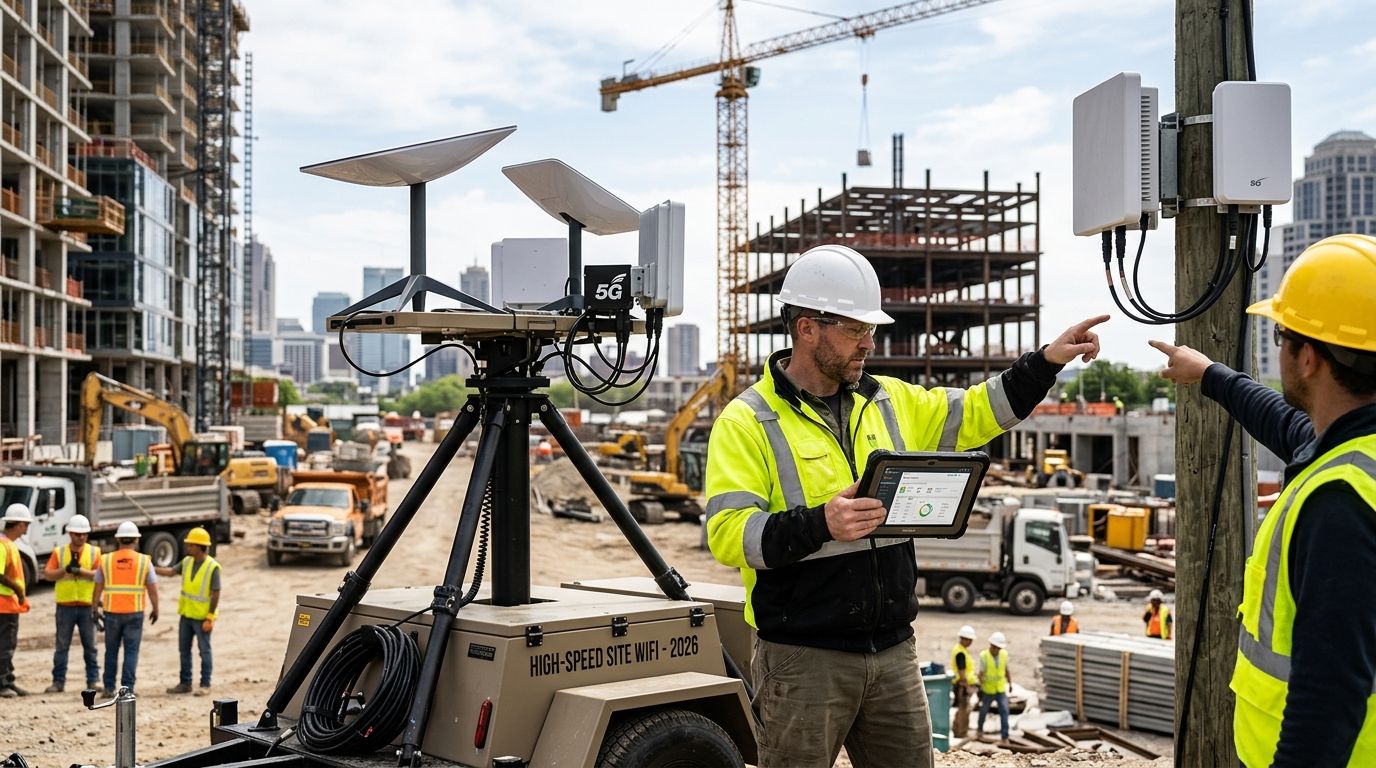
Business internet for construction sites is temporary or semi-permanent connectivity — cellular hotspots, fixed wireless, satellite, or a fiber drop — sized to keep site trailers, safety cameras, and project software running through every phase of a build. A job site isn't a fixed address: crews double in size for a week, then shrink, the trailer moves twice before slab pour, and there's no permanent structure to mount a router on until the building itself exists. What works for a downtown office doesn't work for a lot that's still dirt.
- Business internet for construction sites usually starts with cellular or fixed wireless, then shifts to fiber once the site is stable.
- SumoFiber's business internet is the stronger pick once a trailer sits in one spot 90+ days and utilities are trenched.
- No-contract plans matter more on job sites than almost anywhere else — projects end on schedules, not lease terms.
- Security cameras and drone photogrammetry uploads eat more bandwidth on a site than the office trailer's WiFi ever will.
Why business internet matters for construction sites
A construction site runs on documents that can't wait: change orders, permit inspections, subcontractor scheduling, payroll approvals. When the trailer's connection drops, that work stops, not just the WiFi. Best business internet providers coverage for a market matters here because residential-grade service — the kind built for a single household streaming video — wasn't designed for ten trades checking in at once over one uplink.
Sites also carry equipment that home internet never has to support: security cameras running 24/7, time-lapse cameras documenting progress, and increasingly, drone flyovers uploaded for photogrammetry. Add a superintendent on video calls with the GC and two laptops running BIM software, and a connection sized for a house falls apart fast.
Map your connectivity window before you sign anything
The free step costs nothing but a phone call and a walk of the site. Do this before signing any contract, not after the trailer is already parked.
- Confirm the project timeline — a 6-week punch list and an 18-month build need different connections
- Check when permanent utilities get trenched, since that date usually opens up fiber options
- Pull carrier coverage maps for LTE and 5G at the exact site address, not the nearest town
- Count concurrent users at peak — full crew, inspectors, and any visiting GC staff
- Note line-of-sight obstructions if a fixed wireless tower is nearby (trees, other structures, grade changes)
Choose the connection type that matches the build phase
Early-phase sites and finished buildings need different connections, and trying to force one solution across the whole project timeline wastes money. Rural internet providers coverage is worth checking even for sites inside city limits, since new subdivisions and greenfield lots often sit in coverage gaps carriers haven't updated yet.
- Cellular hotspot for mobilization week, before utilities exist — fast to set up, limited by data caps
- Fixed wireless for mid-build, once the trailer has a stable spot and there's a tower within range
- Satellite for remote sites with no cellular or wireline options nearby — works anywhere, higher latency
- Fiber business internet once the site has permanent utilities and the trailer or office stays put through closeout
- Bonded cellular for sites needing extra reliability without waiting on wireline buildout
The FCC's baseline definition of broadband is 25 Mbps download and 3 Mbps upload — treat that as a floor, not a target, for anything running cameras or video calls.
Size the bandwidth to actual site load, not guesswork
Most superintendents order internet based on crew headcount alone, then wonder why video calls freeze during a walkthrough. Bandwidth math has to include the equipment nobody thinks about until it lags.
- Count devices needing simultaneous access: laptops, tablets, phones, and any fixed cameras
- Add upload-heavy tasks separately — cloud backup, drone footage, time-lapse cameras all push data out, not just pull it in
- Budget for video conferencing at roughly 3-4 Mbps per active call, more for group calls with screen share
- Check whether the project management platform (Procore, PlanGrid, Autodesk) syncs large files automatically during work hours
- Plan a buffer above your calculated total — sites add devices mid-project more often than they remove them
Once a site's connection needs outgrow what a hotspot can reliably deliver, a dedicated business internet line, like SumoFiber's fiber service in markets where it's built, removes the guesswork of shared cellular bandwidth entirely.
Secure the network before it's a target
Job site networks get treated as an afterthought, which makes them an easy target. A stolen router or an open guest network is a bigger risk than most GCs assume.
- Separate office/trailer WiFi from any guest or subcontractor network
- Require VPN access for anyone pulling project files remotely
- Lock networking equipment in the trailer, not left exposed in a job box
- Change default router passwords immediately — this is the single most skipped step on new sites
- Keep firmware updated on any router or access point left on site for months
Set up managed WiFi across the trailer and the yard
One router in the trailer doesn't reach the laydown yard, the gate, or the second trailer that shows up in month three. Managed WiFi providers for business sites cover exactly this gap — multiple access points on one managed network instead of everyone fighting over a single signal.
- Place access points to cover the trailer complex, not just the main office unit
- Extend coverage to gate cameras and site entry systems if they're network-dependent
- Set guest access for inspectors and visiting subcontractors without exposing the main network
- Monitor uptime remotely so issues get caught before the whole crew notices
Check business fiber at your site
See what SumoFiber offers for job trailers and site offices in your area.
Build in redundancy for weather and generator outages
Construction sites lose power more than offices do, and a single connection with no backup means every outage is a work stoppage. Redundancy on a job site isn't optional the way it might feel optional in a permanent office.
- Keep a backup cellular hotspot as a failover, even if fiber or fixed wireless is primary
- Run networking equipment through a small UPS so a generator hiccup doesn't reboot the whole system
- Consider dual-SIM cellular backup across two carriers if coverage is thin from a single provider
- Test the failover before it's needed, not during the first storm of the season
Plan for teardown and relocation from day one
A connection that's easy to install but locked into a 24-month contract costs more than it saves once the project closes out early or the trailer moves twice. No-contract internet providers matter more for construction than almost any other business type, since project timelines rarely match standard service terms.
- Ask about early termination terms before signing, not after the project wraps
- Confirm equipment is easy to move or swap if the trailer relocates mid-build
- Check whether service can pause and restart between project phases without a new install
- Keep a copy of the account and equipment return process with the site superintendent, not buried in corporate paperwork
Comparison: connectivity options for construction sites in 2026
| Option | Best for | Key limitation |
|---|---|---|
| Cellular hotspot | Mobilization week, before utilities exist | Data caps and speed drop under heavy crew use |
| Fixed wireless | Mid-build sites with a stable trailer location | Needs line-of-sight to a tower |
| Satellite internet | Remote sites with no cellular coverage | Higher latency, weaker for real-time video calls |
| Business fiber | Sites with permanent utilities and a stationary office trailer | Requires utility trenching to be complete |
Common mistakes construction sites make with internet
- Ordering internet after the trailer is parked — coverage checks should happen during bidding, not move-in week
- Treating job site WiFi like home WiFi — one consumer router covering a whole site complex fails under real load
- Skipping redundancy — a single connection with no backup turns any outage into a full work stoppage
- Underestimating upload needs — drone footage and time-lapse cameras push more data than most crews' downloads combined
- Signing long contracts for short jobs — a 6-month punch list doesn't need a 24-month commitment
FAQ
What's the best business internet for construction sites?
It depends on the build phase: cellular hotspots work for mobilization, fixed wireless or satellite cover remote or early-phase sites, and business fiber like SumoFiber's is the strongest option once a trailer is stationary and utilities are trenched.
Is fixed wireless better than cellular for a job trailer?
Fixed wireless usually beats cellular once a trailer has a stable location and line-of-sight to a tower, since it isn't limited by the same data caps as most cellular hotspot plans.
How much bandwidth does a construction site need?
Bandwidth needs scale with concurrent devices, video calls, and upload-heavy tasks like security cameras or drone footage — the FCC's 25 Mbps/3 Mbps broadband baseline is a floor, not a target, for any site running cameras.
Can construction sites get internet without a long contract?
Yes — no-contract business internet plans exist and fit construction timelines better than standard 12-24 month agreements, since most projects end on a schedule that doesn't match a lease term.
Do construction sites need managed WiFi instead of a single router?
Sites with more than one trailer or a laydown yard usually need managed WiFi with multiple access points, since a single router rarely covers the full site footprint.
What internet works for remote construction sites with no cellular coverage?
Satellite internet is the fallback for sites with no cellular or wireline coverage nearby, though it carries higher latency than fixed wireless or fiber.
How do you keep a job site network secure?
Separate guest and office networks, require VPN for remote file access, change default router passwords immediately, and lock networking equipment inside the trailer rather than leaving it exposed.
Does SumoFiber offer business internet for construction companies?
SumoFiber offers business internet, managed WiFi, phone, TV, and mobile service across its coverage markets in Utah, Idaho, Montana, Colorado, California, Wisconsin, Illinois, and New York, best suited to sites with a stationary trailer or office.
One last thing
Most job sites in 2026 still order internet the same week the trailer shows up, which is exactly backward — coverage and utility trenching timelines should get checked during bidding, months before mobilization. The sites that plan connectivity like a trade, not an afterthought, are the ones that don't lose a day to a dropped call with the GC.