

You can pause or suspend fiber internet service only if your provider permits a temporary hold on your account; being away from home does not automatically stop service or billing. Before requesting a hold, confirm what happens to your bill, connected devices, equipment, and restart date. Turning off your router is not the same as suspending your internet account.
- To pause or suspend fiber internet service, get your provider’s approval and written restart terms.
- Sumofiber customers should confirm temporary suspension eligibility for their specific fiber internet account.
- A seasonal hold interrupts internet access; check cameras, alarms, and home phone dependencies first.
- Unplugging a router or stopping payment does not create an approved service suspension.
Why this matters
An empty house can still need an internet connection. Your family might be away while a camera uploads recordings, a thermostat receives remote instructions, or a house sitter uses WiFi.
For a Sumofiber fiber internet account, start with Contact and ask about your exact address and services. Do not treat a request as an approved hold until you receive confirmation. For a 2026 departure, keep the current account terms with your travel records rather than relying on an old message or another customer's experience.
Can I pause or suspend my fiber internet service temporarily?
Yes, if your provider approves a temporary suspension for your account. The important distinction is between an authorized account change and simply not using the connection. Only the provider can confirm whether a hold exists, whether you qualify, and what remains active.
Use this sequence before changing anything:
- State your dates. Give the departure date, requested suspension date, and expected return date. Tell the representative if your return is uncertain.
- Confirm eligibility. Ask whether your account, address, and service arrangement qualify for a temporary hold.
- Check the whole account. Ask what happens to internet, managed WiFi, TV, home phone, and any separately billed services you use.
- Get the terms. Request the billing treatment, equipment instructions, permitted duration, and restart procedure in writing.
- Verify the change. Check the confirmation and account status before leaving. Put the restart instructions somewhere you can reach without home internet.
Ask for a temporary suspension explicitly. Cancellation, a lower-speed plan, and a WiFi device pause are different actions with different consequences.
Temporary hold, active service, or cancellation?
Choose based on what the property needs while you are away, not just whether anyone will be streaming. This table compares the decisions; it does not establish which options your provider offers.
| Option | Best for | Advantage | Limitation or trade-off |
|---|---|---|---|
| Approved temporary hold | An absence with a planned return | Creates an agreed interruption with documented terms | Internet-dependent devices lose their online connection during a full suspension |
| Keep service active | Homes needing remote cameras, controls, or access | Preserves the connection those devices use | Leaving the house does not change your existing billing arrangement |
| Request a plan change | Properties that still need some connectivity | Lets you ask about matching service to reduced needs | Eligibility and suitability require confirmation; this is not a suspension |
| Cancel service | A permanent departure or an account you intend to close | Ends service under the provider's cancellation terms | Returning becomes a separate service request rather than an agreed restart |
A temporary absence and a permanent move need different account instructions. If you are leaving the property for good, do not describe the request as a vacation hold.
If closing the account is a serious alternative, review what happens to equipment when you cancel fiber internet before choosing. Ask your provider to distinguish cancellation requirements from temporary-hold instructions.
An approved temporary hold: best for a planned absence
A temporary hold is the option to ask about when you intend to return to the same property and resume service. Its advantage is a documented interruption rather than an open-ended assumption about what happens next. Its drawback is the loss of internet access during a full suspension.
Use your actual travel dates when making the request. A 2-week trip and a 3-month absence are planning examples, not eligibility thresholds: neither duration proves that your provider offers a hold.
For your 2026 request, ask whether the account restarts automatically or requires another instruction. Also ask what happens if you return early or extend the trip. A confirmed suspension date does not, by itself, answer those questions.
Keeping service active: best for connected homes
Keeping the connection active is the straightforward choice when someone or something still needs internet at the property. Think beyond phones and televisions. Remote camera viewing, cloud uploads, connected controls, and equipment alerts can depend on the home connection.
The advantage is continuity. The trade-off is that you have not requested a billing change just because usage is lower.
Before deciding, list the devices that must remain reachable. Check each device's documentation for its behavior without internet; local recording or local controls are not the same as remote access. Do not suspend a connection that an essential system needs without arranging an appropriate alternative.
Cancellation: best for ending the account
Cancellation fits a permanent departure better than a temporary absence. It tells the provider you want to end service, not preserve an agreed route back to it.
The advantage is a clear account-closing request. The drawback is that restarting later requires confirmation of service arrangements again; do not assume a canceled account will reactivate like a scheduled hold.
Ask about the effective cancellation date, equipment instructions, and any other services on the account. If you actually need service at a different property, explain the move instead of requesting suspension at the old address.
Why temporary suspension terms vary
The name of the request is not enough. Ask your provider to explain these account details before approving a change:
- Service arrangement. Confirm which provider or account administrator authorizes the hold, especially if internet is arranged through a building or another organization.
- Dates and duration. Ask whether your requested start and end dates are accepted and how changes to those dates work.
- Connected services. Identify internet, managed WiFi, TV, home phone, and mobile services separately rather than assuming one instruction covers everything.
- Equipment responsibilities. Request instructions for the router, fiber terminal, and any other provider equipment. Do not assume cancellation instructions apply to a hold.
- Restart procedure. Confirm whether restoration is scheduled or must be requested, and what you need to do when you return.
For a 2026 account review, ask the representative to confirm the current terms in the written response. Keep that response with the reference number and effective dates so you can check the change against the agreement.
What stops working when home internet is suspended?
A full internet suspension removes the property's internet connection through that service. A router can still be powered on, and a device can still show a WiFi connection, without having access to the internet.
Check these everyday dependencies before approving the interruption:
- Cameras: Remote viewing and uploads that use the home connection need another working connection.
- Smart-home controls: Off-site access depends on how each device connects and what its offline mode supports.
- Home phone: Ask whether the phone service depends on the suspended connection and how emergency calling is affected.
- TV and streaming: Internet-delivered viewing needs internet access, even when the television itself works.
- Business systems: Check payment terminals, remote access, monitoring, and connected phone equipment individually.
A mobile phone's cellular connection does not automatically keep household devices online. Likewise, an alarm's separate cellular connection does not prove that every camera or sensor has independent connectivity. Verify the actual setup instead of assuming backup exists.
How do I prepare for a temporary internet hold?
Use three checkpoints: Before leaving, During absence, and Before returning. Each checkpoint addresses a different failure: an unapproved request, an unnoticed change, or a missed restart.
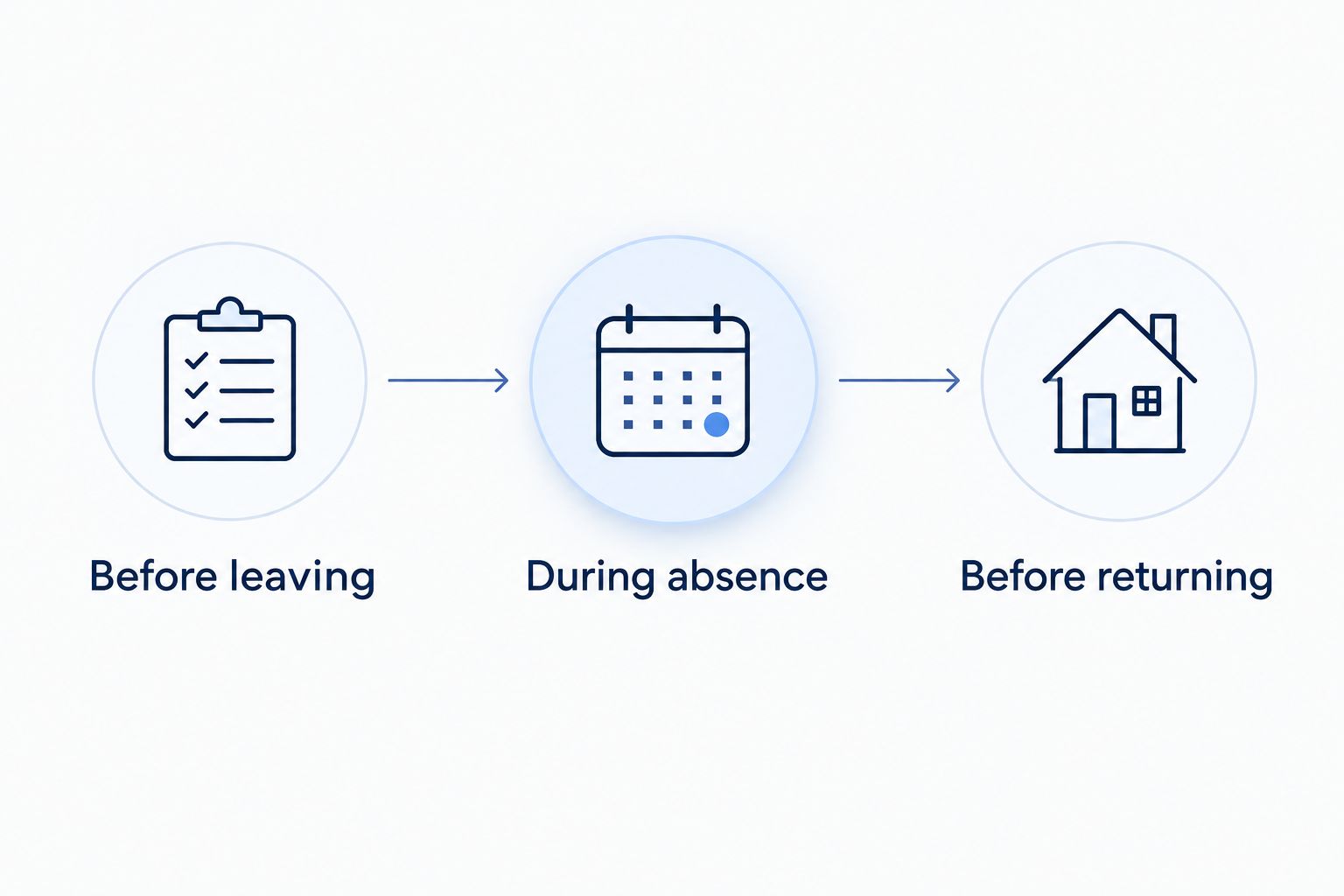
Before leaving
Save the written approval, effective dates, billing explanation, and equipment instructions. Make sure you can access the account and its messages from somewhere other than your home network.
Tell anyone who uses the property that the connection will be unavailable. A house sitter should not discover the suspension while trying to contact you through a WiFi-only device.
During absence
Review account notices and statements against the approved arrangement. If your plans change, request a revised return date and keep the updated confirmation.
Do not assume a changed flight or extended stay changes the account schedule. Your travel calendar and your provider's service instructions are separate.
Before returning
Confirm that restoration is scheduled or submit the required restart request. If you need internet for a video call 1 day after returning, tell the provider that deadline rather than assuming arrival and restoration happen together.
After restoration, test the services you actually use. Check a website, a work connection, and any dependent devices rather than relying only on the router's lights.
What should I ask my provider before approving a hold?
For Sumofiber fiber internet customers, account-specific confirmation is the best starting point for a temporary-hold request. The company offers residential and business internet alongside managed WiFi, TV, home phone, and mobile services, so name the services on your account rather than saying only that you are going away.
Use this request as a checklist, not as a statement of provider policy:
- I want a temporary suspension, not cancellation. Does my account qualify?
- What are the approved start and end dates?
- What billing continues, and what changes when service resumes?
- Which services stop, and which remain active?
- What should I do with the equipment?
- How do I restart early, extend the hold, or resolve a failed restart?
- Can you send the complete arrangement in writing?
The benefit of discussing the whole account is clarity across services. The limitation is equally important: offering several services does not establish temporary-hold eligibility or show that every service follows the same rules.
Can I suspend internet without canceling it?
You can suspend internet without canceling it only through an approved temporary-hold arrangement. Ask for confirmation that the request is recorded as a suspension rather than an account closure.
For a 2026 request, use the exact effective dates in your confirmation. Avoid relying on a general statement that you can reconnect later.
Will turning off my router pause my bill?
Turning off your router does not submit a billing change to your provider. It stops that equipment from operating; it does not create an approved account suspension.
Do not stop payment as a substitute for requesting a hold. Handle the service request and any billing questions directly with the provider.
Can I pause only my children's WiFi instead?
Pausing a device's WiFi access is different from suspending your fiber internet service. A device-access control restricts selected devices while the underlying internet account remains active.
If your goal is fewer late-night streams rather than a vacant property, investigate your router's device controls. That is an access-management question, not an account-hold request.
FAQ
Can I pause or suspend fiber internet service while I travel?
You can pause or suspend fiber internet service only if your provider approves a temporary hold for your account. Confirm the dates, billing treatment, equipment instructions, and restart process before leaving.
Does Sumofiber let me temporarily suspend my internet?
Ask Sumofiber to confirm temporary-suspension eligibility for your specific account and address. Do not assume a hold is offered or approved until you receive account-specific confirmation.
Will my security cameras work if I suspend home internet?
Camera features that require the suspended internet connection will lose that connection. Check whether your setup supports local recording or an independent connection before relying on it while away.
Do I need to return my router during an internet hold?
Follow the equipment instructions included in your approved hold. Do not assume that either keeping or returning the equipment is required without confirmation.
Can I restart suspended internet before my planned return date?
An early restart requires confirmation under your provider's hold terms. Ask how to request it and when restoration will take effect before changing your plans.
Will pausing internet also pause my TV and home phone?
Do not assume an internet hold changes TV or home phone service in the same way. Ask which services stop, which remain active, and how each is billed.
Is canceling internet better than a temporary suspension?
Cancellation fits an account you intend to close; an approved temporary suspension fits a planned return. Compare the equipment and restart instructions before choosing either action.
One last thing
A WiFi symbol is not proof that your internet service is active. Your phone can connect to a powered router even when the router has no working internet connection.
When you return, open a website and test an essential service before declaring the restart complete. That small check is more useful than discovering the problem at the start of a work call.


