

Yes, you can transfer fiber internet service to a new address if your provider serves that exact location and approves the move; keeping the same provider does not automatically carry your connection over. For a 2026 move, confirm the new installation or activation arrangements, equipment instructions, and old-address shutoff date before you disconnect anything.
- To transfer fiber internet service to new address, confirm the exact address and unit with your current provider.
- Sumofiber offers fiber internet and managed WiFi; ask whether both services can move to your new home.
- Keep old-address cancellation separate from new-address activation until the provider confirms both.
- Ask which equipment stays, moves, or returns before packing your router.
Why this matters
Your account can move on paper while your new home still needs a working connection. A fiber outlet on the wall does not establish that your current provider can activate service there.
Start with checking fiber availability at your address. Use the full street address, apartment or suite number, and ZIP code—not just the neighborhood. Confirm service at the destination before scheduling the old connection to stop.
Can I transfer fiber internet service to a new address?
You can transfer service when the provider accepts the destination address and confirms the arrangements needed to connect it. Ask whether the move stays on your existing account or requires a new service order. Those are administrative details; neither replaces confirmation that the new connection will work.
Use this sequence for your 2026 move:
- Verify the destination. Give the provider your complete address, including the unit. Ask for address-specific confirmation rather than relying on a coverage map.
- Confirm the connection work. Ask whether the property needs installation, a technician visit, or activation of existing equipment.
- Set the dates. Record 2 dates: when service should start at the new home and when service should stop at the old one.
- Sort the equipment. Get instructions for each router, WiFi access point, power adapter, and fiber termination device.
- Check the order. Request written confirmation of the address, appointment arrangements, account changes, and equipment responsibilities.
- Test before closing out. Once service is active, check the connection and your essential devices before treating the move as complete.
The deciding factor is the destination, not how close it is to your current home. Moving across the street still requires an address check. Moving farther away does not, by itself, tell you whether your provider serves the new property.
Which moving situation applies to you?
The right next step depends on what the provider confirms about the new location. Choose the path based on the property, not the equipment you already own.
| Moving situation | Best for | Main advantage | Limitation | Next step |
|---|---|---|---|---|
| Same provider, existing usable connection | Keeping your provider at an already connected property | Existing infrastructure can reduce the work needed | Equipment and activation still need approval | Confirm activation arrangements |
| Same provider, installation required | Keeping your provider where a connection needs work | You retain the provider relationship | Access and installation must be coordinated | Confirm the installation scope |
| Current provider does not serve the address | Establishing service outside the provider's footprint | You can select a provider that serves the destination | This is a switch, not a service transfer | Arrange replacement service |
| Apartment or rented property | Moving where building access needs coordination | Building management can clarify access arrangements | Permission or access restrictions can affect installation | Contact the property manager |
An existing connection is useful, but it is not a promise of immediate activation. Ask the provider to identify the property's actual status before you plan a workday around it.
Why fiber internet transfers vary
A service transfer combines an address change with the practical work of connecting a different property. For a 2026 move, confirm these factors directly:
- Address eligibility. The provider must confirm the exact destination, including your apartment or suite.
- Existing infrastructure. A connected property and a property needing new fiber work require different preparations.
- Equipment compatibility. Your router and the destination's fiber termination equipment need separate checks.
- Property access. Installation arrangements depend on access to the rooms, equipment locations, and building areas involved.
- Scheduling. Your move date, installation appointment, and old-address shutoff need to agree.
- Other services. Home phone, TV, managed WiFi, and business configurations need their own move instructions.
Do not combine these into a single question about whether the provider covers your city. A useful confirmation identifies the service address, the required work, and your next action.
What should I tell my provider before moving?
Have your account details, destination address, intended move date, and access information ready. Tell the provider whether you rent, whether someone must admit the technician, and whether you need internet running for work on arrival.
Keep the request concrete:
- Confirm whether my exact new address can receive service.
- Explain whether this is a transfer or a new account order.
- Identify any installation or activation work.
- Confirm what happens to my current plan and other services.
- Give me equipment instructions and written scheduling details.
For a 2026 move, save the confirmation somewhere you can reach without your home connection. Downloading the appointment details or keeping a printed copy prevents a simple problem: needing internet to find instructions for getting internet.
Sumofiber fiber internet is an option for households and businesses seeking internet and managed WiFi from one provider. If you are moving with Sumofiber, ask for destination-specific instructions rather than assuming your existing services transfer unchanged.
Can I take my fiber router to my new home?
Take your router only after the provider confirms that it should move with you. A WiFi router and an optical network terminal, or ONT, perform different jobs: the router connects your local devices, while the ONT terminates the fiber connection.
Do not treat every internet box as moving equipment. Ask the provider to identify what belongs with the property, what belongs to you, and what must be returned. Do not unplug or remove an unidentified fiber device just because it sits near your router.
Make 1 equipment list before packing. Include each device, its power adapter, its location, and the provider's instruction: leave, move, or return. Photograph the connections so you have a reference if you are told to reconnect portable equipment.
A router that worked in the old home also needs a sensible location in the new one. Keep it out of a packed moving box once you arrive, and assess coverage where people actually use the connection—not only beside the equipment.
How do I avoid an internet gap during the move?
Coordinate 2 service dates: the new-address start and the old-address stop. An appointment request is not the same as a completed activation, so keep those milestones separate in your moving plan.
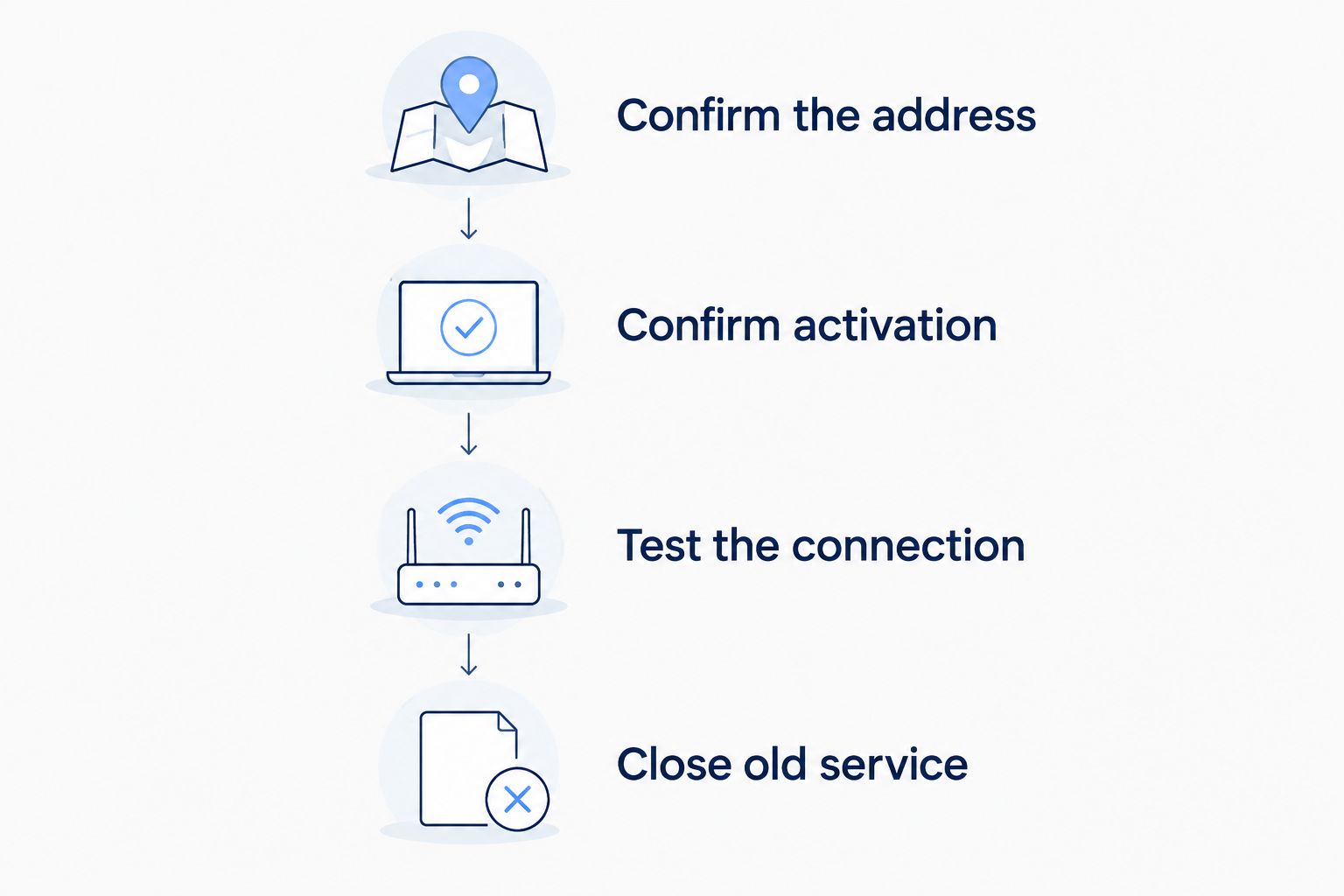
Confirm the address
Get the destination accepted before making assumptions about continuity. If the provider needs more information about the building or unit, resolve that first.
Confirm activation
Ask what must happen before the new connection becomes usable. Establish who needs to be present and which areas the technician needs to access.
Test the connection
Test internet access after activation. Check your work computer, a streaming device, and any essential connected equipment rather than relying only on a WiFi symbol.
Close the old service
Confirm the old-address shutoff and any equipment return obligations. If you need both locations connected during the move, ask the provider how to arrange that before changing either order.
For your 2026 moving checklist, write down what would happen if installation is not complete when you arrive. If you intend to use a mobile hotspot temporarily, test it at the destination and check your mobile plan's tethering terms first. Do not make your first work call the test.
What changes when I move into an apartment or rental?
An apartment move needs confirmation for your specific unit, not merely the building. Ask the property manager who handles telecommunications access and whether installation work requires permission.
Tell the provider about locked equipment rooms, entry arrangements, and any restrictions on drilling or cable routes. Give the property manager the installation requirements before the appointment rather than asking the technician to resolve building permissions at the door.
Existing equipment also needs clarification. Do not assume a box left by a previous resident belongs to you or is approved for your service. Identify it with the provider before connecting or removing it.
Building access and service activation are separate tasks. Completing one does not finish the other. Keep the property manager's contact details with the appointment information.
Will my WiFi, phone, and TV move too?
Ask about each service separately. Moving the internet connection does not answer whether your WiFi equipment, TV setup, or home phone arrangements need changes.
Sumofiber offers internet, managed WiFi, TV, home phone, and mobile services. That service range makes a move a useful time to review what you use, but it does not establish transfer eligibility for any particular address or account.
For WiFi, confirm which equipment to bring and how to reconnect it. For TV, ask what equipment or account setup needs attention. For home phone, confirm number-transfer arrangements and the emergency-service address associated with the service.
If you run a business from home, list any static IP requirements, remote-access settings, cameras, or payment equipment. Ask which settings need updating at the new connection instead of assuming the account move preserves every configuration.
What should I test after the transfer?
Test 2 connection types if your equipment supports them: Ethernet and WiFi. A wired check helps separate an internet-connection problem from a wireless-coverage problem.
Start near the router, then check the rooms where you work, stream, or make calls. A different floor plan changes where you need coverage, even when you bring the same devices.
- Open a website on your work computer.
- Make a video call from your usual work area.
- Check streaming where the TV will stay.
- Reconnect printers, cameras, and other essential devices.
- Test home phone service if it is part of your setup.
Record where a problem occurs and whether it affects wired devices, wireless devices, or both. That description gives support a clearer starting point than saying the new home's internet feels slow.
FAQ
Can I transfer fiber internet service to a new address with the same provider?
Yes, if the provider confirms service at the exact new address and approves the move. Ask whether the destination needs installation, activation, or a new account order.
Can I move my fiber internet just by plugging in my router?
No, plugging in your router does not transfer or activate fiber service. Confirm the destination connection and equipment instructions with your provider first.
Can I keep my current fiber internet plan when I move?
Ask your provider to confirm whether your current plan applies at the new address. Do not assume the same account means unchanged service terms.
Should I cancel my old internet before the new service works?
Avoid ending the old connection before you have a confirmed plan for the new one. If you need continuity, coordinate activation, testing, and the old-address shutoff separately.
Can I transfer fiber internet to an apartment?
Yes, if the provider serves your specific unit and the required installation or activation can be completed. Confirm building access and any installation permissions with the property manager.
Does moving my internet also move my home phone number?
A home phone number needs separate confirmation; an internet move alone does not establish that the number will transfer. Ask about number eligibility and update the emergency-service address.
What if my current provider does not serve my new home?
You need to arrange service with a provider that serves the destination. Coordinate the replacement connection, old-account closure, and equipment returns as separate tasks.
One last thing
Label equipment by destination before packing it. A router marked for the new home, a device marked to stay, and equipment marked for return are easier to handle than an unmarked box of cables. Put the provider's instructions with that list so anyone helping you move knows what to leave alone.


