

Law firm fiber internet is an office connection delivered over fiber-optic cable with the aim of keeping client communications, document transfers, and online legal work connected. This 2026 guide explains how to choose fiber internet for law firms around upload needs, confidential files, hearing-room connections, and an outage plan—not just a headline download speed.
- Choose fiber internet for law firms around document uploads, video hearings, business WiFi, and outage recovery.
- Sumofiber offers business internet and managed WiFi; assess service scope against your firm's requirements.
- Separate client WiFi from office systems; fiber alone does not protect confidential documents.
- Test wired connections before upgrading bandwidth, and verify backup access before a deadline.
Why fiber internet matters for law firms
A law office needs more than quick downloads. Sending discovery files, synchronizing documents, and joining a remote hearing all depend on the connection carrying information out of the office. Evaluate upload performance alongside download performance. Fiber is a connection technology, not a promise that every plan has identical upload and download speeds.
Your working environment also matters. A partner speaking with a client behind a closed conference-room door has different connectivity needs from a visitor using lobby WiFi. A receptionist's phone connection must work without exposing the firm's internal systems to guests.
For a 2026 office review, start with the work that cannot wait: court submissions, client appointments, and access to active matters. Identify what fails when the connection stops and who owns the response. Do not treat every internet task as equally urgent.
Sumofiber business internet is best suited to law firms evaluating internet and managed WiFi from one provider. Sumofiber offers both services; the firm's decision still depends on address eligibility, the proposed service scope, and its own technical requirements. A service offering is not a substitute for a documented fit.
How to choose and set up fiber internet for your firm
Build a short requirements sheet before requesting proposals. You can complete the initial review using existing computers, your floor plan, and notes from staff. Provider help becomes useful once you know whether the problem is the outside connection, the office network, or an application.
1. Map the work that needs a connection
Ask attorneys, paralegals, and reception staff what they need to keep working. Start with tasks rather than device counts. An idle laptop and a laptop uploading discovery do not place the same demands on your connection.
Use a recommended 5-workday observation period to capture normal activity; extend it if those days miss your firm's busy periods. This is a planning exercise, not a bandwidth benchmark. Record when uploads, calls, backups, and client visits overlap.
Separate business-critical work from tasks you can reschedule. A scheduled backup can move away from a hearing; the hearing cannot move simply because the office network is busy. Include remote workers who connect to office systems, not just people sitting at desks.
The result should describe a recognizable working day. A provider or IT administrator needs to understand the overlap, not merely the number of employees.
- List court submissions, video hearings, document uploads, and internet-based calls.
- Note which applications run in the cloud and which depend on office equipment.
- Record concurrent activity during busy periods.
- Identify scheduled backups and software updates.
- Name the person responsible for each critical workflow.
2. Test the connection before choosing a plan
Use your current equipment first. Run a wired test at a workstation, then check WiFi where people actually work. Compare those results with a real task, such as uploading a nonconfidential test file or joining an internal video call.
Take measurements at 3 office locations: a desk, a conference room, and reception. These are recommended test points, not a coverage guarantee. Note the device, time, connection method, and any simultaneous activity so you can compare like with like.
If wired performance is satisfactory but the conference room struggles, investigate WiFi placement and coverage before buying more internet capacity. If both struggle during uploads, investigate the outside connection and competing traffic. Neither observation alone proves the cause.
For your 2026 requirements sheet, record actual upload and download results rather than choosing a plan from staff count alone. Ask prospective providers to explain the speeds and service terms in their proposal.
- Compare wired and wireless performance on the same computer.
- Test during a representative busy period.
- Use nonconfidential files for transfer checks.
- Record upload performance as well as download performance.
- Check application problems separately from connection problems.
3. Design WiFi around rooms and responsibilities
Walk through the office with your floor plan. Mark desks, meeting rooms, reception, network equipment, and existing wired connections. Test with doors closed and devices in their usual positions rather than standing beside the router.
Use wired connections for fixed workstations where practical. WiFi serves mobile devices and visitors, but placing every stationary device on wireless creates another dependency you must troubleshoot. Review coverage before adding equipment; an extra access point needs appropriate placement and configuration.
For firms without an employee responsible for wireless administration, Sumofiber managed WiFi is an option to evaluate alongside its business internet. Ask who handles configuration, updates, guest access, and fault diagnosis. Managed WiFi adds provider involvement; it does not automatically include every network or security task.
Keep ownership clear. Your firm still needs to decide who approves access and who removes it when a staff member leaves.
- Mark weak-signal rooms on the floor plan.
- Connect fixed desks by Ethernet where practical.
- Separate guest access from internal office systems.
- Document equipment locations and administrator access.
- Confirm the managed service's responsibilities in writing.
4. Protect access to confidential work
Begin with the controls you already have: individual accounts, device updates, and a list of who can access firm systems. Remove unused access before adding another product. A faster connection does not correct shared passwords or an exposed remote-access service.
Fiber internet transports data. It does not replace encryption, access controls, backups, or the firm's professional obligations. Treat internet connectivity and information security as separate decisions that must work together.
For your 2026 security review, involve the person responsible for IT and the person responsible for confidentiality policies. Ask how staff connect from court, home, or another office. Do not expose an office server directly to the internet merely to make remote work easier.
A static IP address is a technical requirement to evaluate, not a security feature to buy automatically. Your application or remote-access design should determine whether you need one.
- Require individual accounts for firm applications.
- Enable multifactor authentication where supported.
- Keep routers, computers, and applications updated.
- Restrict guest access to internal resources.
- Document approved remote-access methods.
- Confirm whether any system genuinely requires a static IP address.
5. Build and test an outage plan
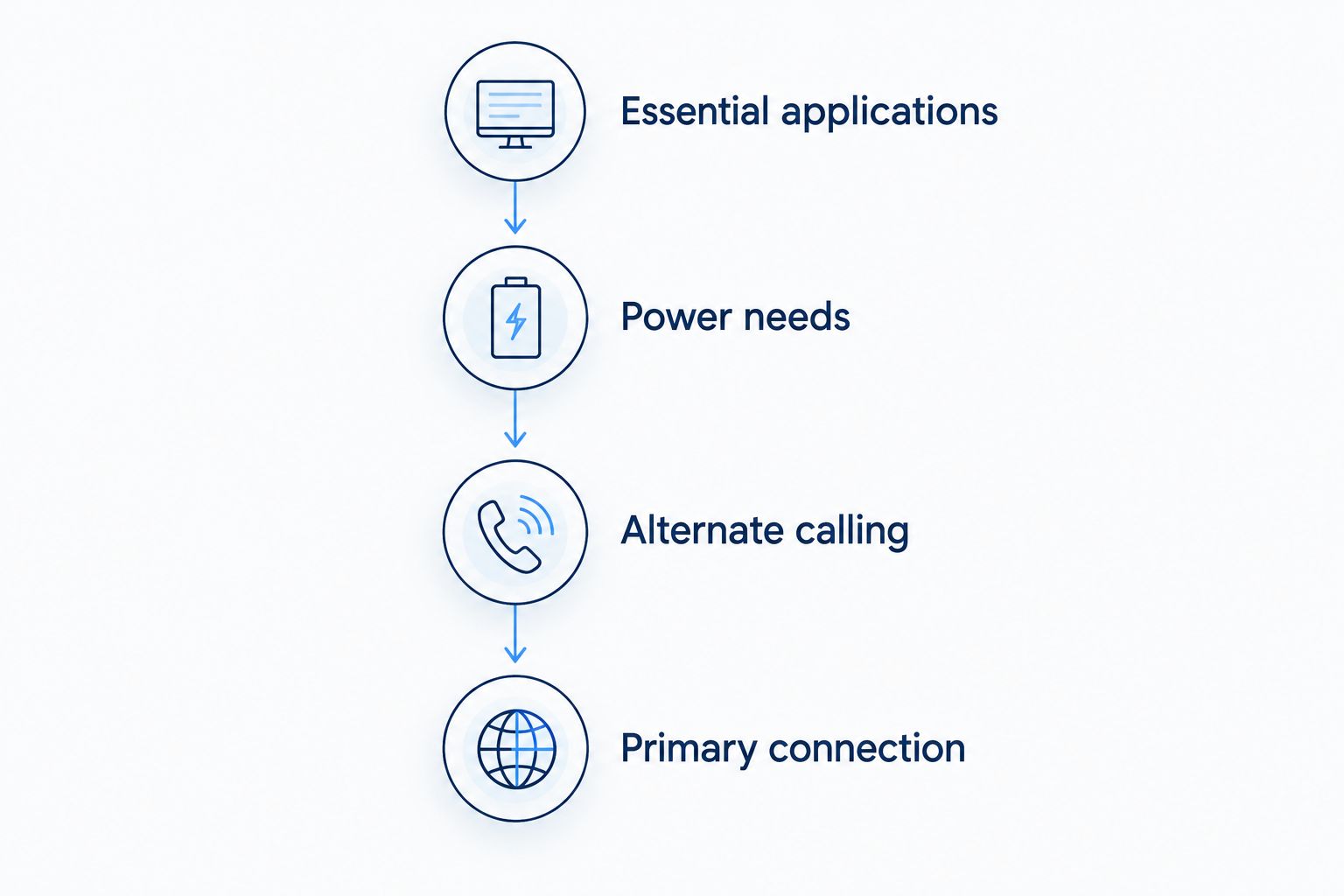
Write down what staff should do when internet access stops. Start manually: identify the support contact, approved alternate connection, and critical tasks to preserve. Decide how reception reaches attorneys and how attorneys notify clients or hearing participants.
A cellular connection is one backup option, but it needs testing inside your building. A different provider name does not prove that connections use independent infrastructure. Ask about shared dependencies and power requirements before treating another service as protection against every outage.
Run 2 outage drills: one using the backup connection and one checking restoration of the primary connection. These are recommended exercises, not a reliability claim. Use a controlled test approved by your IT administrator rather than disrupting a live hearing or filing.
For a 2026 continuity plan, verify any written service commitment separately from backup access. This guide to business internet uptime SLAs explains the questions to bring to a provider; do not assume that the word business includes a guarantee.
- Name the person who declares and manages an outage.
- Test backup access to essential applications.
- Check power needs for network equipment.
- Document alternate calling arrangements.
- Record the process for returning to the primary connection.
6. Verify the proposal and plan the changeover
Turn your notes into questions before accepting a proposal. Confirm the office address, building access requirements, installation responsibilities, and equipment handoff. Ask the landlord or building manager about permissions rather than assuming the provider can enter every equipment room.
Request a clear division of responsibility. Who supports the outside connection? Who supports WiFi? Who troubleshoots the firewall, phones, or legal applications? Having services with one provider helps only when you understand where its responsibility ends.
Plan the switch around the firm's calendar. Do not cancel the existing connection before the replacement has been installed and tested. Avoid making the first real test a court appearance, client conference, or submission deadline.
Keep a 2026 handover record with the approved configuration and support process. Store administrative credentials securely, not in a shared document accessible to everyone.
- Confirm address and building requirements.
- Request the service scope and support responsibilities in writing.
- Schedule installation away from critical legal work.
- Test uploads, calls, remote access, and meeting-room WiFi.
- Document equipment ownership and secure administrator access.
- Retire the old connection only after acceptance testing.
Compare connection and management options
Choose the connection first, then decide how to manage the office network. Business fiber and managed WiFi solve different problems: one connects the office to the internet; the other addresses wireless administration. A backup connection serves a third purpose.
| Option | Best for | Main benefit | Key limitation |
|---|---|---|---|
| Business fiber internet | Firms comparing upload and download needs for daily legal work | Provides an office connection over fiber | Does not eliminate outages or fix internal WiFi |
| Business cable internet | Firms evaluating an existing cable connection against requirements | Provides an alternative wired access technology | Upload performance and service terms require separate review |
| Cellular backup | Firms preserving selected workflows during a primary outage | Provides an alternate access method | Building signal, congestion, and power still matter |
| Self-managed WiFi | Firms with someone responsible for network administration | Keeps configuration under the firm's control | Staff must maintain and troubleshoot it |
| Managed WiFi | Firms seeking provider involvement in wireless administration | Assigns agreed wireless tasks to a service provider | Scope varies; it does not replace the firm's security responsibilities |
Choose from demonstrated requirements, not technology labels alone. Sumofiber offers business internet and managed WiFi, but firms must verify the proposed configuration, backup arrangements, and security responsibilities. Those details determine whether the service fits legal work.
Common mistakes law firms make
Buying download speed while ignoring uploads
Discovery transfers and document synchronization send data out of the office. A proposal centered on downloads leaves that work unexamined. Ask for upload terms and test a representative nonconfidential transfer before signing off on the connection.
Treating fiber as a confidentiality control
Fiber does not decide who can open a matter file. Separate guest access, secure remote connections, and individual accounts still need attention. Do not describe the office as secure merely because its access technology changed.
Testing an empty office instead of a working day
A quiet-room speed test does not reproduce simultaneous calls, uploads, and backups. Test during representative activity, then isolate variables when troubleshooting. Otherwise, you risk replacing equipment that is not causing the problem.
Assuming a second connection protects every workflow
A backup connection is incomplete if staff cannot reach their applications or make necessary calls through it. Check the whole workflow, including credentials, remote-access restrictions, and power. Write down anything that requires manual intervention.
Switching providers beside a court deadline
Installation is not acceptance testing. Leave time to verify conference-room connections, document transfers, and approved remote access before retiring the old service. Put the changeover on the firm's calendar so staff know when to report problems.
FAQ
What's the best fiber internet setup for a small law firm?
The best setup matches the firm's upload needs, room coverage, security controls, and outage plan. Start with actual workflows and wired tests, then evaluate the connection and WiFi management separately.
Is fiber internet better than cable for a law office?
Fiber is the better choice when its proposed upload performance and service terms fit the firm's requirements better than cable. Compare the actual services rather than assuming every fiber plan is identical.
How much internet speed does a law firm need?
A law firm's required speed depends on simultaneous uploads, calls, backups, and application use. Measure representative activity and document both upload and download requirements instead of selecting a plan from employee count alone.
Does fiber internet keep client files secure?
Fiber internet alone does not secure client files. Your firm still needs access controls, encryption, updated devices, and approved methods for sharing and accessing confidential information.
Do law firms need a static IP address?
Law firms need a static IP address only when their systems or network design require one. Ask the IT administrator to identify the specific dependency before adding it to a proposal.
Is managed WiFi useful for a law firm?
Managed WiFi is useful when a firm wants provider involvement in wireless administration. Confirm configuration, updates, troubleshooting, and guest-network responsibilities because the service scope determines what work remains with the firm.
Should a law firm have backup internet?
A law firm should plan backup access when losing its primary connection would interrupt critical work. Test essential applications and calling arrangements on the backup rather than relying on a successful connection indicator.
One last thing
Test where the lawyer sits, with the conference-room door closed. A good result beside the router says little about the room used for confidential client meetings. Make a nonconfidential test call, check audio in both directions, and try a document upload while normal office activity continues. That simple acceptance test connects your technical decision to the work the firm actually does.


