

An online internet speed test is accurate for the connection your device has to a test server at that moment. It does not, by itself, prove the speed reaching your home or business: WiFi conditions, your device, other network activity, and the test server can all affect the result. In 2026, the clearest check is to compare a wired test with a WiFi test, then repeat both under similar conditions.
- An online internet speed test measures your device's connection to a server, not just your internet service.
- A wired test is best for checking the connection; a WiFi test shows what that device gets in that location.
- Repeat tests under similar conditions before treating one slow result as a service problem.
- SumoFiber fiber internet is best assessed with a wired test when separating connection speed from WiFi performance.
How accurate is an online internet speed test?
A speed test is a useful measurement, but its answer depends on where you test and how you connect. A laptop plugged into a router and a phone across the house can report different speeds on the same internet service. Neither result is necessarily wrong; they measure different paths from the device to a test server.
To get an answer you can act on in 2026, use this sequence:
- Start with a wired test. Connect a computer to your router with Ethernet, if your equipment allows it. Pause large downloads and uploads on that computer, then run a test.
- Repeat the wired test. Keep the computer, cable, test tool, and server choice consistent where possible. A repeated pattern is more useful than a single result.
- Test over WiFi. Use the device and room where you notice the problem. This shows the experience you actually get there.
- Compare the results. If wired results are steady but WiFi results fall in a particular room, investigate the wireless connection first. If both are consistently slow, check equipment and other network activity before contacting your provider.
If you need a device-by-device troubleshooting path, follow the speed test to faster WiFi workflow. Keep a note of whether each result came from Ethernet or WiFi; without that detail, the numbers are easy to misread.
Why this matters
A speed test answers a narrower question than most people ask. You want to know whether a video call will hold up, a stream will play, or a business device will stay connected. The test measures traffic between one device and one server during the test; it does not recreate every app, device, or room in your building.
That distinction matters when you report a problem. Saying that a phone tests slowly in a back bedroom points toward a different investigation than saying that an Ethernet-connected computer tests slowly beside the router. In 2026, record the connection type alongside the result so the next step fits the problem.
Wired test versus WiFi test
Use a wired test to check the connection with fewer wireless variables. Use a WiFi test to check what a specific device gets where you use it. Both have a purpose, and neither should stand in for the other.
| Test | Best for | What it includes | Main limitation |
|---|---|---|---|
| Wired Ethernet | Checking the connection while reducing WiFi interference | Computer, Ethernet cable, router, internet path, and test server | The computer, cable, or network port can still limit the result |
| WiFi | Checking real use in a particular room | Everything in the wired path, plus the wireless link and room conditions | A low result cannot identify the internet service as the cause by itself |
A wired result is not a guaranteed reading of your plan's full capacity. For example, a connection through a 100 Mbps Ethernet port has a hardware limit that can mask the performance of a faster connection. Check the capabilities of the port and adapter you used before treating that reading as the service's ceiling.
A WiFi result is equally real, but it answers a different question. If your family streams near the router while you work from another room, test in both places. The contrast tells you more about the household experience than repeating a test at the same desk.
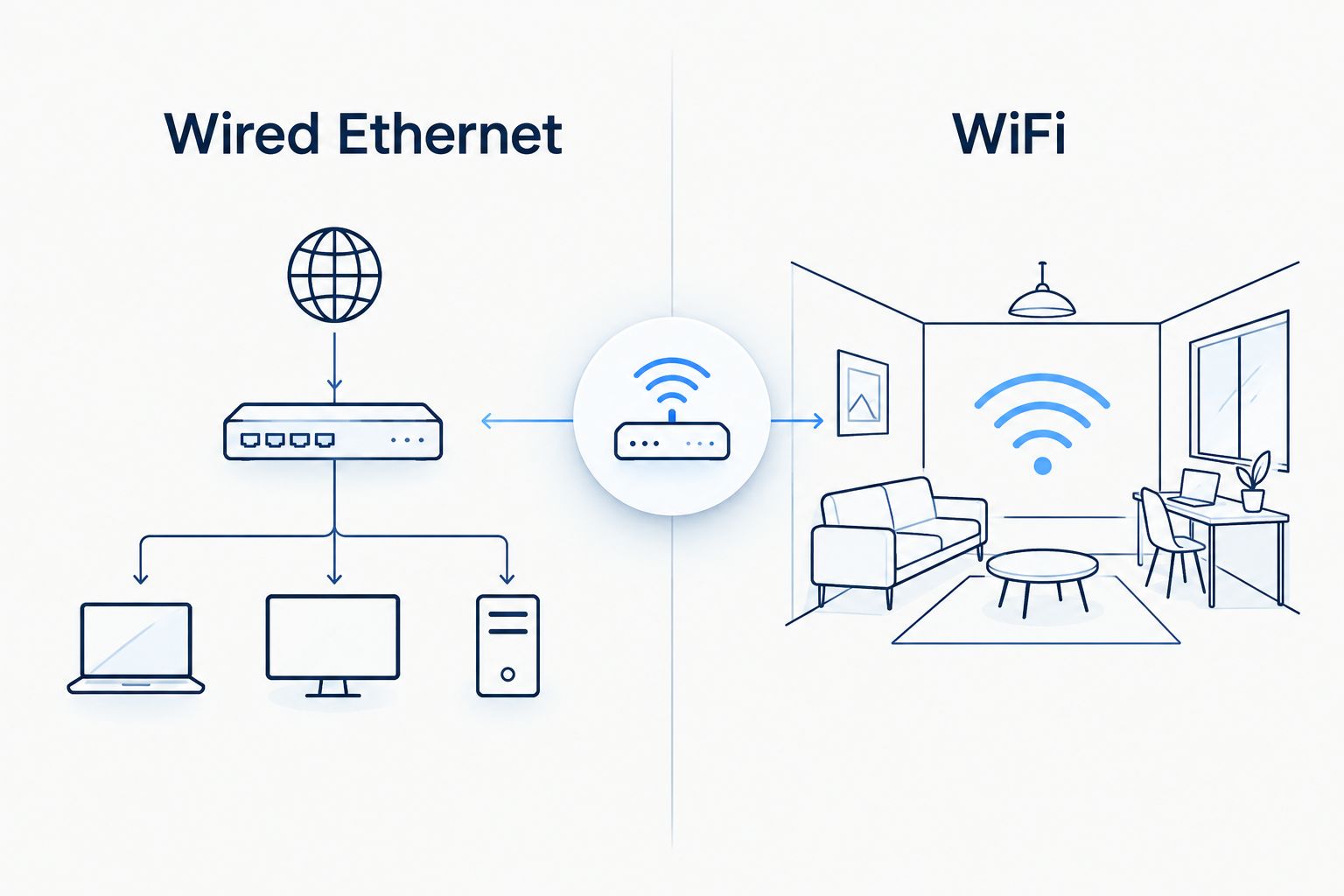
Best for checking the service: wired Ethernet
Connect directly to the router when your question is whether the connection performs consistently. Use the same computer and test tool across repeat runs, and note whether anyone else is using the network heavily. Verdict: choose a wired test first when you need to separate service performance from WiFi performance.
The trade-off is convenience. A wired test requires a device, cable, and suitable port. It also will not tell you whether the WiFi reaches the place where you actually need to work.
Best for checking your room: WiFi
Run the test on the device that feels slow, from the place where it feels slow. Then test the same device closer to the router. Verdict: choose a WiFi test when the problem follows a device or location, but do not use it alone to judge the service.
The trade-off is that more variables enter the result. The WiFi band, distance, walls, nearby networks, and device capability can all change what you see. A strong result next to the router does not dismiss a problem in another room.
Why internet speed test results vary
Speed tests are snapshots, not permanent ratings. In 2026, compare results taken with the same setup before deciding that a change reflects your internet service. Check these factors first:
- Connection type: Ethernet removes the wireless link from the test. WiFi adds it, so results can change as you move around.
- Device capability: A device's network hardware can limit its result. Compare devices without assuming that the lowest reading describes the entire connection.
- Network activity: Downloads, uploads, streams, and calls share the connection while a test runs. Note what else was happening rather than guessing from one result.
- Test server and path: The test sends data to a particular server across a network path. Changing that server can change the measurement.
- WiFi band and surroundings: The commonly used 2.4 GHz and 5 GHz bands behave differently, and walls or other wireless activity affect the link. Do not compare tests from different rooms as though conditions were identical.
- Equipment in the path: A cable, adapter, router port, or other network equipment can become the limiting point. Verify the setup before assigning the result to the provider.
These factors explain why two honest tests can disagree. They do not tell you which factor caused your result until you change one part of the setup at a time. Switching device, room, and test server together produces another number, not a clear diagnosis.
What do download, upload, and latency tell you?
Download speed describes how quickly the test device receives data from the server. Upload speed describes how quickly it sends data back. Both are usually reported in megabits per second, or Mbps. A low upload result matters when the activity giving you trouble sends data out, such as a video call or a file upload.
Latency is the time it takes a signal to make a round trip, usually shown in milliseconds, or ms. It is a different measurement from download speed. A speed test with a strong download result can still feel unresponsive during an activity that depends on quick exchanges; inspect latency rather than assuming download speed explains everything.
Do not confuse megabits with megabytes when comparing a speed test with a file transfer. There are 8 bits in a byte, so Mbps and megabytes per second are not interchangeable labels. The file source, device, and transfer itself can introduce limits too. A download that feels slow does not automatically contradict the test.
For SumoFiber customers, the practical question is which part of the connection affects the activity at hand. A slow video call in one room calls for a WiFi check there as well as a wired baseline. A slow result on every device calls for a wider check of equipment and network activity.
How should you run a repeatable speed test in 2026?
Treat testing as a comparison, not a contest for the highest number. Keep the conditions clear enough that a different result points to something specific.
- Write down the device and connection. Record whether it uses Ethernet or WiFi and, for WiFi, where you are testing. This prevents a phone result from being mistaken for a wired baseline.
- Use a consistent setup. Keep the same device and cable for wired comparisons. If the tool lets you select a test server, keep that choice consistent while investigating a change.
- Note other activity. A large upload or another device downloading can affect the result. You do not have to stop the household or office to learn something; you do have to record what was happening.
- Run the test again. Compare the pattern, including download, upload, and latency. A single unusual reading is a reason to investigate, not a complete diagnosis.
- Change one condition. Move the same WiFi device closer to the router, or compare its WiFi result with an Ethernet test. If you change several conditions, you cannot tell which change mattered.
If the trouble appears only during normal use, include a test during that use. A quiet-network test can show what the connection does under quieter conditions, but it cannot tell you whether several people can use it comfortably at once. Label the two situations rather than treating their results as contradictory.
SumoFiber fiber internet is best assessed with a wired test when you want to separate connection speed from WiFi performance. If you are considering SumoFiber for home or business service, a speed-test result helps describe your current experience; it cannot tell you which services are available at your address. Check the SumoFiber website for current service information instead of treating a speed test as an availability check.
Is a WiFi speed test accurate enough to report a problem?
Yes, a WiFi speed test accurately reports what that device measured during the test. It does not identify the cause on its own. In 2026, report the device, room, connection type, and whether a wired comparison showed the same pattern; those details make the result useful.
Why is my speed test fast but streaming or calling still difficult?
A fast speed test measures one path at one moment, while a stream or call uses its own connection over time. Test when the difficulty occurs, inspect upload and latency as well as download, and compare WiFi with Ethernet. That separates a room-specific problem from one affecting the wider connection without assuming the app or provider is at fault.
Should I test on my phone or my computer?
Use both if they answer different questions. An Ethernet-connected computer is the better starting point for a wired baseline; your phone is the better test of what your phone gets in the room where you use it. If the phone is slow and the wired computer is not, investigate WiFi and the phone before blaming the internet connection.
FAQ
Can an online internet speed test be wrong?
An online internet speed test can be misleading if you treat one device's result as the speed of the whole connection. The measurement reflects that device, its connection, the network path, and the test server at that moment.
Is an Ethernet speed test more accurate than a WiFi test?
An Ethernet test is better for checking the connection without WiFi conditions affecting the result. A WiFi test is better for measuring what a wireless device gets in a particular place.
Why do two speed test sites show different results?
Two speed test sites can use different servers and network paths. Compare repeat tests with a consistent tool and setup before treating the difference as a change in service.
Does a speed test show my WiFi speed or internet speed?
A WiFi speed test reflects both your wireless link and the internet path to the test server. Compare it with a wired result to help separate those parts.
What should I do if only one room tests slowly?
Test the same device closer to the router and compare the results. If the problem stays tied to one room, investigate WiFi conditions there before treating the wired connection as slow.
Can other devices affect a speed test?
Yes, other devices can use the connection while a speed test runs. Note active downloads, uploads, streams, or calls when you compare results.
Will a speed test tell me if fiber internet is available at my address?
No, a speed test measures the connection you are using; it does not check service availability. Check address-specific availability with the provider.
One last thing
The most useful result is not always your fastest one. If a 2026 test is fast beside the router but slow where you take calls, the difference tells you where to investigate. Keep the wired baseline, then test where real life happens; a single number cannot do both jobs.


