

A small business needs 100 to 500 Mbps of bandwidth in 2026, with most offices of 5 to 20 employees running comfortably on 200 to 300 Mbps of dedicated capacity. The number that actually breaks a network isn't download speed — it's upload, since video calls, cloud backups, and VoIP phones all push data out, and most cable and DSL business plans cap upload well below their advertised download number even when the download figure looks generous.
- Small businesses need 100-500 Mbps in 2026, with 200-300 Mbps the sweet spot for 5-20 employees.
- Upload speed, not download, is the bottleneck for video calls, VoIP, and cloud backups.
- Fiber connections like SumoFiber deliver symmetrical upload and download, which cable plans rarely match.
- Bandwidth needs scale with simultaneous video calls, POS traffic, and guest WiFi, not just headcount.
Why bandwidth math matters more than headcount
Most ISPs sell business internet by headcount, but two 10-person offices can need wildly different bandwidth depending on what they run. A law office with 10 people on email and document storage looks nothing like a 10-person call center running constant VoIP and video. SumoFiber sizes business connections around actual usage patterns — number of simultaneous video calls, cloud software load, and point-of-sale traffic — not just a per-employee formula.
The other factor that gets ignored: symmetrical speed. Cable and DSL connections split bandwidth unevenly, often delivering 10-20 Mbps upload against 200+ Mbps download. Fiber connections deliver the same speed in both directions, which matters the moment your team is on five video calls while syncing files to the cloud in 2026.
How much bandwidth does a small business need?
The honest answer scales with employee count and how many people are online at the same time doing bandwidth-heavy work. This table breaks it down by typical office size and workload.
| Business size | Recommended bandwidth | Typical use |
|---|---|---|
| 1-5 employees | 100-200 Mbps | Email, browsing, occasional video calls |
| 5-15 employees | 200-400 Mbps | Multiple simultaneous video calls, cloud storage, POS |
| 15-30 employees | 400-700 Mbps | Constant VoIP, video conferencing, large file transfers |
| 30+ employees or multi-location | 1 Gbps or more | Heavy cloud computing, backups, guest WiFi at scale |
These ranges assume a mostly office-based team. A retail location or restaurant with customer-facing WiFi and card processing running alongside internal traffic should size toward the higher end of its bracket, even at a small headcount.
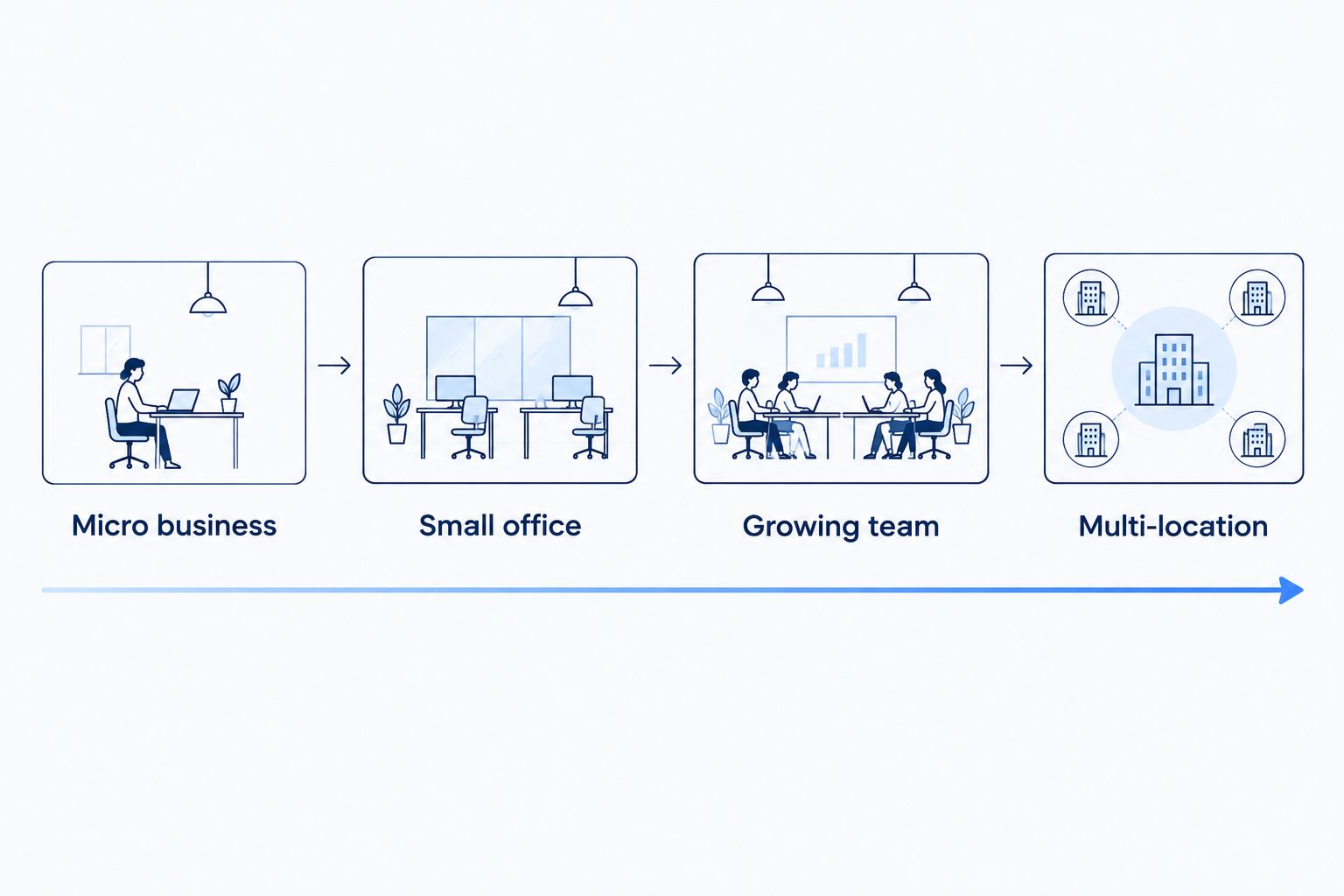
Micro business (1-5 employees): 100-200 Mbps
A five-person office running email, browsing, and occasional one-on-one video calls holds up fine on 100-200 Mbps. Verdict: sufficient for most single-location micro businesses in 2026 — no need to overbuy.
The exception is any business handling large file uploads daily — photographers, video editors, architects — where upload speed matters more than the headcount suggests.
Small office (5-15 employees): 200-400 Mbps
Once three or four people are on video calls at the same time, plus cloud software like a CRM or shared drive running in the background, 200-400 Mbps keeps things from stalling. Verdict: this is where most small offices land, and it's worth paying for the higher end if the team runs POS or booking software alongside internet traffic.
A restaurant, dental office, or small retail location in this size range typically needs bandwidth toward the top of this bracket because customer WiFi and card processing run continuously during business hours.
Growing team (15-30 employees): 400-700 Mbps
At this size, constant VoIP calls, group video conferencing, and larger file transfers overlap throughout the day. Verdict: 400-700 Mbps is the floor, not the ceiling — businesses adding cloud-based tools mid-year should plan for growth rather than sizing exactly to today's headcount.
Offices handling secure remote access for hybrid staff should budget extra capacity here, since VPN traffic adds overhead that a bare bandwidth number doesn't show.
Multi-location or heavy cloud use: 1 Gbps or more
Businesses running multiple locations, constant cloud backups, or any operation where a dropped connection means lost sales need a full 1 Gbps connection or higher. Verdict: don't split hairs at this tier — buy the gig, and pair it with a cellular backup plan so one outage doesn't take down every register or workstation.
Find the right business internet plan
Compare business fiber plans sized to your team and workload.
Why bandwidth needs vary between businesses
Headcount is a starting point, not the whole picture. These factors move the number up or down:
- Number of simultaneous video calls — each HD call uses roughly 3-4 Mbps in both directions, and they stack fast.
- Cloud-based software — CRM, EHR, POS, and booking platforms all run continuous background traffic even when nobody's actively clicking.
- VoIP phone lines — each active call adds load, and quality drops first on upload-starved connections.
- Guest WiFi — restaurants, waiting rooms, and coworking spaces need separate, sized capacity so customer streaming doesn't slow internal systems.
- Backup and failover needs — businesses that can't afford downtime need fiber internet cost per month factored against the cost of an outage, not just the monthly bill.
- File transfer size — design, video, and construction firms moving large files daily need upload bandwidth well above the office-use baseline.
Related questions
Is 100 Mbps enough for a small business?
100 Mbps is enough for a business with 1-5 employees doing email, browsing, and occasional video calls, but it gets tight fast once three or more people join simultaneous video calls. Retail and restaurant locations with customer WiFi and POS traffic should size above 100 Mbps even at a small headcount.
How much upload speed does a business need?
Upload speed should match or come close to download speed for any business running video calls, VoIP, or cloud backups — a rough floor is 20-50 Mbps upload for small offices, more for teams doing constant file transfers. Cable and DSL plans often deliver a fraction of their download speed on upload, which is the hidden bottleneck most businesses discover only after service is already installed.
Do I need symmetrical internet for my business?
Symmetrical internet, where upload and download speeds match, matters most for businesses running video conferencing, VoIP phones, or cloud backups throughout the day. Fiber connections deliver symmetrical speed by design, while cable connections typically don't, which is why two plans with the same download number can perform very differently in practice.
What internet speed does a restaurant need?
A restaurant needs 200-400 Mbps to run POS terminals, card processing, and customer WiFi at the same time without slowdowns during peak hours. Locations running online ordering or delivery integrations should budget toward the higher end of that range.
FAQ
How much bandwidth does a small business need in 2026?
A small business needs 100-500 Mbps in 2026, with 200-300 Mbps typical for offices of 5-20 employees. The right number depends on simultaneous video calls, cloud software, and POS traffic more than raw headcount.
What's the difference between business and residential internet plans?
Business internet plans generally prioritize uptime, offer symmetrical upload and download on fiber, and include support tiers built around business hours. Residential plans are sized for household streaming and browsing, not simultaneous VoIP calls or POS systems.
Is fiber internet better than cable for a small business?
Fiber internet delivers symmetrical upload and download speed, while cable typically caps upload well below download even at the same advertised speed tier. For businesses running video calls or cloud backups, that upload gap is the difference between a stable connection and one that stutters.
How much bandwidth does video conferencing use?
An HD video call uses roughly 3-4 Mbps in each direction per participant stream. A small office running five simultaneous calls needs 15-20 Mbps just for video, before accounting for any other traffic.
Do I need a bandwidth upgrade if my internet feels slow?
Not always — a slow connection is often a WiFi coverage or router placement problem rather than a bandwidth shortage. Check whether the slowdown happens on wired connections too before paying for more bandwidth.
How much bandwidth does a restaurant or retail store need?
A restaurant or retail store needs 200-400 Mbps to run POS terminals, card processing, and guest WiFi simultaneously without slowdowns. Locations with online ordering integrations should size toward the higher end.
What happens if my business internet goes down?
Without a backup connection, an outage stops card processing, VoIP calls, and cloud software access entirely. Businesses that can't tolerate downtime pair their main connection with a cellular failover so operations keep running.
One last thing
The number most businesses get wrong isn't the bandwidth tier — it's forgetting to size guest WiFi separately from internal traffic. A coffee shop that buys 300 Mbps for its 6-person staff but lets customer streaming share the same pipe will see internal systems slow down every afternoon, even though the total bandwidth number looks fine on paper in 2026.


