

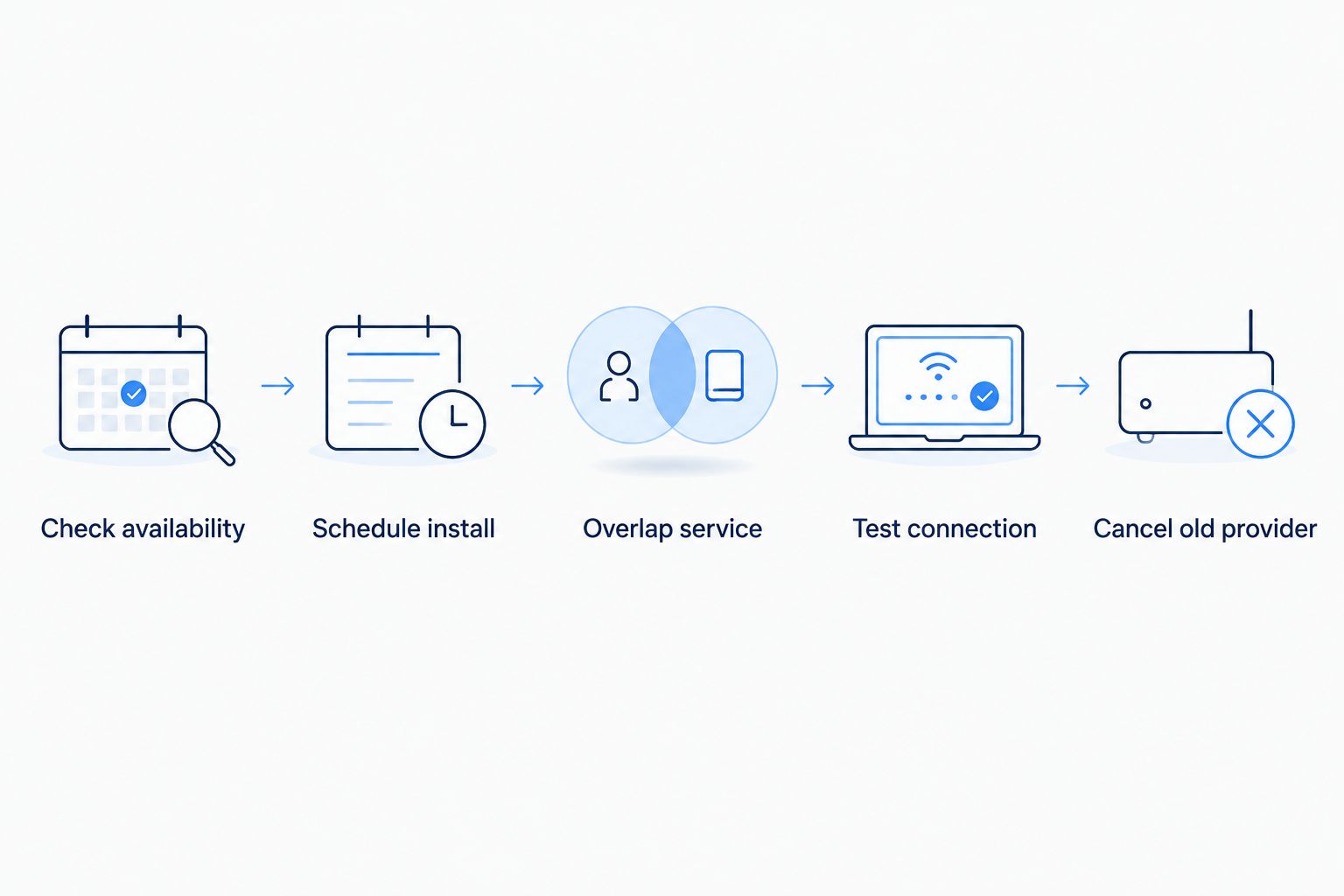
Switching to fiber internet takes four moves: confirm fiber reaches your address, schedule the install, keep your current provider running until the fiber line is live, then cancel the old service and return its equipment. Most residential installs get scheduled within one to two weeks of signing up in 2026, and the technician visit itself typically runs one to three hours. The step people skip is checking for early termination fees and equipment-return charges before they cancel — that's the only real cost hiding in an otherwise simple switch.
- Switching to fiber internet takes four steps: check availability, schedule install, overlap service, then cancel.
- Most fiber installs get scheduled within one to two weeks of signing up in 2026.
- Cancel your old provider only after the fiber line tests clean, not before.
- Watch for early termination fees and unreturned equipment charges — the real cost of switching.
- SumoFiber runs fiber internet across 8 states and pairs it with managed WiFi on residential plans.
Why this matters
Nobody delays a fiber upgrade because the technology is confusing. They delay it because switching providers sounds like a hassle — a missed install window means a day with no WiFi, and a canceled old account before the new line works means no backup if something goes wrong.
The fix is simpler than it sounds: overlap the two services for a week instead of cutting one off before the other starts. SumoFiber and most fiber providers build their process around that overlap, because losing a household to a bad switch costs more than a week of double billing.
How to switch to fiber internet from your current provider
-
Check fiber availability at your address. Not every street has a fiber line yet, even in a city where a provider markets heavily. Check fiber availability at your address before comparing anything else — it takes a few minutes and tells you whether you're looking at a real option or wasting an afternoon.
-
Compare plans and pick a start date. Match the plan to what the household actually does — a family streaming on four devices and running video calls needs more headroom than a single-person apartment. Pick an install date that gives you a week of overlap with your current provider.
-
Schedule the install and keep your old service active. Don't cancel your current provider yet. The installation timeline runs longer for some buildings than others, and a canceled backup connection turns a minor scheduling delay into a household with no internet.
-
Installation day. A technician runs or confirms the fiber line to your unit, installs the ONT — the small box that converts light signals into something your router understands — and connects your router. Expect the visit to run one to three hours in most 2026 installs.
-
Test the new connection before canceling anything. Stream something. Join a video call. Check speeds on a couple of devices at the same time. Give it a day or two before you touch the old provider.
-
Cancel your old provider and return the equipment. Call to cancel only after the fiber connection has held steady for a few days. Ask for a cancellation confirmation number, and mail back any rented router or modem promptly — unreturned equipment is where old providers tend to add fees after the account is already closed.
Switching a home internet plan: what changes
A residential switch is mostly about devices, not paperwork. Your router changes, so anything connected by WiFi needs to rejoin the new network — smart TVs, thermostats, doorbell cameras, game consoles. Write down the new network name and password before the old router goes dark, or reconnecting a dozen devices turns into a Saturday afternoon.
If a home phone line runs through the old provider, ask about number porting before you cancel — a phone number can get dropped if the old account closes before the port completes. Managed WiFi, where the provider actively monitors the network instead of leaving you to reboot a router yourself, is worth asking about if the household has had recurring dead zones or dropped calls in 2026.
Switching a business internet plan: what's different
Business switches carry a few extra steps residential ones don't. A static IP address — needed for hosted servers, remote access, or certain point-of-sale systems — takes separate provisioning and should be requested before install day, not after. A hosted phone system needs its own porting timeline, coordinated so the office isn't without a working phone line even for an hour.
Most businesses schedule the physical cutover outside open hours — early morning, a weekend, or a slow shift — so a POS system, phone line, or booking software isn't down mid-transaction. Confirm with the new provider that install crews work those windows before you commit to a date.
Why the switch takes longer for some homes and offices
- Apartment and condo buildings often route the fiber line through a shared electrical closet, adding a coordination step with property management before a technician can even start.
- Multiple phone lines or a hosted PBX need number porting scheduled separately from the physical install — the two rarely finish on the same day.
- A static IP address for a business server or remote access setup takes an extra provisioning step that most home installs skip entirely.
- Rural properties sometimes need a longer trench or aerial drop before the ONT can even get mounted, stretching the one-to-two-week window.
- Peak seasons — new construction pushes, spring moving season — back up install schedules for every provider, fiber or otherwise.
Do I need to cancel my old provider before fiber is installed?
No — keep your old provider active until the fiber connection has tested clean for a couple of days. Canceling early is the single most common reason a switch turns into a stretch with no internet at all.
What happens to my email and home phone number when I switch?
An email address tied to your old provider (like an @isp.com address) usually stops working once that account closes, so migrate anything important to a provider-independent email service first. A home phone number can be ported to the new service, but the port needs to be requested before the old account is fully canceled.
Does switching to fiber internet trigger a contract penalty?
That depends entirely on what your current provider's agreement says, not on the new provider — check your existing contract's end date and early termination terms before you schedule anything. Providers that don't require a contract at all remove this risk from the equation completely.
Check if fiber reaches your address
See real availability before you plan the switch.
FAQ
How do I switch to fiber internet from my current provider?
You check fiber availability at your address, schedule the install, keep your old service running until the fiber line tests clean, then cancel the old provider and return its equipment. Most 2026 residential installs get scheduled within one to two weeks.
Will I have a gap with no internet during the switch?
Not if you keep the old service active until the new fiber connection is confirmed working. The gap only happens when someone cancels the old provider before the new one is tested.
How long does it take to get fiber internet installed?
Most fiber installs get scheduled within one to two weeks of signing up, with the technician visit itself running one to three hours. Apartment buildings and rural drops can push that timeline out.
Do I need new equipment when I switch to fiber?
Yes — fiber requires an ONT at the entry point and typically a new router, since the old provider's modem won't work with a fiber line. The new provider supplies and installs both during the visit.
Can I keep my email address when I switch providers?
Only if it isn't tied to your old provider's domain. An @isp.com-style address usually stops working once that account closes, so move anything important to an independent email service before you cancel.
Is switching to fiber internet worth the hassle?
For most households the actual work is a technician visit of one to three hours plus reconnecting WiFi devices — a few hours spread across one week, not a multi-day disruption.
What happens to my home phone number when I switch?
It can be ported to the new provider, but the port has to be requested before the old account is canceled — porting a number from a closed account often fails or gets delayed.
Does a business need a different switching process than a home?
Yes — businesses typically need static IP provisioning and phone system porting scheduled separately, and the physical cutover is usually timed outside business hours to avoid downtime on POS or phone systems.
One last thing
The part of switching that actually trips people up isn't the install — it's the equipment sitting in a closet for weeks after the old account is already closed. Set a return date on your calendar the same day the fiber install finishes, not whenever the last bill happens to arrive. That single habit avoids most of the surprise charges people blame on "the switch" when the switch itself went fine.


