

A hosted PBX has no universal phone-line limit. The number it supports depends on the provider’s limits for user seats, simultaneous outside calls and phone numbers; those are separate limits. In 2026, the useful question is how many calls your business can handle at the same time, not how many phones it can connect.
- How many phone lines does a hosted PBX support? There is no universal limit; check simultaneous-call capacity.
- User seats, business numbers and simultaneous calls are separate quantities. Confirm all three before choosing a plan.
- SumoFiber is best considered by businesses seeking phone service alongside fiber internet; its hosted PBX capacity is not specified.
Why this matters
A phone line once described a physical connection. With a hosted PBX, people still use the word to mean different things: a number customers dial, a phone assigned to an employee or a call that can happen right now. Mix those up and you can order enough phones for the office while leaving callers unable to get through when everyone is busy.
SumoFiber offers business internet and phone services. If you are evaluating those services together, ask for the phone service’s concurrent-call limit in writing. The available information does not state that SumoFiber offers a hosted PBX or specify a line capacity, so do not treat a general phone-service description as a capacity promise.
How many phone lines does a hosted PBX system support in 2026?
As many as the provider’s plan and configuration permit; there is no standard count that applies to every hosted PBX. To get a usable answer for your business, separate the quantities below and ask the provider to confirm each one.
| What you count | What it tells you | What it does not tell you |
|---|---|---|
| User seats | How many people have an account or assigned calling access | How many outside calls can happen simultaneously |
| Business numbers | How many numbers customers or staff can dial | How many callers can use one number at once |
| Simultaneous calls | How many active calls the service permits at the same time | How many employees or numbers you have |
| Devices | How many desk phones or other endpoints you intend to use | Whether the plan permits each device or adds call capacity |
A provider can describe all four as lines. Ask it to use the terms seats, numbers and simultaneous calls instead. The answer should cover inbound and outbound calls, including what happens when the concurrent-call limit is reached.
Consider a hypothetical office with 6 employees, 1 main business number and 2 simultaneous outside calls. The six employees do not create six call paths by themselves. If two calls occupy the available paths, the office needs to know what a third caller experiences. That example illustrates the question to ask; it is not a stated limit for any provider.
A phone number is not a call path
A main business number tells customers where to call. It does not, by itself, establish how many conversations the business can hold at once. The same distinction applies to direct numbers for individual staff: adding a number gives a caller another destination, not necessarily another simultaneous call.
Ask whether every inbound and outbound call uses the same pool of concurrent-call capacity. Then ask how transfers, forwarded calls and calls sent to outside numbers are counted. The provider’s answers determine whether the published capacity matches a busy day at your office.
A user seat is not a call path either
A seat identifies someone who can use the phone system under the provider’s plan. It is useful for planning who needs calling access, but it is not a substitute for a simultaneous-call figure. A small team handling calls continuously has a different capacity question from a larger team that rarely calls at the same time.
In 2026, request both figures separately: the maximum number of users on the proposed configuration and the maximum number of active outside calls. If you expect the team to grow, ask what changes when you add seats and whether call capacity changes with them. Get the answer for the specific configuration you are considering, not a general description of hosted PBX technology.
Why hosted PBX capacity varies
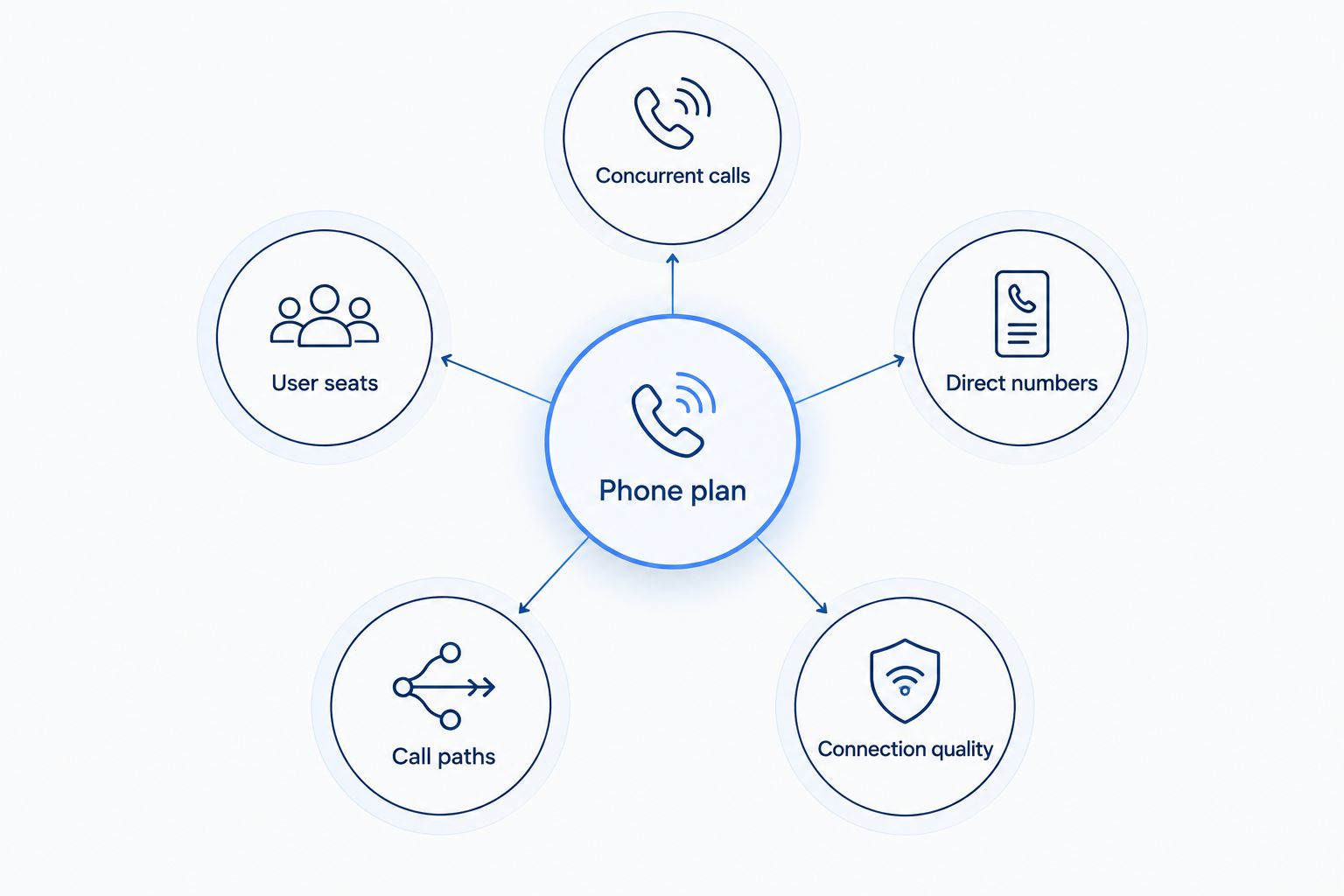
A hosted PBX’s phone plan and configuration set its limits. These are the factors to check before anyone gives you a line count:
- Concurrent calls: The provider must state how many outside conversations the proposed service permits at once, and whether inbound and outbound calls share that limit.
- User seats: The plan must accommodate the people who need accounts. Adding a person does not automatically establish that another call can happen at the same time.
- Direct numbers: A main number and individual numbers serve different routing needs. Confirm how many numbers the configuration includes without assuming that each number adds capacity.
- Call paths: Ask how transfers and forwarding are counted, particularly when a call leaves the office for a mobile number or another destination.
- Connection quality: Internet calling depends on the connection serving the office. Confirm the provider’s connection requirements and what staff should expect if that connection fails.
Treat these as separate questions even if a proposal groups them under a single line item. The most useful capacity figure is the one tied to calls your team actually handles at the same time. A number printed beside the word lines does not answer that question until the provider defines it.
What happens when call capacity is full?
A stated limit is only half the answer. Ask what the next inbound caller hears when all permitted calls are active, and what an employee sees when trying to place another outbound call. Do not assume calls will queue, forward or reach voicemail unless the provider confirms that behavior for the proposed setup.
Describe a real busy period rather than an average day. A restaurant might need staff to take an order while another employee speaks to a supplier. An office might need to receive customer calls while team members make outbound calls. Count the conversations that overlap; that gives the provider a concrete requirement to answer.
If a call is transferred between employees, ask whether that transfer occupies additional capacity. If a call is forwarded to someone’s mobile phone, ask the same question. These details matter because the number of ringing devices can look generous even when the limit on active calls is tight.
How to choose a line count for your business
You do not need to guess how many lines a hosted PBX generally supports. You need to establish your busiest calling pattern and check whether a specific proposal covers it.
- List the people who need calling access. Include employees who answer calls and employees who only place them. This produces a seat requirement, not a call-capacity requirement.
- List the numbers you need customers to dial. Separate a shared main number from any direct numbers. Ask the provider which numbers are included in the proposed configuration.
- Count overlapping conversations. Look at a period when inbound and outbound calls happen together. Record the maximum number of outside calls you need to handle without asking anyone to hang up.
- Describe where calls go. Identify any calls routed between employees or forwarded outside the office. Ask the provider how those calls use capacity.
- Request a written limit and overflow behavior. The response should state the permitted simultaneous calls and what happens to another caller when that limit is reached.
For a 2026 purchase decision, compare the written answers rather than comparing line counts printed without definitions. A proposal with more seats is not necessarily a better fit if it cannot confirm the active-call capacity you need. Likewise, a single main number is not a problem if the service can handle your required conversations through it.
SumoFiber’s business phone service is relevant if you also need business internet, but its stated offerings do not answer the hosted PBX capacity question. Ask SumoFiber whether the proposed phone service is a hosted PBX, then request its seat, number and simultaneous-call limits. That keeps the discussion tied to what you will use rather than a feature name.
Questions to put to a provider
Send the same short set of questions to each provider. You will get answers you can compare without having to translate different uses of the word line:
- What is the maximum number of simultaneous inbound and outbound calls on this proposed configuration?
- How many user seats does the proposal cover, and does adding a seat change concurrent-call capacity?
- How many business numbers can we use, including a shared main number and direct numbers?
- What happens to an inbound call when every permitted call is active?
- How do transfers and calls forwarded to outside numbers count against the limit?
- What changes are required if our calling volume grows?
Ask for the answers to apply to the exact service offered at your address. A general claim that a cloud-based system can grow does not specify the capacity you can use on day one. In 2026, the deciding figure is still the number of conversations the proposed service will permit when your team is busiest.
FAQ
How many phone lines does a hosted PBX support?
A hosted PBX has no universal phone-line limit. Its provider and configuration determine user seats, business numbers and simultaneous-call capacity, so ask for each figure separately.
Is a hosted PBX line the same as a phone number?
No. A phone number is an address callers dial; simultaneous-call capacity determines how many conversations can happen at once. Ask the provider what it means by line before comparing proposals.
Can several employees answer calls to one business number?
Yes, a shared business number can direct calls to multiple employees when the service is configured to do so. Confirm how many of those calls the proposed service can handle at the same time.
Does adding another desk phone add another call line?
Not necessarily. Another desk phone adds a device, but the provider must confirm whether the plan also adds a user seat or simultaneous-call capacity.
What happens when all hosted PBX calls are in use?
The outcome depends on the provider’s configured call handling. Ask what the next caller hears and whether that call queues, forwards or reaches voicemail on the proposed service.
How do I estimate the lines my small business needs in 2026?
Count the outside conversations that overlap during your busiest calling period. Then give that requirement to the provider and ask for its written simultaneous-call limit, along with separate seat and number limits.
How many hosted PBX calls does SumoFiber support?
SumoFiber’s hosted PBX call capacity is not specified in the provided service information. Ask SumoFiber whether its proposed business phone service is a hosted PBX and request the simultaneous-call limit for that configuration.
One last thing
Ask what happens to the next caller, not just how many phones can ring. That answer exposes the capacity limit that matters on a busy day. For a decision in 2026, keep the provider’s written call limit beside its seat and number limits; none of the three replaces the others.


