

Your upfront fiber internet installation cost depends on the work required at your address and the charges listed in your provider’s written quote. For a 2026 order, separate installation from activation, equipment, deposits, and the first service bill before you approve the total.
- Confirm fiber internet installation cost upfront with an address-specific, itemized quote before booking.
- An existing fiber connection and a new cable route involve different installation work.
- Separate installation, activation, equipment, and the first service bill when comparing quotes.
- SumoFiber suits households seeking fiber internet and managed WiFi from one provider.
Why this matters
You want the kids streaming and your video calls working—not a surprise bill after someone drills through the wall. The useful question is not just what installation means, but exactly which work you have authorized and when payment is due.
Ask for the total due before service starts and the total expected on your first bill. Those are different checkpoints. A charge collected later still belongs in your switching budget.
SumoFiber offers residential and business fiber internet and managed WiFi. When you request a quote, describe the rooms you need connected as well as the property address; getting fiber into the building and getting WiFi to your desk are separate tasks.
How much does fiber internet installation cost upfront?
The amount to budget is the address-specific total confirmed in writing, not a monthly service headline. A useful 2026 quote identifies the installation scope, separates other charges, and explains what happens if the technician finds additional work.
Use this breakdown to check the quote. These are categories to ask about, not a statement that every provider charges for each item.
| Quote item | What to clarify | What you need in writing |
|---|---|---|
| Installation | Bringing the connection into the premises and setting up the agreed equipment | Included work and exclusions |
| Activation | Starting service on the account or connection | Whether it is separate from installation |
| Equipment | The fiber terminal, router, or additional WiFi equipment | What is supplied and who owns it |
| Deposit | Any amount held under the account’s terms | Whether one applies and its return conditions |
| Initial service | Service billed when the account starts | Billing start date and covered period |
| Additional work | A different cable route, extra wiring, or work outside the agreed scope | Approval process before work begins |
Do not treat an empty line as an included item. Ask the provider to mark it as included, not applicable, or separately quoted so you can distinguish an answer from an omission.
Installation and activation are different questions
Installation describes physical setup. Activation describes enabling service, although a provider’s paperwork can group those activities under the same label.
Ask what the charge covers rather than relying on its name. If the quote says setup, have the provider explain whether that includes the technician visit, equipment connection, and service activation.
The first bill is not the installation bill
A first bill can cover more than the work performed at your home. Review the service period and any equipment or account-related line items separately.
Compare matching totals. A quote that lists only technician work cannot be compared fairly with one that also includes the initial service period. Keep recurring charges outside your installation subtotal, but inside your overall switching budget.
Existing fiber connection: confirm what can be reused
Best for: homes with a fiber connection the selected provider confirms it can use. Existing infrastructure gives you something concrete to ask about before a visit.
The benefit is that the physical route or installed equipment might already meet the provider’s requirements. The limitation is that an old fiber box does not prove the connection is active, compatible, or ready for your order.
Tell the provider what you see without unplugging or opening equipment. A photograph of the equipment label can help identify it, but avoid sharing account credentials or personal information.
Ask whether the quote assumes reuse of the existing connection. Also ask what changes if that assumption proves wrong during the visit; you want an approval step, not an open-ended authorization.
New fiber connection: define the route before approving work
Best for: properties that need a new physical connection confirmed by the provider. A new connection requires a clear plan for how the cable reaches and enters the building.
The benefit is the opportunity to discuss an equipment location before the route is finalized. The limitation is that the route can involve property access, building permission, and work beyond simply plugging in a router.
For your 2026 installation request, identify gates, shared areas, paved surfaces, and the room where you want the equipment. Ask who handles any required permissions and whether restoring disturbed surfaces is included in the agreed scope.
Do not assume that bringing fiber to the property includes wiring every room. If you need a wired connection in an office or a separate building, describe that requirement before approving the quote.
| Installation situation | Main advantage | Main limitation | Best for |
|---|---|---|---|
| Confirmed reusable connection | Existing infrastructure can form part of the installation plan | Compatibility and condition still need confirmation | Homes with a usable fiber connection |
| New physical connection | Entry route and equipment placement can be discussed before work | More access and construction questions to resolve | Properties needing a new connection |
| Additional indoor wiring | A cable can serve a specific desk or device location | It is a separate scope question from bringing service inside | Workspaces needing a wired connection |
Why upfront fiber installation costs vary
The physical job and the provider’s billing terms determine what belongs in your quote. Use these factors to explain your situation rather than accepting a generic setup description.
- Existing connection: Ask whether the provider can use the fiber already serving the building or needs a different connection.
- Cable route: Identify where the cable enters, which areas require access, and whether the route crosses shared property.
- Indoor wiring: Separate the connection to the fiber terminal from any Ethernet runs you want inside the premises.
- Equipment placement: Agree on a practical location with power and access, rather than assuming your preferred room is included.
- Account terms: Check activation, equipment, deposit, and initial billing questions independently of the physical work.
- Scope changes: Establish who approves additional work and how you receive a revised quote before it begins.
A neighbor’s installation is useful background, not a substitute for your own scope. Even nearby properties can have different entry routes and indoor wiring needs.
How do you get a reliable installation quote?
Use 3 billing checkpoints for a 2026 order: before the appointment, before additional work, and on the first bill. Each checkpoint answers a different question about what you have agreed to pay.
Before the appointment
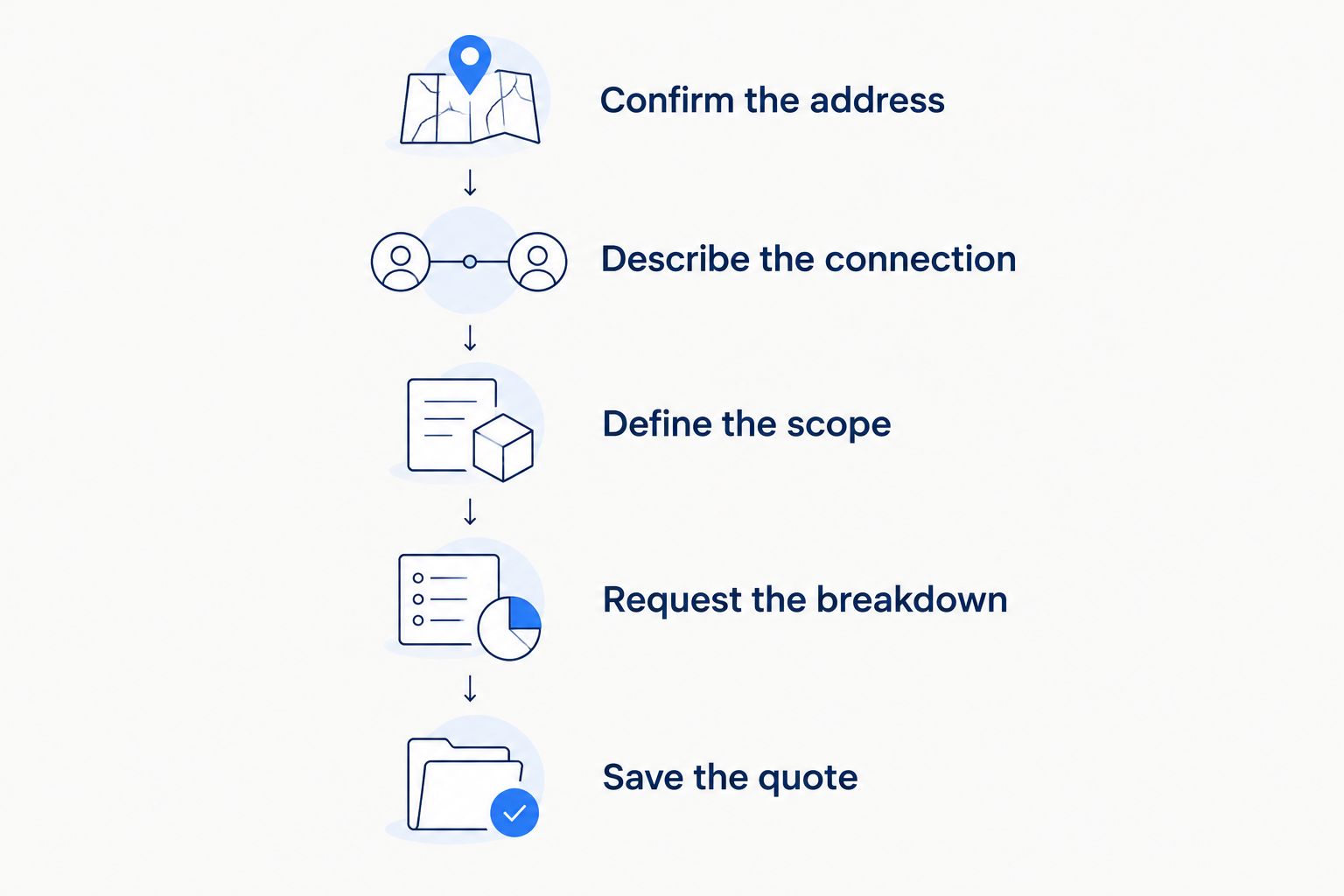
- Confirm the address. Include the unit or suite so the provider evaluates the right premises.
- Describe the connection. Explain whether fiber equipment is already installed and where it is located.
- Define the scope. State your preferred entry location, router location, and any wired-room requirements.
- Request the breakdown. Separate installation from account, equipment, and initial service items.
- Save the quote. Keep the written scope and payment timing with your order confirmation.
The purpose is not to diagnose the network yourself. It is to give the provider enough information to distinguish a routine connection from work requiring another assessment.
Before additional work
If the planned route does not work, pause and ask what changes. Get the revised scope and any billing changes in writing before approving drilling, extra wiring, or another route.
Agreeing to the original appointment is not the same as understanding a changed job. Keep the decision specific: what work is being added, why it is needed, and what you are approving.
On the first bill
Match each one-time line item against the order confirmation. Then check the service start date and the period covered by recurring charges.
If something differs, ask the provider to explain the exact line item. A saved quote makes that conversation more useful than trying to remember what someone said during scheduling.
Does fiber installation include whole-home WiFi?
A working fiber connection does not by itself confirm good WiFi in every room. Fiber brings the connection to the premises; WiFi distributes it wirelessly around your space.
Walls, distance, and router placement affect wireless coverage. Before installation, name the places that matter: the upstairs office, the living room television, or the back room where your children do homework.
Ask which equipment and coverage work the order includes. Managed WiFi is relevant when you want help managing the wireless network, but you still need to confirm the service scope and equipment arrangement.
At handoff, request 2 connection checks: a wired check where the equipment supports it and a WiFi check in your main work area. The checks answer different questions; a successful connection beside the router does not confirm coverage at the far end of the house.
Can renters approve a fiber installation themselves?
Renters should confirm permission before authorizing changes to the property. Review your lease and ask the landlord or building manager about drilling, cable routes, and access to shared utility areas.
An existing connection in the apartment does not resolve every permission question. Ask the provider whether the proposed work stays inside the unit or needs access elsewhere in the building.
For a 2026 rental move, coordinate the appointment with whoever controls building access. Keep permission and installation scope together so the technician is not asked to improvise around an unresolved approval.
Should you cancel your old internet before installation?
Keep cancellation separate from scheduling the new connection. An appointment confirms a planned visit, not that the new connection has passed your handoff checks.
Before choosing a cancellation date, review your current provider’s billing and equipment-return terms. Also decide how you will handle any overlap between services; that is part of switching, not part of the physical fiber installation.
For a business, list the systems that must work before the change is complete. Payment terminals, phones, and security devices deserve their own checks rather than being treated as working because a laptop loads a webpage.
FAQ
How do I find my fiber internet installation cost upfront?
Get an address-specific written quote that states the work included and the payment timing. Separate installation from activation, equipment, deposits, and the first service period before approving the total.
Does an existing fiber box mean I can skip installation?
An existing fiber box does not establish that your selected provider can reuse the connection. Ask the provider to confirm compatibility, condition, and any remaining setup work.
Is activation the same thing as fiber installation?
Activation and installation describe different activities, even when a provider groups them together. Ask whether the quoted setup includes physical work, equipment connection, and enabling service.
Will fiber installation include Ethernet cables to my office?
Treat an Ethernet run to your office as a scope item to confirm before booking. Bringing fiber into the premises does not establish that additional room wiring is included.
Can I use my own router when fiber is installed?
Confirm router compatibility and provider requirements before buying equipment. You still need the required equipment that converts the optical connection for use by your network.
Can a landlord stop work on an apartment fiber installation?
Resolve property permission before booking work that changes the building. Check your lease and coordinate drilling, cable routes, and shared-area access with the landlord or building manager.
Does SumoFiber offer managed WiFi as well as fiber internet?
SumoFiber offers fiber internet and managed WiFi for households and businesses. Confirm the installation scope, equipment arrangement, and service terms for your address before ordering.
One last thing
Agree on the router location before the cable route is finalized. A connection that reaches the building is only part of a useful home setup; you also need the wireless signal where you actually use it.
Walk through your normal day when describing the job. Point out the video-call desk and the television rather than asking only whether the internet will work. That gives the installation conversation a concrete finish line.


