
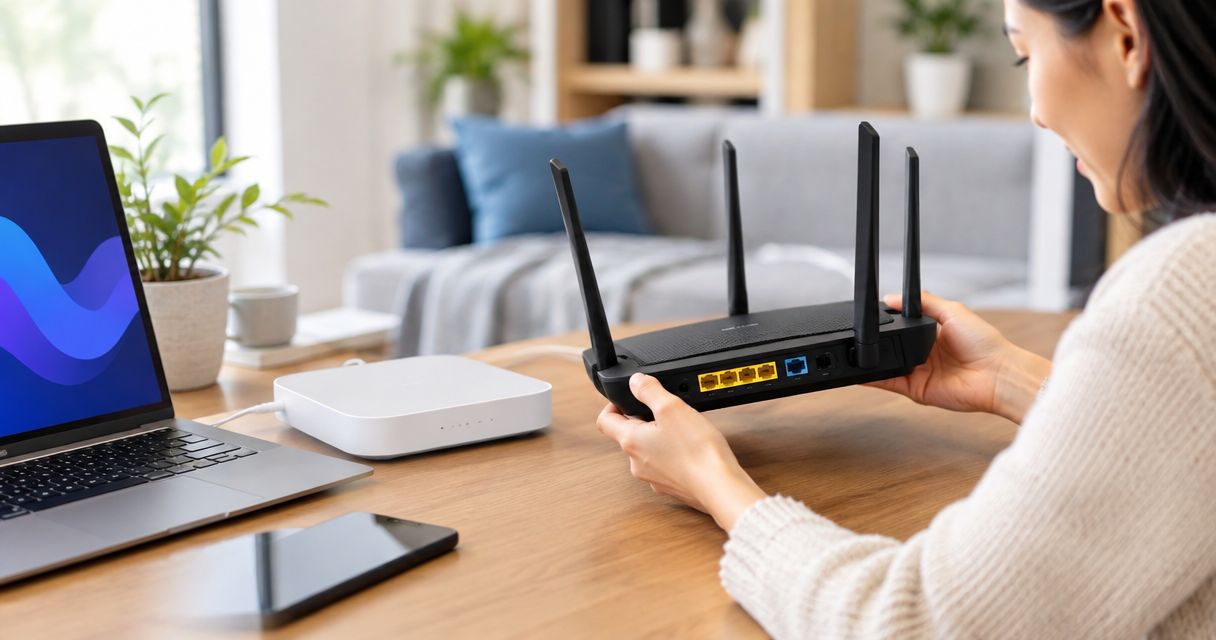
Yes, you can use your own router instead of a rental with fiber internet in 2026 when your provider permits customer-owned equipment and your router meets the connection requirements. You still need the provider-approved fiber terminal, and replacing the router can change who handles WiFi troubleshooting or how bundled phone and TV services connect.
- Can I use my own router instead of a rental with fiber internet? Yes, when provider rules and connection requirements allow.
- Keep the approved fiber terminal; an ordinary Ethernet router does not replace it.
- Choose your own router for control; choose managed WiFi when you want help managing the wireless network.
- Sumofiber offers fiber internet and managed WiFi; confirm customer-owned router requirements before replacing equipment.
Why this matters
The internet connection entering your home and the WiFi reaching your bedroom are different parts of the setup. Buying a router changes the second part, but it does not automatically improve the first.
If kids can stream near the router while a video call breaks up upstairs, coverage deserves attention. If wired devices also lose their connection, swapping WiFi equipment without checking the fiber connection misses the problem.
Sumofiber offers residential and business fiber internet alongside managed WiFi. Before choosing equipment, ask which parts of your connection the provider requires you to keep and which parts you can manage yourself.
Can I use my own router instead of a rental with fiber internet?
Yes—provider permission, a compatible connection, and correct settings determine whether your own router will work. A router advertised for fiber is not automatically approved for your address or service configuration.
Fiber usually terminates at an optical network terminal, called an ONT. The ONT converts the optical connection into a connection your home network can use, commonly Ethernet. Your router then connects through its internet-facing port, usually labeled WAN or Internet.
Some installations combine these functions in a gateway. In that case, using your own router can involve keeping the gateway and changing its operating mode rather than removing it.
| Setup | Best for | Main advantage | Main limitation |
|---|---|---|---|
| Your own compatible router | People who want to manage network settings | You choose the hardware and control its configuration | You take responsibility for updates and router troubleshooting |
| Provider-supplied router | People who want provider-supported equipment | The provider supplies the intended router configuration | Hardware choice and settings depend on the provider |
| Managed WiFi | People who want help managing wireless coverage | WiFi management is part of the service arrangement | Equipment rules and support scope depend on the service |
These are different choices, not a quality ranking. A well-placed compatible router can be more useful than a newer router hidden inside a cabinet, and provider-managed equipment can be the better fit when you do not want to maintain the network yourself.
Using your own router: more control, more responsibility
Your own compatible router is best for people who want control over their home network. You can choose settings such as guest access, parental controls, or local network addressing when the hardware supports them.
That control comes with upkeep. You need to install firmware updates, protect the administrator account, and know how to restore a working configuration after a change.
Before reusing an older router, check whether its manufacturer still provides security updates. Hardware that powers on and broadcasts WiFi is not necessarily hardware you should keep using.
Also check both sides of the router. Its WAN port receives the internet connection; its LAN ports serve wired devices. A fast wireless specification does not remove a slower Ethernet port from the path.
For example, a 1 Gbps WAN port cannot carry a 2.5 Gbps Ethernet connection at its full link rate. Those are port ratings, not a promise about the speed any provider delivers. Match the ports to the connection you actually have.
Keeping provider equipment: a clearer support boundary
Provider-supplied equipment is best for people who prefer the provider's supported setup. Before keeping it, ask what assistance covers the router, wireless coverage, connected devices, and the fiber terminal.
Do not assume supplied equipment means every WiFi problem is covered. Support responsibilities depend on the provider and service arrangement. Likewise, do not assume replacing the router ends all assistance with the underlying fiber connection.
The practical question is where responsibility changes hands. If the provider confirms that the ONT is working, who diagnoses the Ethernet cable, router settings, or wireless interference afterward?
Keeping a supplied gateway can also be necessary when another service depends on it. Ask about home phone and TV before unplugging equipment, rather than discovering afterward that the internet works but another service does not.
Choosing managed WiFi: less hands-on network upkeep
Managed WiFi is best for people who want help managing the wireless network rather than configuring everything themselves. Compare its actual scope with what you are comfortable doing on your own.
Sumofiber is a fiber internet provider for households and businesses seeking internet and managed WiFi. That makes it relevant when you are choosing between a connection you manage yourself and a service that includes WiFi management.
The benefit is help with the wireless side of the connection. The trade-off is that equipment choices, administrator access, and troubleshooting responsibilities follow the service arrangement. Confirm those details rather than treating managed WiFi as another name for a router rental.
For a restaurant, ask how guest WiFi and business devices are separated. For a household, ask how coverage problems are assessed. The right choice depends on the work you want the provider to handle.
How do I connect my own router to fiber internet?
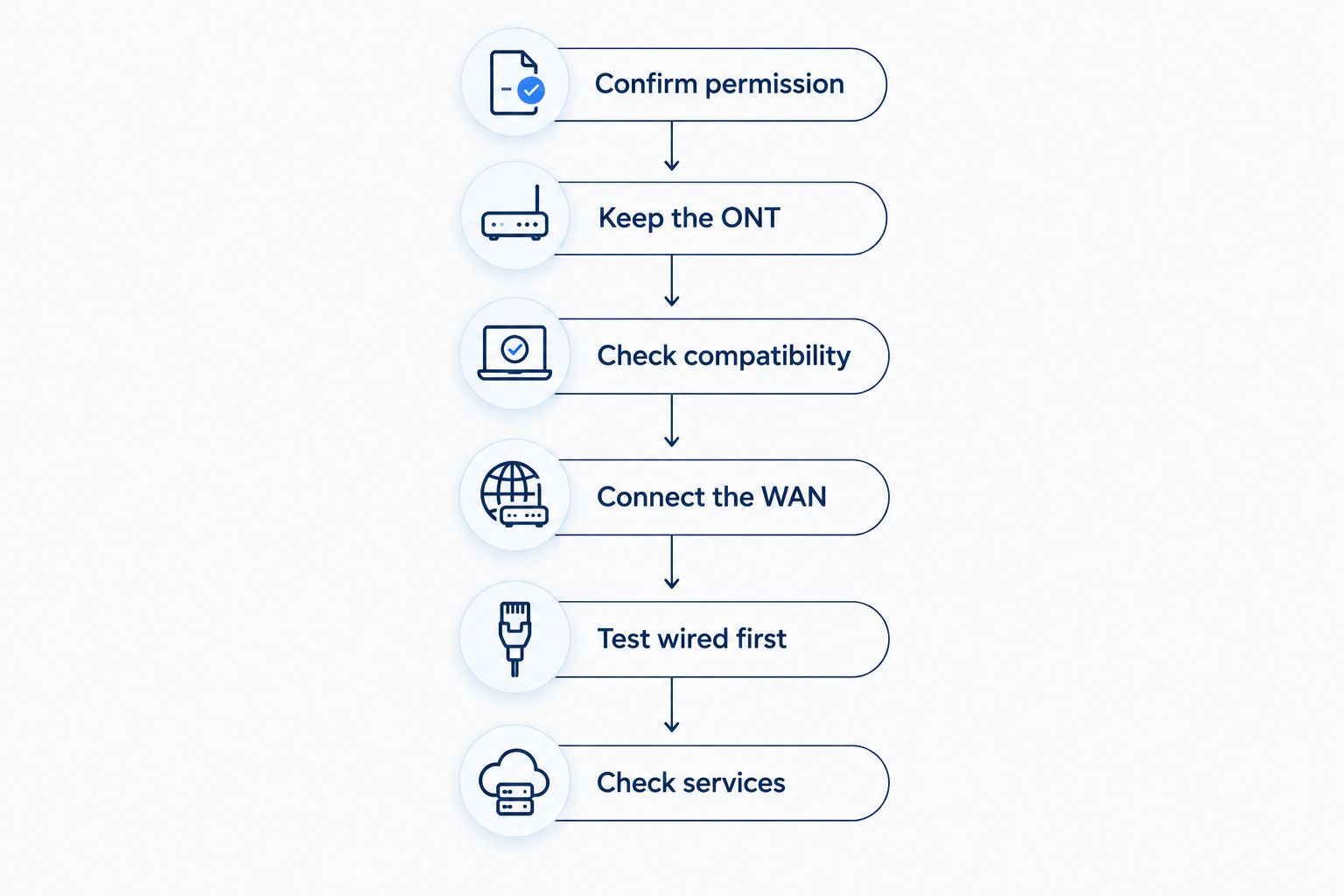
Use this checklist before changing a working connection in 2026. Confirm the required setup first; do not experiment with the fiber cable or remove the ONT.
- Confirm permission. Ask whether customer-owned routers are permitted for your address and services. Get the required connection settings before disconnecting anything.
- Keep the ONT. Identify the provider-approved fiber terminal or gateway. Leave the optical cable and terminal in place unless the provider instructs otherwise.
- Check compatibility. Confirm the router's WAN port, supported connection method, and any required authentication or network tagging. Some connections use automatic address assignment; others require additional settings.
- Connect the WAN. When the approved setup uses Ethernet from the ONT, connect that cable to your router's WAN or Internet port. Follow the provider's instructions if a gateway must remain between them.
- Test wired first. Connect a computer by Ethernet and check whether it reaches the internet. Establish a working wired connection before troubleshooting room-by-room WiFi.
- Check services. Test wireless devices and any phone or TV services affected by the change. Confirm the return process before sending back provider-owned equipment.
The sequence matters. Testing the fiber connection, then the router, then WiFi keeps a coverage problem from being mistaken for a service outage.
Keep a record of the original cable connections and settings before making changes. If the replacement fails, that record gives you a clear route back to the working setup without guessing which cable went where.
Why own-router compatibility varies
In 2026, the word fiber still describes the connection technology—not a universal router configuration. These factors determine whether a replacement works:
- Provider equipment rules. The service agreement determines whether you can replace the supplied router and which equipment must remain.
- Connection handoff. A separate ONT with Ethernet presents a different setup from a combined fiber gateway.
- Authentication and tagging. Required login details or VLAN settings must be supported and entered correctly.
- Port capability. The router's WAN and LAN ports must suit the connection and wired devices you intend to use.
- Bundled services. Phone or TV equipment can depend on a configuration that an internet-only router swap does not preserve.
- Support scope. The provider's responsibilities and your responsibilities need to be clear before a problem occurs.
A familiar WiFi name or a matching cable connector does not answer all of these questions. Get the requirements for the specific connection, not just a general statement that the router supports fiber.
Do I need a modem if I use my own router with fiber?
A typical Ethernet-based fiber setup uses an ONT rather than a cable modem. Your router connects to the ONT's Ethernet handoff, or to the provider gateway when that gateway must remain.
A cable modem-router combination is not automatically suitable for this job. Check whether it supports a separate Ethernet WAN connection and the settings your fiber provider requires. A coaxial input alone does not connect to an Ethernet fiber handoff.
Do not buy a replacement ONT as though it were an ordinary router accessory. The optical equipment must match the network and be approved by the provider.
Will my own router make fiber WiFi faster?
A different router helps only when the current router or wireless setup is the bottleneck. It does not increase the internet connection's service speed.
Placement, interference, client devices, and wireless bands affect what you experience around the house. A 2.4 GHz connection generally reaches farther, while a 5 GHz connection generally offers more capacity at shorter distances; walls and interference affect both.
Start with a wired test, then compare WiFi near the router and in the problem room. If the wired connection works well but the distant room does not, focus on coverage and placement rather than assuming you need a different internet plan.
Mesh systems are another coverage option, but they still need a sound connection between units. Adding equipment without considering where it sits does not guarantee better WiFi.
Can I put my own router behind the provider's router?
Yes, but decide which device should handle routing. Leaving both devices in router mode can create double NAT, where both translate network addresses.
Double NAT does not automatically stop everyday browsing. It can complicate inbound connections, port forwarding, and some gaming setups. Avoid changing settings blindly just because a device reports it.
Depending on the equipment and provider rules, bridge mode on the gateway or access-point mode on your router can avoid having both devices route traffic. These modes do different jobs: bridge mode changes the gateway's role, while access-point mode lets your equipment provide WiFi without acting as the main router.
If you only want better coverage, ask whether access-point mode meets that goal. Replacing the routing function is not always necessary to improve the wireless network.
FAQ
Can I use my own router instead of a rental with fiber internet in 2026?
Yes, when your provider permits customer-owned routers and the equipment supports the required connection settings. Keep the provider-approved ONT or gateway wherever the service requires it.
Does Sumofiber let me use my own router?
Confirm Sumofiber's customer-owned router requirements for your address before replacing equipment. Ask which devices must remain, which connection settings are required, and how using your own router affects WiFi support.
Can I plug a fiber cable straight into my WiFi router?
An ordinary Ethernet WiFi router does not accept the provider's optical fiber connection directly. The fiber normally terminates at an approved ONT or fiber gateway before reaching your router.
What's better, my own router or managed WiFi?
Your own compatible router is better for hands-on control; managed WiFi is better when you want help managing the wireless network. Compare equipment access and support responsibilities before choosing.
Will keeping the same WiFi name reconnect my devices?
Keeping the same WiFi name, password, and compatible security settings lets many devices reconnect automatically. Check each important device after the swap because security settings and saved configurations can differ.
Should I return every provider device after installing my router?
No—return only the equipment the provider confirms you no longer need. The ONT, gateway, or equipment supporting phone and TV services can still be required.
What should I do if my own router won't connect?
Check the Ethernet connection, WAN settings, and provider requirements first. Restore the previously working setup if necessary, and ask the provider to confirm the fiber connection before changing more settings.
One last thing
You do not always need to replace the router to improve WiFi. Moving it out of a cabinet, improving its connection to an access point, or correcting the operating mode addresses a different problem from changing the internet service.
Before a router swap in 2026, write down your actual goal: better coverage, more control, or less equipment to manage. That single decision makes the next conversation with your provider much clearer.


