

Managed WiFi doesn't have one universal monthly rate — it's billed either as a stand-alone add-on or folded into a fiber internet plan, and the total depends on how many access points your space needs and how much hands-on support comes with it. The number that catches people off guard isn't the base service fee; it's extra access points, equipment rental, or a support tier added after the initial quote.
- Managed WiFi pricing is driven by access point count, support level, and whether it's bundled with fiber internet.
- Bundled managed WiFi through a provider like SumoFiber typically costs less than paying for a stand-alone service on top of a separate internet bill.
- Businesses pay more than households because they need more coverage, faster issue response, and often 24/7 monitoring.
- No-contract managed WiFi plans exist in 2026 and avoid the rate-lock risk of multi-year agreements.
Why this matters
Managed WiFi isn't the same product at every provider, so "how much does managed WiFi cost" doesn't have a single honest answer without knowing what's included. A quote that only covers a router lease looks cheap next to one that bundles 24/7 monitoring, automatic firmware updates, and alerts when a device drops off the network — but they aren't the same service.
Most of what changes the bill has nothing to do with the internet speed itself. It's the number of access points, the support level, and whether the WiFi management rides on top of your existing internet plan or gets billed as a separate line item. SumoFiber's managed WiFi is sold as part of its internet plans rather than as a bolt-on, which is one reason bundled pricing tends to run lower than stacking a third-party WiFi vendor on top of a separate ISP bill.
How much does managed WiFi cost per month?
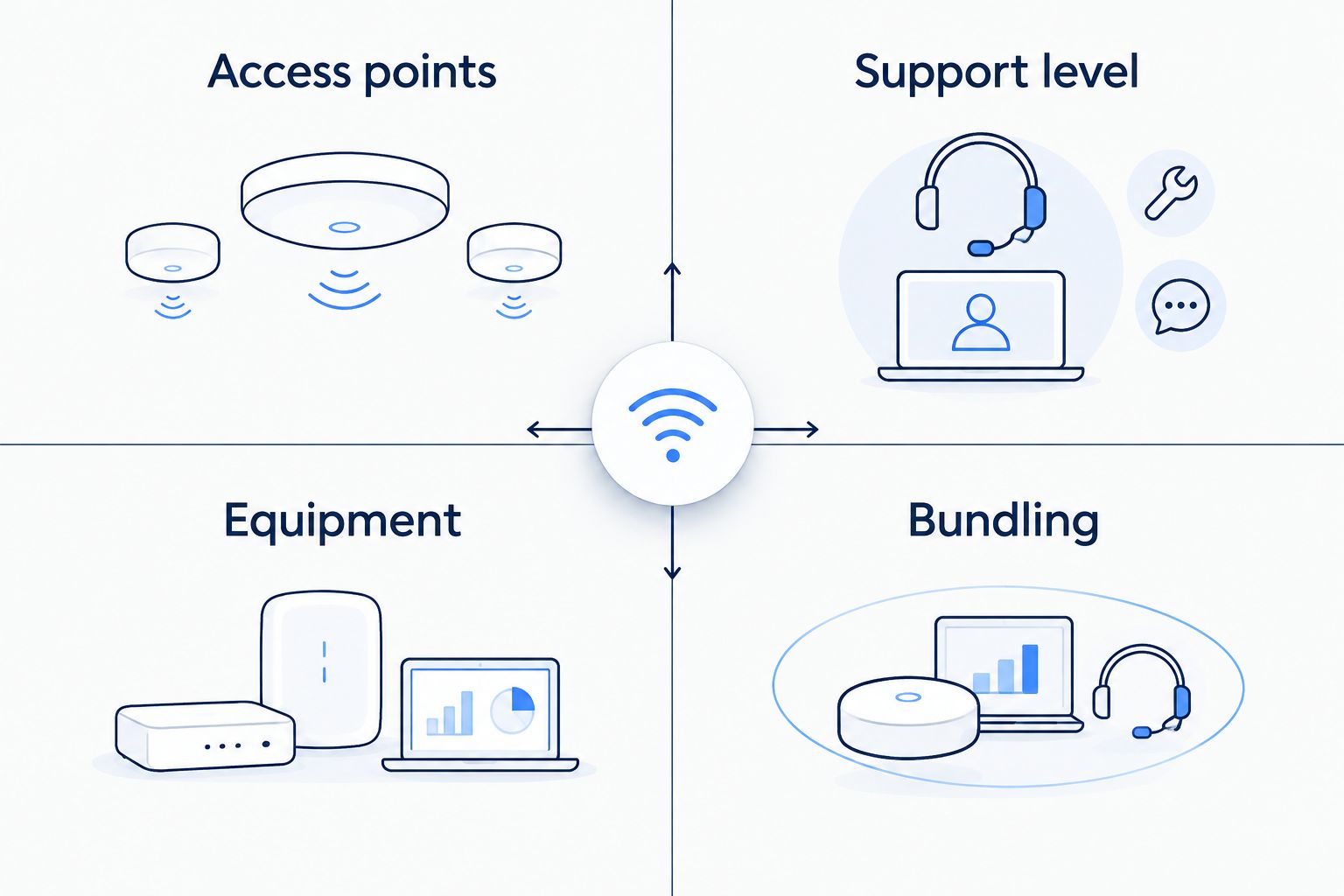
The honest answer: it depends more on setup than on the provider's brand name. A single-router home network with basic managed WiFi costs less than a multi-floor office with a dozen access points and 24/7 support. Here's what typically moves the price up or down:
| Cost driver | Typical impact | Why it matters |
|---|---|---|
| Number of access points | Bigger jump for large or multi-floor spaces | More hardware to install and monitor |
| Support level | Higher for 24/7 monitoring vs. business-hours-only | Determines how fast an outage gets fixed |
| Equipment ownership | Leasing adds a recurring line item; owning shifts cost upfront | Changes whether you see one bill or two |
| Bundled vs. stand-alone | Bundling with fiber internet usually lowers the total | Fewer vendors, fewer separate invoices |
| Contract length | Month-to-month gives flexibility; multi-year can lock in a rate | Affects how much risk you're taking on |
Ask any managed WiFi provider for a breakdown against this list before comparing numbers — a quote missing three of these five rows isn't comparable to one that includes all five. For more on how SumoFiber's managed WiFi works for a business, the setup process explains what's actually being monitored day to day.
Managed WiFi for home networks
A household running managed WiFi usually needs one to three access points to cover a typical house, plus basic troubleshooting support. The service is often included or lightly priced when it rides on top of a fiber internet plan, since the provider is already managing the connection into the home.
Verdict: reasonable for households with dead zones or multiple smart-home devices, skip it if one router already covers the space.
Managed WiFi for business networks
Business managed WiFi costs more because the stakes are higher: a coworking space, restaurant, or medical office can't afford a network outage during business hours. That pushes providers toward 24/7 monitoring, faster response times, and often more access points to cover larger square footage or guest networks separate from staff traffic.
Verdict: worth the extra support tier for any business where WiFi downtime means lost revenue or lost appointments.
Why managed WiFi pricing varies
- Square footage and access point count — more space means more hardware, and more hardware means a higher bill.
- Support tier — 24/7 monitoring and alerting costs more than a basic setup-and-walk-away service.
- Equipment model — leased routers and mesh nodes show up as a recurring charge; owned equipment shifts the cost to a one-time purchase.
- Bundling — pairing managed WiFi with an existing fiber internet, TV, or phone plan usually costs less than buying it separately.
- Business vs. residential use — commercial networks need guest network separation, higher device density, and faster fixes, all of which add cost.
- Contract terms — no-contract plans in 2026 give more flexibility but can carry a slightly different rate than a locked multi-year agreement.
Check managed WiFi options for your address
See what's available at your location before comparing quotes.
Is managed WiFi worth it for a small business?
Managed WiFi is worth it for a small business when downtime directly costs money — a restaurant running orders over WiFi, a medical office scheduling patients online, or a coworking space selling desk access. If the network only supports email and browsing with no real cost to an outage, a simpler self-managed router often does the job.
What's included in managed WiFi service?
Managed WiFi typically includes network monitoring, remote troubleshooting, firmware updates, and alerts when a device drops off the network, on top of the access points themselves. Some providers add guest network setup and usage reporting as part of the same service, so it's worth confirming exactly what's covered before comparing two quotes side by side.
Can I get managed WiFi without a long-term contract?
Yes — no-contract internet and managed WiFi plans are available in 2026 from several providers, and they trade a small amount of rate stability for the flexibility to switch or cancel without a penalty. Businesses testing a new location or renovating often prefer this over locking into a multi-year term.
Does managed WiFi cost more than a regular router setup?
Managed WiFi generally costs more than plugging in a single consumer router because it adds monitoring, support, and often multiple access points. The gap narrows significantly when managed WiFi is bundled into an existing fiber internet plan instead of purchased as a separate service from a third-party vendor.
FAQ
How much does managed wifi cost per month?
Managed WiFi cost depends on access point count, support level, and whether it's bundled with internet service, so there's no single flat rate across providers in 2026. Bundled plans through an internet provider tend to run lower than stacking a stand-alone WiFi management service on top of a separate ISP bill.
Is managed wifi the same as mesh wifi?
No — mesh WiFi is a hardware setup using multiple connected access points, while managed WiFi is a service that monitors, maintains, and troubleshoots that hardware for you. A network can run on mesh hardware without being professionally managed at all.
Does managed wifi include the router?
Often yes — most managed WiFi services include the access points or router as part of the plan rather than requiring you to buy separate hardware. Confirm this before comparing prices, since a quote that excludes hardware isn't directly comparable to one that includes it.
What's the difference between residential and business managed wifi?
Residential managed WiFi usually covers one to three access points and basic support, while business managed WiFi adds more access points, guest network separation, and often 24/7 monitoring. That extra coverage and support is why business plans typically cost more.
Can i cancel managed wifi without a penalty?
Some providers offer no-contract managed WiFi plans in 2026 that allow cancellation without a penalty, while others require a term commitment for a lower locked-in rate. Check the specific plan terms before signing, since this varies by provider.
Do i need managed wifi for a small office?
A small office benefits from managed WiFi if network downtime interrupts client calls, payment processing, or scheduling. Offices with light, non-critical internet use can often get by with a standard business router instead.
How many access points does a business need?
The number of access points a business needs depends on square footage, building layout, and device density, not a fixed formula. A provider assessing the site can confirm the exact count before quoting a managed WiFi plan.
One last thing
The line item that surprises most managed WiFi customers isn't the base fee — it's an access point added mid-contract after the original quote didn't account for a dead zone. Get the access point count confirmed on-site before signing anything, not estimated over the phone from square footage alone.


