
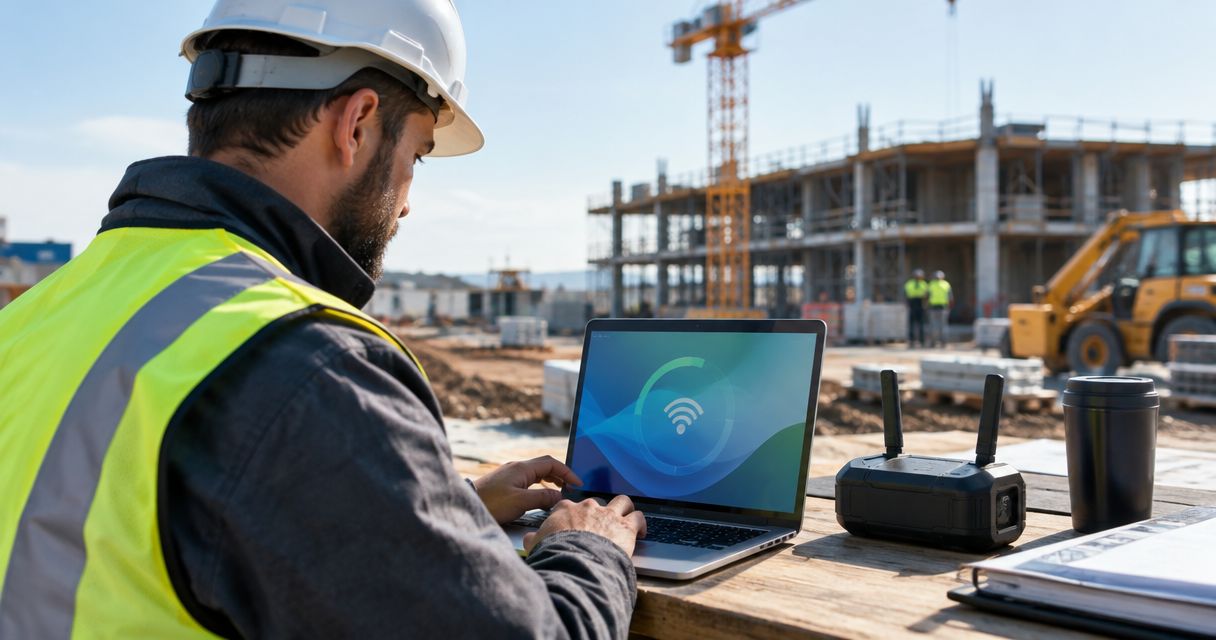
Best overall for a fixed site with a confirmed fiber connection: SumoFiber. Best for moving crews: a cellular router. This 2026 guide compares business internet for construction sites by where you work, how often the office moves, and what your crew needs to keep running.
- SumoFiber business internet is the first choice for a fixed construction office once the fiber connection is confirmed.
- Cellular routers suit moving crews; test reception inside the actual site trailer before choosing.
- Fixed wireless and satellite deserve consideration when a wired connection cannot reach the site.
- Choose construction site WiFi separately from the internet connection; trailer coverage and outdoor coverage are different jobs.
Why this matters
A superintendent uploading site photos needs a different connection from a crew checking messages between jobs. Add drawings, video meetings, subcontractor access, and security cameras, and the site office becomes a working network—not just a laptop on a hotspot.
Choose the connection that fits the jobsite, not the biggest speed headline. A fiber connection does not help a trailer that moves before installation finishes. A portable router does not help if the signal disappears inside the office.
For a 2026 project, start with the actual trailer location and working dates. The street address alone does not tell the provider where equipment must go or how the connection will reach your desk.
What makes the best business internet for construction sites?
Use these criteria before comparing connection types:
- Site fit: Confirm service at the trailer or building you will use, not just elsewhere on the property.
- Start date: Get an installation plan that matches when your team needs internet.
- Upload needs: Include drawings, site photos, cloud backups, and camera traffic—not just downloads.
- Mobility: Decide whether the connection stays put or travels with the crew.
- WiFi coverage: Separate a strong internet connection from coverage inside trailers and across work areas.
- Recovery plan: Decide what must keep working when the main connection or site power fails.
Give the provider a site sketch showing the office, power source, equipment location, and access route. That turns a vague service inquiry into a concrete installation discussion.
Construction site internet options at a glance
The order below is a decision tree. Each option wins a different job; it is not a claim that every fiber service outperforms every wireless service.
| Option | Best for | Standout feature | Key limitation |
|---|---|---|---|
| SumoFiber business fiber | Fixed site offices | Fiber internet and managed WiFi services from the same provider | The exact site connection and installation arrangements need confirmation |
| Cellular router | Moving crews | Uses a mobile network instead of a wired site connection | Reception and network congestion affect performance |
| Fixed wireless | Unwired fixed sites | Reaches the property through a radio connection | Requires suitable local service and a workable signal path |
| Cable internet | Existing buildings | Uses an existing cable connection where service is offered | A connection in the building does not automatically reach the trailer |
| Satellite internet | Isolated sites | Connects through satellites rather than local wired infrastructure | Needs suitable antenna placement and dependable power |
1. SumoFiber: best business internet for fixed site offices
SumoFiber offers business fiber internet and managed WiFi. For a construction office staying in one place, that makes it a relevant first inquiry: confirm the fiber connection, then discuss how your crew will connect inside the office.
SumoFiber business internet is best for a fixed construction office where fiber installation is confirmed. The company serves households and businesses across Utah, Idaho, Montana, Colorado, California, Wisconsin, Illinois, and New York; that footprint does not establish service at every jobsite.
SumoFiber pros:
- Business internet and managed WiFi are both part of its service offering.
- Fiber fits a fixed office without depending on cellular reception for the main connection.
- Phone and mobile services are also offered if your business wants to discuss those needs.
SumoFiber cons:
- A construction trailer needs its own installation assessment; nearby fiber is not enough.
- Moving the office requires a new connection plan.
- Managed WiFi does not, by itself, establish outdoor coverage across the property.
Best for: Project teams working from a fixed office with a confirmed service connection.
Ask where the fiber will terminate, who provides access to that location, and how the connection reaches the trailer. Also ask which equipment needs power and who handles service changes when construction alters the site layout.
Verdict: Buy once the provider confirms the site connection and installation plan.
2. Cellular router: best construction site internet for moving crews
A cellular router connects your office network through a mobile carrier. Unlike tethering everything to a supervisor's phone, a dedicated router gives the crew a separate connection that stays with the office equipment.
This is the first option to investigate when your trailer moves between projects. Test it where people actually work, with the doors closed and normal site activity underway.
Cellular router pros:
- Does not require a wired connection to the trailer.
- Can travel with the crew and office equipment.
- Can serve as a separate backup connection for a wired office.
Cellular router cons:
- Signal inside a metal trailer can differ from signal outside it.
- Mobile network congestion affects performance.
- Plan terms and router compatibility need checking before purchase.
Best for: Short-lived offices and crews that change locations.
Run a video meeting while uploading the files your team normally sends. A strong signal indicator alone does not prove that the connection supports your daily work.
Verdict: Buy after an on-site test confirms usable reception and application performance.
3. Fixed wireless: best construction site internet for unwired fixed sites
Fixed wireless brings internet to a property through a radio connection from a local provider. It suits a stationary office where a wired installation is not practical but a suitable wireless service reaches the site.
Ask the provider to assess the equipment location. Buildings, terrain, and changes to the site can affect the signal path, depending on the system used.
Fixed wireless pros:
- Avoids running a wired service connection all the way to the office.
- Fits a stationary trailer or project building.
- Offers another connection type to investigate when fiber and cable are not workable.
Fixed wireless cons:
- Local service and a suitable signal path are necessary.
- Mounting equipment requires permission and an appropriate location.
- Relocating the trailer can change the installation requirements.
Best for: Fixed project offices without a practical wired connection.
For a 2026 build, show the provider the planned building footprint as well as today's site layout. A clear path at mobilization is not a substitute for checking where structures and equipment will stand later.
Verdict: Hold until a site assessment confirms a workable installation.
4. Cable internet: best construction site internet for existing buildings
Cable internet deserves consideration when your project office occupies an existing building with a usable cable connection. The key advantage is the location: an established office is a different installation problem from an empty parcel.
Confirm the actual service connection and upload capability. Do not assume that an old wall outlet means the service is ready for your team.
Cable internet pros:
- Fits offices in existing buildings with a suitable service connection.
- Supports a conventional wired office network.
- Gives you another wired option to compare with fiber.
Cable internet cons:
- Upload and download speeds need separate review.
- Extending service to a detached trailer requires additional planning.
- Temporary occupancy does not establish suitable service terms.
Best for: Renovation teams using an existing building as their site office.
Check who controls access to the telecom space and whether the building owner permits your installation. Keep the construction team's network separate from any existing tenant network.
Verdict: Buy when the building connection, upload needs, and occupancy terms fit.
5. Satellite internet: best construction site internet for isolated sites
Satellite internet connects through an antenna communicating with satellites. It is an option for sites where local wired service and terrestrial wireless connections do not meet the job's needs.
The antenna needs an appropriate view of the sky, a safe mounting location, and power. Plan the cable route so equipment does not become an obstacle during deliveries or site changes.
Satellite internet pros:
- Does not depend on a local fiber or cable connection.
- Gives isolated projects another connection type to assess.
- Can support a site office where the installation conditions are suitable.
Satellite internet cons:
- Obstructions can interrupt the connection.
- Equipment placement and protection need attention.
- Satellite systems differ, so latency and mobility terms require review.
Best for: Isolated sites without a workable local connection.
Test your actual applications, including remote access and video calls. Check whether moving the equipment requires a service change rather than assuming every satellite plan is portable.
Verdict: Buy after confirming antenna placement and performance for your work.
Match the connection to the site before ordering
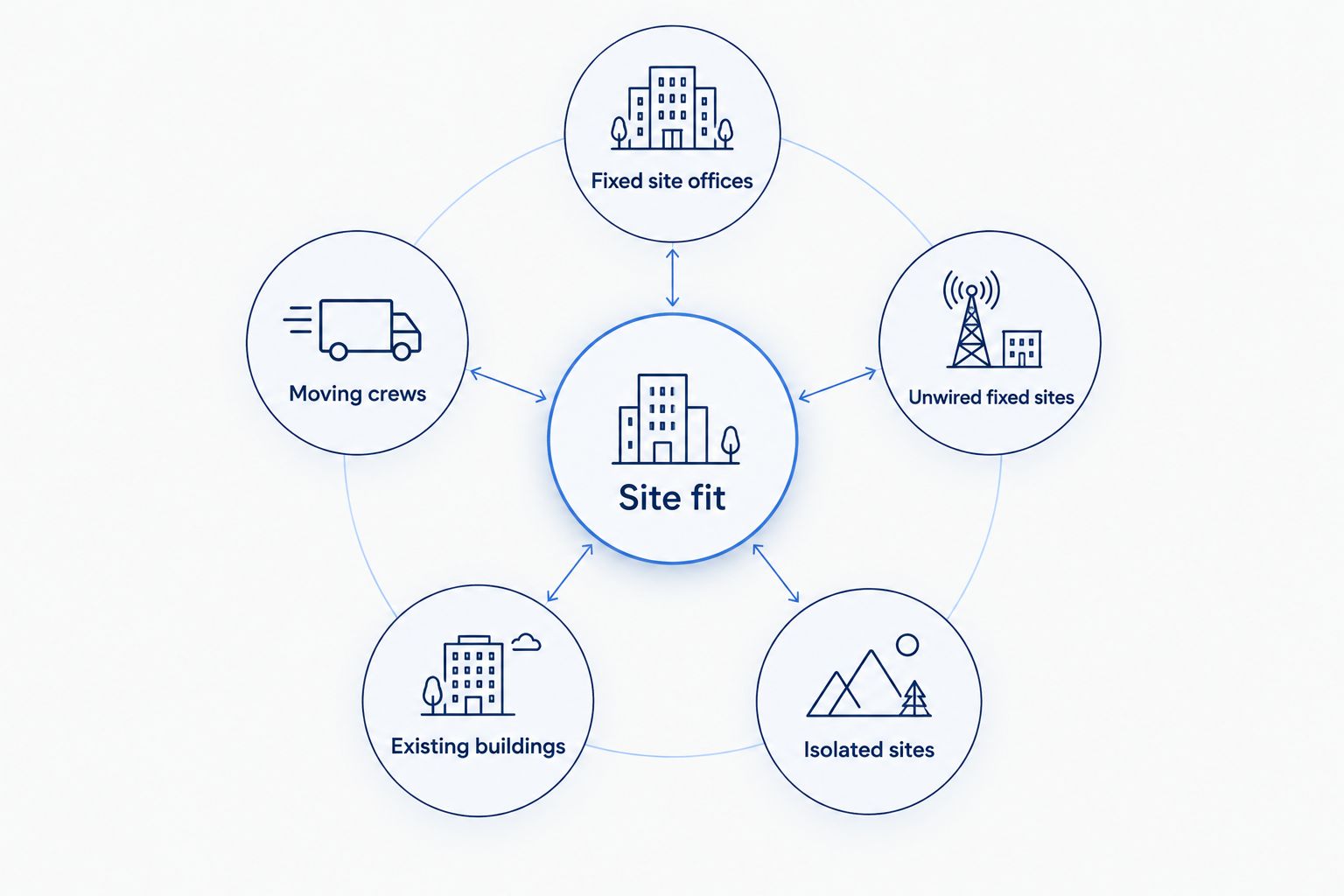
Start with the office location, then narrow the choices. Fixed site offices should investigate fiber first. Moving crews should test cellular reception. Unwired fixed sites need a fixed-wireless assessment, while existing buildings warrant a cable check. Isolated sites should assess satellite when local connections are unsuitable.
For the next planning step, use the business internet for construction sites complete guide. Keep your connection choice separate from the WiFi design: getting internet to the office and getting coverage to workers are different tasks.
Test the work, not just the speed
Use 1 wired laptop to establish how the main connection performs without WiFi in the way. Then repeat the same tasks over WiFi from the desks and work areas your team uses.
Test 3 work tasks together: a video meeting, a drawing upload, and access to your project-management system. These are a suggested acceptance check, not a bandwidth guarantee; add cameras or remote access if your site relies on them.
For your 2026 handover, record the equipment location and who can access it. Keep account credentials with the business rather than only on a departing supervisor's phone.
Separate office access from guest access
Plan 2 separate networks: one for business devices and one for visitors or subcontractors. Have the person configuring the equipment verify that guest access cannot reach office devices; different network names alone do not prove separation.
Discuss coverage inside each trailer and any outdoor areas separately. Ask about mounting, weather exposure, power, and how access points will move as the site changes.
Decide what happens during an outage
Write down which tasks must continue: calling the office, accessing drawings, or sending urgent updates. A backup connection needs to support those tasks, not necessarily every device on the site.
A cellular backup still needs usable reception. Both the main and backup connections also need powered equipment, so test the recovery plan rather than stopping at a second internet subscription.
Discuss your site internet needs
Ask about business fiber and managed WiFi for your construction office.
How we ranked these connection types
This ranking uses site fit, installation timing, upload needs, mobility, WiFi coverage, and recovery planning. It recommends a connection type for each working situation rather than assigning unsupported speed or reliability scores.
The deciding factor is the site assessment. No connection wins solely because its advertised download speed is larger.
Which construction site internet should you choose?
For a fixed office, investigate fiber first; for a moving crew, test a cellular router first. Choose fixed wireless for a stationary unwired site, cable for a suitable existing building, and satellite for an isolated site without a workable local connection.
Before committing in 2026, get the equipment location, installation responsibilities, and service-change terms in writing. A clear plan matters more than a connection type that looks good on paper.
FAQ
What's the best business internet for construction sites?
Fiber is the first option to investigate for a fixed office with a confirmed connection; a cellular router fits moving crews better. Choose by the actual site location, installation plan, and applications your crew uses.
Is a mobile hotspot enough for a construction trailer?
A hotspot is enough only if it supports the trailer's actual workload and has usable reception inside. For a shared office, assess a dedicated cellular router so the connection does not leave with someone's phone.
Can SumoFiber connect a temporary construction office?
Ask SumoFiber to assess the exact office location and installation requirements. Its business fiber offering does not establish that every temporary trailer can be connected.
Is fiber better than satellite for a construction site?
Fiber is the first choice to assess when a fixed office has a practical fiber connection. Satellite serves a different situation: an isolated site where local wired or terrestrial wireless connections are unsuitable.
How much internet speed does a construction office need?
Size the connection around simultaneous work rather than a universal speed figure. Include uploads, video meetings, project software, remote access, and any cameras, then test those tasks together.
Will one WiFi router cover the whole jobsite?
Do not assume one router will cover the whole jobsite. Trailers, distance, and structures change coverage, so assess each working area and plan access points separately from the internet connection.
Should construction sites have backup internet?
Use a backup connection when essential work cannot wait for the main service to return. Test reception, power, and the switch to backup with the applications your team must keep using.
One last thing
Write the trailer's next move into the internet plan. Record where equipment will go, who owns it, and who arranges the service change before relocation day.
That small piece of planning prevents an avoidable mistake: moving a working office and leaving its connection behind.


