

Best overall shortlist: SumoFiber for business fiber internet and managed WiFi. Best for formal service commitments: dedicated internet access. Best alternative to fiber: business cable. This 2026 guide compares business internet for real estate offices by the work you need to keep moving: listing uploads, client calls, document sharing, and guest WiFi.
- Shortlist SumoFiber for business internet for real estate offices that want fiber internet and managed WiFi.
- Choose dedicated internet access when written service commitments matter more than a standard business connection.
- Compare business cable when fiber does not serve your office address.
- Treat fixed wireless and satellite as location-dependent alternatives, not automatic upgrades.
- Evaluate upload capacity, meeting-room coverage, and an independent backup connection before signing.
Why this matters
A real estate office sends information as well as receives it. Agents upload listing photos, share documents, and talk with buyers over video while someone else uses the same connection. A download-speed headline does not tell you whether those jobs will work well together.
Your office network matters, too. A strong connection at the router does not fix weak WiFi in the conference room. Separate the buying decision into the connection entering your office and the network reaching each desk.
SumoFiber is a shortlist choice for real estate offices seeking business fiber internet and managed WiFi from one provider. That recommendation rests on its stated services, not a claim that it beats every local competitor on speed or reliability.
What makes the best business internet for real estate offices?
Use these criteria to compare proposals in 2026. Ask each provider the same questions so a familiar brand or a large download number does not decide the purchase for you.
- Upload capacity: Compare the stated upload rate alongside downloads. Listing media, cloud backups, and outbound video all use it.
- Office coverage: Check how the network reaches private offices, conference rooms, reception, and any outdoor workspace you use.
- Service responsibility: Establish who handles the internet connection, router, access points, and troubleshooting. Avoid gaps between providers.
- Written commitments: Read any service-level agreement, repair process, and exclusions. A business label is not itself an uptime guarantee.
- Continuity: Decide what staff must keep doing during an outage, then assess a separate connection and backup power.
- Building fit: Confirm the exact suite, installation route, landlord approval, and handoff location before planning the changeover.
Business internet options at a glance
These options serve different needs. The order reflects office fit, not measured performance across providers; your address and the written proposal determine the final choice.
| Option | Best for | Standout feature | Key limitation |
|---|---|---|---|
| SumoFiber business fiber internet | Offices seeking fiber and managed WiFi from one provider | Offers business internet and managed WiFi | Service area does not establish eligibility for a particular suite |
| Dedicated internet access | Offices requiring formal service commitments | A dedicated service with contract-defined responsibilities | The agreement needs careful review; office WiFi remains a separate consideration |
| Business cable internet | Offices without a suitable fiber connection | A wired alternative to fiber | Upload and download rates need separate comparison |
| Fixed wireless internet | Temporary offices or locations without suitable wired service | A radio connection rather than a wired last-mile connection | Signal conditions and installation location affect suitability |
| Satellite internet | Remote offices without suitable terrestrial options | A connection through satellites | Equipment needs an appropriate view of the sky; responsiveness varies by system |
1. SumoFiber: best business internet for one-provider coordination
SumoFiber offers business fiber internet and managed WiFi, alongside residential internet, TV, home phone, and mobile services. Its stated service footprint spans Utah, Idaho, Montana, Colorado, California, Wisconsin, Illinois, and New York. Confirm the exact office address rather than treating a state listing as proof that a particular building is served.
For a brokerage, the useful distinction is the option to discuss the connection and office WiFi with the same provider. Explain where agents work, where clients meet, and which rooms have connection problems. Ask what the proposed managed WiFi service covers, including equipment responsibilities and troubleshooting.
SumoFiber pros:
- Business fiber internet is part of its stated service offering.
- Managed WiFi gives you another service to evaluate alongside the connection.
- Its broader service range supports a discussion about consolidating services you actually need.
SumoFiber cons:
- Its service footprint does not confirm service at your suite.
- A fiber connection alone does not establish conference-room coverage or a contractual uptime commitment.
Best for: An office seeking fiber internet and managed WiFi without beginning separate provider searches for each.
Verdict: Buy if the address check, WiFi scope, and written business terms meet your office requirements.
2. Dedicated internet access: best for formal service commitments
Dedicated internet access is a service category, not a single provider. It gives an office a dedicated connection with responsibilities defined in the service agreement. Evaluate the actual terms rather than assuming that every dedicated offer includes the same protections.
This option belongs on your 2026 shortlist when an office has requirements that must be written into the contract. Ask what the provider measures, how a fault is reported, what response obligations apply, and which events are excluded. Keep the office network in the discussion: a dedicated circuit does not manage WiFi by itself.
Dedicated internet access pros:
- Supports a contract-focused buying process.
- Provides a dedicated connection rather than relying on a service label alone.
- Lets you evaluate service commitments against specific operational requirements.
Dedicated internet access cons:
- The agreement requires more scrutiny than a headline speed comparison.
- Router management, WiFi coverage, and backup arrangements still need clear ownership.
Best for: A brokerage whose management requires documented service commitments.
Verdict: Buy when the written agreement solves a defined business requirement; skip it as a status upgrade.
3. Business cable internet: best when fiber is not the right building fit
Business cable uses a cable network to connect the office. It is a practical wired alternative when a suitable fiber connection is not an option for the building. Compare the upload specification directly; a large download figure does not describe outbound capacity.
Think about overlapping work. An agent uploading listing media and a colleague presenting on a video call both send traffic out of the office. Ask for a proposal that addresses that workload, not just browsing and downloads.
Business cable pros:
- Provides a wired alternative to fiber.
- Deserves consideration for offices whose building is already connected to a cable network.
- Gives you another proposal to compare against your actual workload.
Business cable cons:
- Upload capacity requires separate attention.
- Cable service does not remove the need for good WiFi placement or an outage plan.
Best for: An established office without a suitable fiber offer for its address.
Verdict: Buy when the stated upload capacity and service terms fit the work; skip a download-only comparison.
4. Fixed wireless: best for temporary offices and wired-service gaps
Fixed wireless connects a location through a radio link. It belongs in the comparison for a temporary sales office, a development site, or an office where a suitable wired connection is not available. The exact building and equipment position matter.
Request a location-specific assessment. Also distinguish fixed wireless from cellular internet: both use radio, but they are not interchangeable service descriptions. Ask which technology the proposal uses and how the provider evaluates the signal at your office.
Fixed wireless pros:
- Offers an alternative to a wired last-mile connection.
- Fits a location-first discussion for temporary offices.
- Adds another connection type to evaluate for continuity.
Fixed wireless cons:
- Signal conditions and equipment placement affect suitability.
- A wireless label does not establish usable upload capacity or reliable indoor coverage.
Best for: A temporary office or a location without a suitable wired offer.
Verdict: Buy after a location-specific assessment; hold if the proposal relies only on a general coverage claim.
5. Satellite internet: best for remote offices without terrestrial options
Satellite internet connects through satellites rather than a local wired network. Consider it for a remote sales office or property location without suitable fiber, cable, or terrestrial wireless service. Different satellite systems have different responsiveness characteristics.
Equipment placement is part of the decision. Review the required sky view, obstructions, mounting permissions, and power arrangements before committing. Test the actual work you depend on, particularly client calls and large outbound files.
Satellite internet pros:
- Adds an option for locations without suitable terrestrial service.
- Does not require a local wired last-mile connection.
- Gives remote offices another service category to investigate.
Satellite internet cons:
- Buildings, trees, and mounting restrictions complicate equipment placement.
- Responsiveness depends on the system; satellite is not a single performance category.
Best for: A remote office whose other connection options do not meet its needs.
Verdict: Buy when terrestrial options are unsuitable and the installation fits; skip it as an automatic replacement for working fiber.
Match the connection to the office workflow
Start your 2026 buying discussion with tasks, not a plan name. Record when staff send listing media, use video meetings, access transaction platforms, and run cloud backups. Headcount alone does not show how much work happens at the same time.
For a more detailed planning process, use the guide to how much bandwidth a small business needs. Then take your own workload list to the provider and ask how the proposal addresses it.
Check these areas separately:
- Listing uploads: Ask about outbound capacity and how large uploads affect other activity.
- Client calls: Test calls while the office is busy, not only before agents arrive.
- Guest access: Keep visitor access separate from the staff network and business devices.
- Office coverage: Test where people actually sit, including closed conference rooms.
- Outage plan: Identify which tasks must continue and how staff will connect.
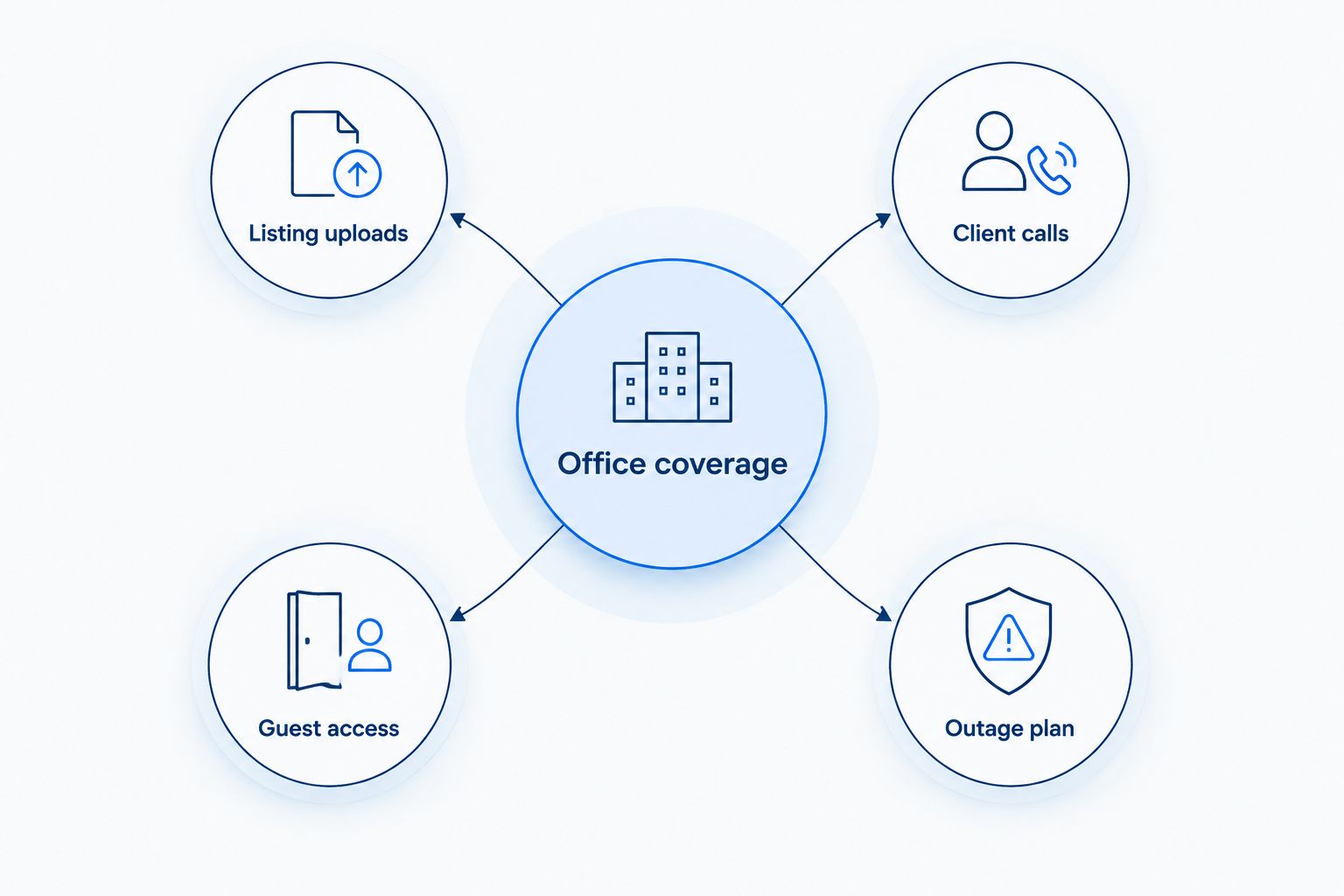
A busy-office test reveals a different problem from an empty-office speed test. If wired devices work well but a conference-room call breaks up, investigate WiFi before buying more bandwidth. More capacity entering the building does not move an access point closer to the room.
Make the switch without disrupting the office
Use 3 checks before replacing the current connection. These are purchasing and setup checks, not promised installation timelines.
- Address check: Confirm the exact suite and where the connection enters. Ask the landlord about building access, cable routes, and equipment placement.
- Office test: Test a wired device and the rooms agents use. Keep 2 network groups separate: staff and guests. Confirm that guest devices cannot reach staff resources.
- Outage rehearsal: Test the backup path, if you have one. Check a client call, document access, and the devices required to keep the office working.
Do not cancel the existing connection just because an order is accepted. Base the cutover on a working installation and successful office tests. If you use internet-connected calling equipment, include calls in the acceptance checks rather than treating phone service as unrelated.
Discuss your office connection
Ask about business fiber internet and managed WiFi for your exact office address.
How the options are ranked
This 2026 ranking prioritizes workload fit, office coverage, service responsibility, written commitments, continuity, and building suitability. It compares service categories rather than claiming a measured winner for every address.
The first choice fits an office seeking business fiber and managed WiFi together. Dedicated access serves contract-defined requirements; cable serves the wired-alternative slot; fixed wireless serves temporary or difficult-to-connect locations; satellite serves remote locations without suitable terrestrial options.
Which business internet should you choose?
Start with SumoFiber if you want business fiber internet and managed WiFi from one provider. Confirm your address and the proposed service scope before making it your final choice.
Choose dedicated internet access for specific written commitments, not because it sounds more professional. Compare cable when fiber is not a suitable building option. Reserve fixed wireless and satellite for the locations and continuity needs they actually solve.
FAQ
What's the best business internet for real estate offices in 2026?
Shortlist SumoFiber when your office wants business fiber internet and managed WiFi from one provider. The final choice depends on your exact address, upload workload, office coverage, and written service terms.
Is fiber better than cable for a real estate office?
Compare the actual fiber and cable proposals, especially their upload specifications. Listing uploads and outbound video need upload capacity, while either connection still needs a properly planned office network.
How much internet speed does a real estate office need?
Size the connection around simultaneous tasks rather than headcount alone. List overlapping uploads, video calls, cloud backups, and guest activity, then ask the provider to address both upload and download requirements.
Does business internet include guaranteed uptime?
A business internet label does not establish an uptime guarantee. Check the written service-level agreement, including what is measured, exclusions, reporting requirements, and remedies.
Does a real estate office need managed WiFi?
Managed WiFi deserves consideration when you want help maintaining the office network rather than handling it entirely yourself. Confirm the equipment, coverage assessment, troubleshooting responsibilities, and guest-network scope.
Should a brokerage have a backup internet connection?
Use a backup connection when your office needs to keep essential online work running during a primary outage. Assess its independence from the main connection and test the actual calls and applications staff must use.
Should I keep guest WiFi separate from staff WiFi?
Yes, separate guest access from the staff network and verify that guests cannot reach staff resources. A different network name alone does not establish that separation.
One last thing
Before signing a 2026 proposal, sit in the conference room with the door closed and run a client call while someone uploads listing media. Compare that experience with a wired connection. Buy for the room where the work happens, not just the speed measured beside the router.


