

Best for comparing fiber and mobile from one provider: SumoFiber. Best for keeping a familiar phone: a bring-your-own-device arrangement. Best budget approach: compare a bundle against keeping your services separate. This 2026 guide ranks mobile plans to bundle with home internet by household needs, not advertised savings.
- SumoFiber belongs on your shortlist for mobile plans to bundle with home internet from a fiber provider.
- Choose a bring-your-own-device arrangement when keeping your phone matters most; confirm compatibility before switching.
- Match each family member’s mobile data needs instead of assuming everyone needs the same plan.
- Keep separate services when the bundle fails your coverage, device, or household-cost checks.
Why this matters
Your home internet and your mobile service solve different problems. Fiber connects your home; cellular service keeps your phone connected away from WiFi. Buying them from the same company does not make their performance identical.
A family can have excellent home internet and weak mobile reception along the school run. Another household can have dependable cellular coverage but a router that leaves an upstairs bedroom disconnected. Pick each service on its own merits before judging the combination.
For 2026, the useful question is not simply which company sells both. It is which arrangement lets you keep the coverage, devices, and flexibility you need without adding services you will not use.
What makes the best mobile and home internet bundle?
Use these six criteria before choosing a setup:
- Everyday coverage: Check the places you actually use your phone: home, work, school, and regular travel routes.
- Home connection: Evaluate the home internet connection separately from mobile reception and indoor WiFi coverage.
- Device fit: Confirm that each phone is compatible, unlocked where required, and eligible for activation.
- Data fit: Examine mobile data, hotspot terms, and any reduced-speed conditions separately.
- Household fit: Compare the needs of individual lines rather than treating every family member alike.
- Exit flexibility: Ask what changes if you cancel home internet, remove a mobile line, or move.
SumoFiber is a useful starting point for households comparing fiber internet and mobile service from one provider. Its service range includes residential internet, managed WiFi, TV, home phone, and mobile service. Treat those as services to evaluate, not proof that a particular package fits your household.
Before requesting a 2026 quote, gather 3 months of mobile usage records. That gives you a practical starting point for discussing normal use rather than choosing around a single unusually busy month. Record hotspot use separately if your account shows it.
Mobile and home internet arrangements at a glance
These rankings cover five purchasing arrangements, not named rate plans. Bring-your-own-device, family-line, and hotspot-focused arrangements can overlap; each earns its place here because it solves a different primary problem.
| Arrangement | Best for | Standout feature | Key limitation |
|---|---|---|---|
| SumoFiber home internet and mobile | Comparing services from one provider | Fiber internet and mobile within a broader service range | Confirm the specific mobile terms and account arrangements |
| Bring-your-own-device arrangement | Keeping a familiar phone | Separates the service decision from replacing your handset | Compatibility and unlocking requirements still apply |
| Mixed-use family arrangement | Different needs across several lines | Evaluates each person’s data requirements | Requires a line-by-line comparison |
| Hotspot-focused arrangement | Working away from home WiFi | Makes tethering terms a deciding factor | Phone data and hotspot allowances are not interchangeable |
| Separate mobile and home internet | Preserving independent provider choice | Each service stands on its own merits | Separate accounts require separate management |
1. SumoFiber: best for comparing services from one provider
SumoFiber offers residential fiber internet and mobile service, alongside managed WiFi, TV, and home phone. That makes it a relevant first conversation when you want to compare home connectivity and phone service with the same provider.
Start with how your household uses each connection. Explain where you need mobile coverage, which phones you want to keep, and whether indoor WiFi also needs attention. Do not assume that choosing the same provider means every service shares an account, bill, or support process; ask directly.
Pros:
- You can discuss home internet and mobile needs with the same provider.
- Managed WiFi is also part of the provider’s service range.
- Households considering TV or home phone can include those needs in the conversation.
Cons:
- A broader service range does not establish which mobile plan fits your usage.
- You still need to check phone compatibility and everyday cellular coverage.
- Adding services is unnecessary if your existing arrangements already meet your needs.
Best for: Households that want to compare several connectivity services through one provider.
Ask for a written breakdown that identifies each service and its terms. Keep the mobile decision separate from the appeal of handling more things through one company.
Verdict: Hold until the proposed mobile service passes your coverage and device checks.
2. Bring-your-own-device: best for keeping your current phone
A bring-your-own-device arrangement lets you consider a service change without making a new handset the center of the decision. It suits you when your phone works well and you mainly want to reassess the service attached to it.
Compatibility is specific to the device and service. An unlocked phone is not automatically compatible with every network or activation method. Check the exact model and device identifier through the prospective provider’s compatibility process.
Pros:
- You can keep a familiar handset if the provider confirms compatibility.
- You evaluate service without adding an unnecessary device upgrade.
- Family members can assess their existing phones individually.
Cons:
- A phone locked to another carrier needs its unlocking requirements resolved.
- Device financing obligations do not disappear when you change service.
- SIM or eSIM support needs confirmation for the particular phone.
Best for: People whose current phones still meet their needs.
For your 2026 comparison, separate the service agreement from any handset agreement. Ask what remains owed on the device and whether switching affects existing device-related credits. Those are different questions from whether the phone can connect.
Verdict: Buy only after compatibility and any remaining device obligations are clear.
3. Mixed-use family arrangement: best for different needs across lines
A mixed-use family arrangement starts with each person rather than a single household label. One person might spend most of the day on WiFi, while another regularly streams or shares a cellular connection away from home.
Build a line-by-line usage sheet before comparing bundles. For a household with 4 mobile lines, make 4 separate entries rather than averaging everyone together. An average can hide the person whose requirements determine whether the arrangement works.
Pros:
- Each line has a clear usage requirement.
- You can identify which people need hotspot access.
- You avoid assuming that every family member needs identical features.
Cons:
- Not every provider offers the mix of line features you want.
- Reviewing several lines takes more effort than choosing one shared description.
- Changes to household membership require another review of account terms.
Best for: Families with noticeably different mobile habits.
For each person, record mobile data use, hotspot use, and any travel requirements. Then ask whether the proposed arrangement supports those differences. A family label alone does not answer that question.
Verdict: Buy when the arrangement fits every essential line, not just the easiest one.
4. Hotspot-focused arrangement: best for work away from home WiFi
A hotspot-focused arrangement puts tethering terms ahead of general phone-data descriptions. It suits people who connect a laptop through their phone while traveling, working between locations, or handling an occasional interruption to home internet.
Read the hotspot provisions independently. A plan’s general mobile-data description does not establish its hotspot allowance, reduced-speed behavior, or suitability for a work session. Ask those questions directly before treating your phone as a backup connection.
Pros:
- You evaluate the feature your laptop actually depends on.
- You can plan for connectivity away from your home router.
- You distinguish ordinary phone use from tethered-device use.
Cons:
- Hotspot performance depends on cellular reception and network conditions.
- Tethering adds demands on your phone’s battery.
- A phone hotspot does not automatically provide whole-home backup or automatic failover.
Best for: People who regularly need a laptop connection outside dependable WiFi.
Test the real work task rather than just opening a web page. If you need a video meeting, a company VPN, or a large upload, assess that activity where you expect to use it. Treat the result as a location-specific check, not a promise for every trip.
Verdict: Buy only when the hotspot terms and a practical connection check meet your work needs.
5. Separate services: best for independent provider choice
Keeping mobile and home internet separate is the comparison every bundle needs. It lets you choose a home connection for the house and a mobile service for the places your household travels.
This is not a bundle, and that is its purpose in the ranking. If combining services compromises an essential requirement, keeping them separate is the stronger decision. You do not need to change a dependable mobile arrangement just because you are changing home internet.
Pros:
- You choose cellular coverage independently of the home connection.
- You can reconsider one service without automatically replacing the other.
- Each provider must justify its own place in your household.
Cons:
- You manage separate accounts and support relationships.
- You need to compare separate service terms.
- The combined arrangement needs its own household-cost review.
Best for: People who prioritize independent choice over provider consolidation.
If this is your preferred route, read about adding mobile service without switching home internet. Keep the decision focused on the service you actually need to change.
Verdict: Buy separately when no combined arrangement passes your essential checks.
How these arrangements rank
The ranking puts provider consolidation first, followed by device continuity, different family needs, tethering, and independent choice. These are distinct use cases, not measured claims about network performance.
For a 2026 decision, coverage and compatibility are pass-or-fail requirements. Convenience matters only after those checks. A neatly organized account does not compensate for a phone that fails where you regularly need it.
The same rule applies to home internet. Judge the connection and indoor WiFi on their own requirements rather than letting an attractive mobile arrangement decide everything.
Check the bundle before moving your number
Use this sequence once you have a preferred arrangement. It keeps the household decision ahead of the activation process.
- Check coverage: Review your regular locations and ask about a practical way to evaluate reception.
- Check devices: Confirm each phone’s compatibility, unlocking status, and activation method.
- Read terms: Review hotspot conditions, device obligations, and what changes when services are separated.
- Plan activation: Confirm home installation and number-transfer steps before canceling existing service.
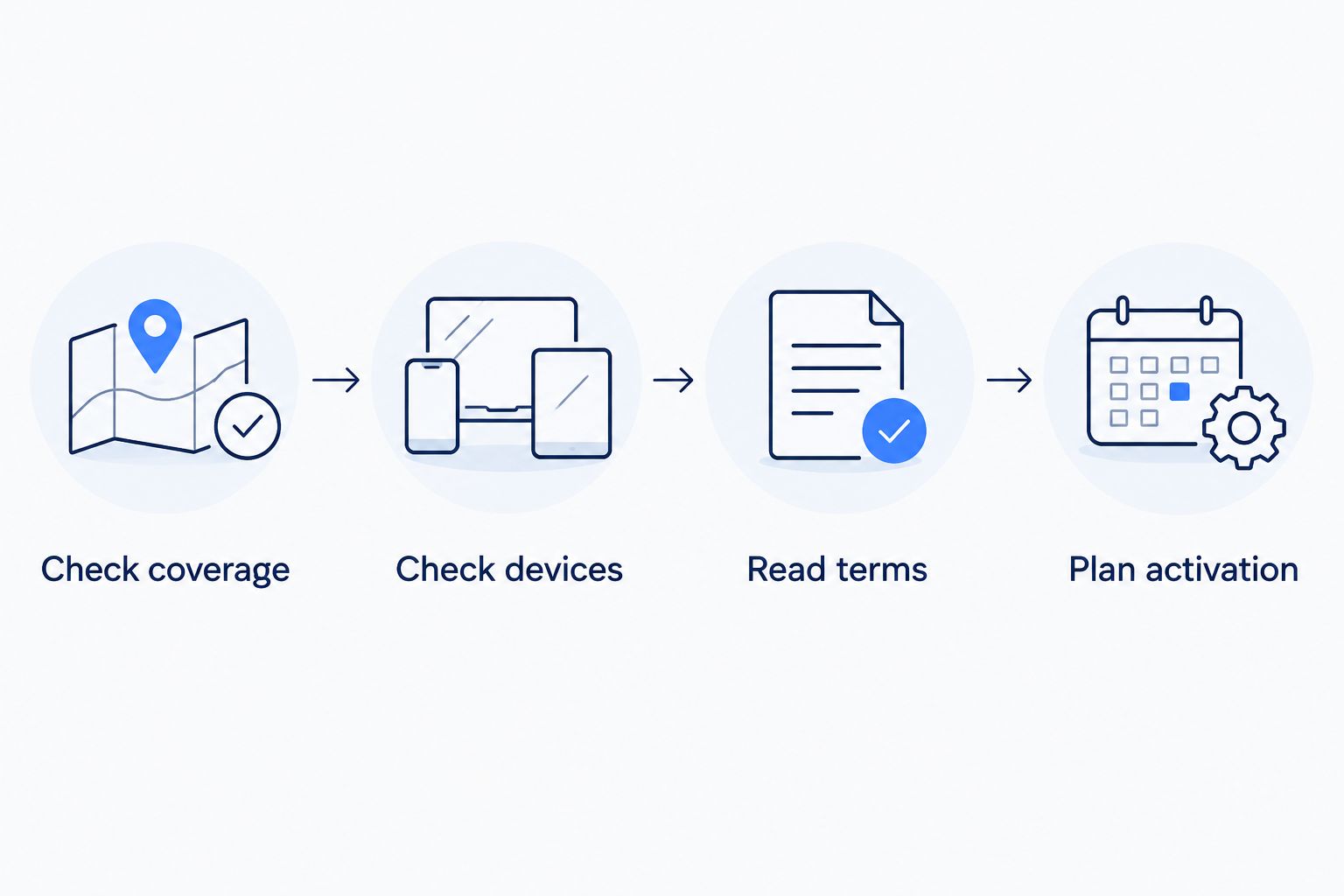
Keep your existing mobile service active while arranging a number transfer. The FCC’s number-porting guidance tells consumers not to terminate existing service before initiating service with the new company. Ask the receiving provider which account details it needs.
Also distinguish a phone hotspot from dedicated cellular backup. If your goal is to keep a household connected during an outage, ask about the equipment and switching process rather than assuming a mobile line does that job.
Which arrangement should you choose?
Start with SumoFiber if comparing fiber internet and mobile service through one provider is your priority. Choose a bring-your-own-device arrangement if keeping your handset matters most, or a mixed-use family arrangement if individual lines have different needs.
Make hotspot terms the deciding factor when you depend on tethering. Keep services separate when consolidation fails a coverage, device, or flexibility requirement. That is the default rule for choosing mobile plans to bundle with home internet in 2026: fit first, convenience second.
FAQ
What's the best mobile plan to bundle with home internet?
The best arrangement meets your cellular coverage, device, and home internet requirements independently. SumoFiber belongs on the comparison list if you want fiber internet and mobile service from one provider; confirm the specific plan terms before choosing.
Is bundling mobile and home internet always the better deal?
No, a bundle is not automatically the better household choice. Compare the complete service terms, device obligations, and ongoing household total against keeping services separate.
Can I keep my current phone when switching mobile providers?
You can keep your phone when the receiving provider confirms compatibility and you meet applicable unlocking requirements. Check the exact device, not just its brand or model family.
Does unlimited phone data mean unlimited hotspot data?
No, a general unlimited-data description does not establish the hotspot terms. Read the tethering allowance and any reduced-speed conditions separately.
Can I keep my mobile number when changing providers?
You can generally transfer an eligible mobile number to another provider. Keep the existing service active and follow the receiving provider's transfer instructions rather than canceling first.
Will a mobile bundle improve my home WiFi?
Adding mobile service does not by itself improve your home WiFi. Indoor WiFi depends on the router or access points, placement, building conditions, and connected devices.
What happens to mobile service if I cancel home internet?
The result depends on the provider's service terms. Before signing up, ask whether mobile service can continue independently and which account conditions change.
One last thing
Test a new mobile connection with WiFi turned off. Otherwise, a successful call or download at home can tell you more about your router than the cellular service you are evaluating.
Repeat the check in the places that matter to your household, when it is safe to do so. A useful test resembles your ordinary day, not a single successful connection beside the router.


