

Retail store business internet is a connection designed to support checkout, inventory, staff tools, and customer WiFi with the aim of keeping sales moving. Choosing business internet for retail stores in 2026 means matching the connection to your busiest trading hours, not just picking the biggest download number.
- Choose business internet for retail stores around checkout reliability, upload demand, guest WiFi, and an outage plan.
- Sumofiber is best for retailers seeking business fiber internet and managed WiFi from one provider.
- Test wired performance before replacing your internet plan; weak WiFi needs a different fix.
- Keep customer WiFi separate from payment systems, and verify backup behavior with your payment provider.
Why business internet matters for retail stores
A store connection carries more than card payments. Your staff might check stock, print shipping labels, update an online order, and answer a supplier call while shoppers use guest WiFi. Those activities share the same connection unless you deliberately separate and manage them.
Your checkout needs predictable access, not merely a high speed-test result. A fast connection at opening tells you little about wireless coverage behind shelving or what happens when your main connection fails.
Start with your actual workload. The guide to how much bandwidth a small business needs explains the demand question; this guide focuses on turning that demand into a working retail setup.
For your 2026 buying decision, keep three questions separate: does the connection reach the store, does the store network reach each device, and can staff keep working during a disruption? Buying more bandwidth answers only part of that problem.
How to choose and set up retail business internet
1. Map the tasks that keep your store selling
Start with a spreadsheet or a paper floor plan. List each connected system, where it sits, who uses it, and what happens if it loses internet access. Separate tasks that stop a sale from tasks that staff can postpone.
A card terminal, an inventory tablet, and a cloud-connected camera do different jobs. Counting them as three identical devices hides the important differences: payment compatibility, mobility, and ongoing upload activity.
Ask each software or equipment supplier for its network requirements. Do not assume every payment terminal supports offline transactions, or that an offline transaction carries the same risks as an online authorization.
Finish with a short requirements sheet that you can give every provider. Comparing answers to the same questions is more useful than comparing differently worded packages.
- List checkout terminals and confirm their supported connection types.
- Identify inventory, ordering, shipping, and accounting applications.
- Record cameras that upload footage outside the store.
- Mark staff-only devices and customer WiFi as separate groups.
- Document what staff should do when each essential system disconnects.
2. Measure the connection where work actually happens
Use your existing router tools and a reputable speed test before buying new equipment. Test a wired computer first, then test WiFi where employees actually use it. A strong wired result with a weak checkout-area result points toward the local network rather than the incoming connection.
For a practical baseline, schedule a 10-minute test window before opening and repeat the checks during a busy period. Check 3 locations: the checkout, the sales floor, and the stockroom. These are testing instructions, not performance guarantees.
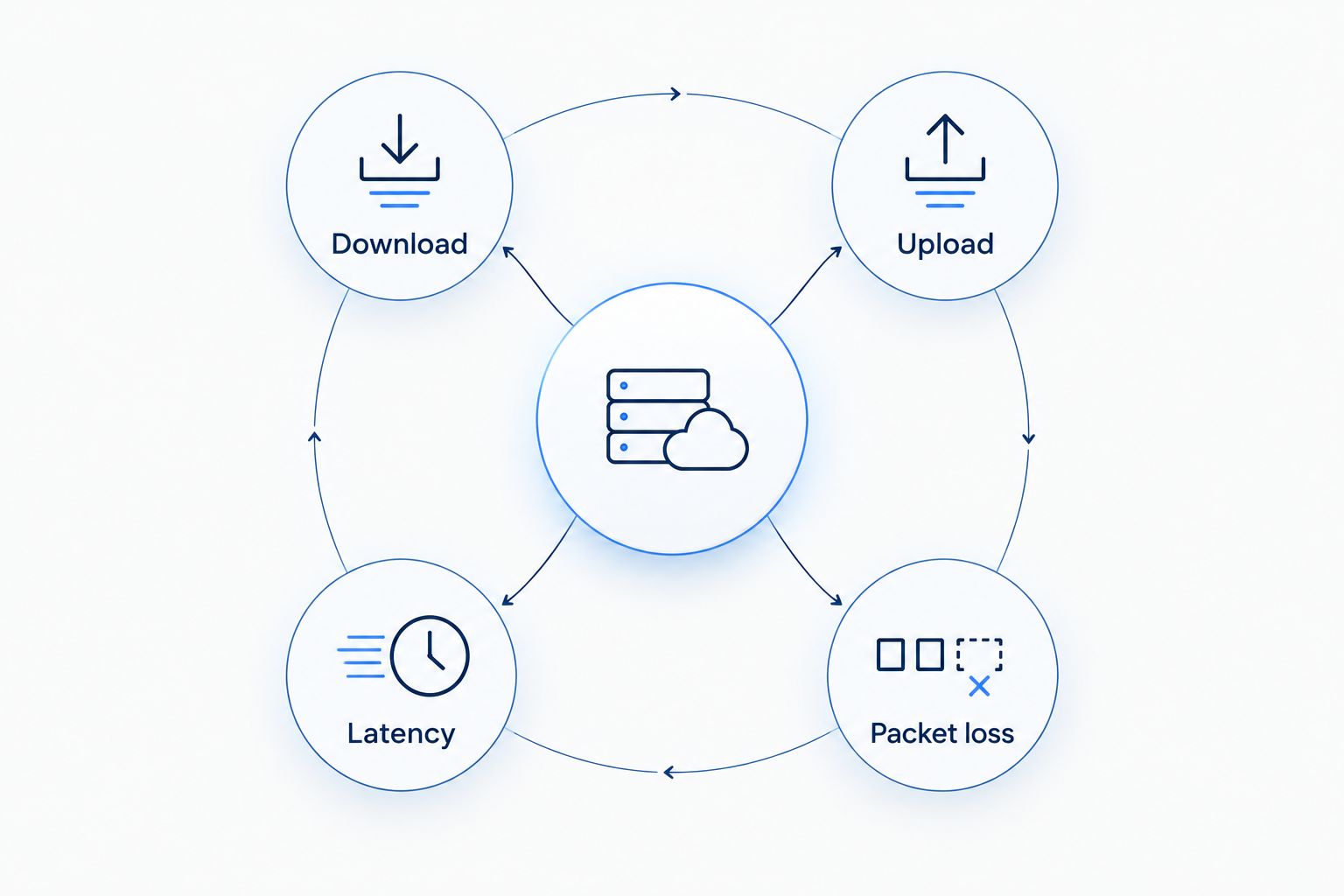
Record download and upload results in Mbps, latency in milliseconds, and any reported packet loss. Upload demand deserves attention when cameras, file transfers, or cloud tools send data out of the store.
- Download: record results on wired and wireless connections.
- Upload: repeat the test while normal store applications run.
- Latency: look for changes when the connection gets busy.
- Packet loss: record interruptions rather than relying on speed alone.
3. Compare service at your exact storefront
Contact providers with your store address and requirements sheet. Ask what service can be delivered to that unit, what equipment is involved, and what work requires landlord approval. A nearby fiber line does not establish that your particular premises are ready for installation.
Compare upload capacity, support responsibilities, installation arrangements, and written service terms. If a provider offers a service-level agreement, read what it covers rather than treating the phrase as a promise that outages cannot happen.
Sumofiber offers business fiber internet and managed WiFi. That gives retailers a provider to consider when they want to discuss the incoming connection and in-store wireless service together; confirm the proposed setup and responsibilities before ordering.
For a 2026 store opening or move, coordinate installation with your landlord and payment supplier before scheduling the changeover. Keep the existing connection until the replacement passes your checkout tests.
- Confirm service for the exact street address and unit.
- Request the proposed download and upload specifications.
- Ask who supplies, configures, and maintains each device.
- Read support procedures and any written service commitments.
- Confirm building access, cabling work, and landlord permissions.
4. Separate checkout traffic from customer WiFi
Start with your router’s documented guest-network controls. Check whether guest devices are isolated from business devices; a different network name alone does not prove separation. If the setup is unclear, ask a qualified network technician to check it.
Use wired Ethernet for fixed checkout equipment when the terminal supplier supports it and cabling is practical. Wireless terminals still need coverage where staff take payments, including fitting rooms, pickup counters, or temporary sales areas.
Managed WiFi is the alternative for retailers who do not want employees responsible for wireless configuration and troubleshooting. Sumofiber managed WiFi is an option to discuss alongside business fiber internet, but confirm which configuration, monitoring, and support tasks are included in the proposal.
A faster internet plan does not fix a poorly placed wireless access point. Check coverage with shelving stocked and doors in their normal positions, not only in an empty shop.
- Keep guest access separate from payment and staff systems.
- Follow payment-provider instructions for terminal connectivity.
- Place wireless access points around actual coverage needs.
- Restrict access to router and network administration settings.
- Assign responsibility for updates and configuration changes.
5. Build an outage procedure staff can follow
Write the manual procedure first. Staff need to know how to distinguish a single disconnected terminal from a wider outage, who to contact, and which sales activities remain permitted. Store the instructions somewhere accessible without the internet.
Then evaluate a secondary connection and compatible networking equipment. Cellular backup is one option, but a phone with a signal is not proof that the checkout will switch automatically or that a payment session will survive the change.
Test 1 checkout lane during a controlled maintenance window before applying the procedure across the store. Have your payment supplier confirm the test method and any transaction restrictions. Do not experiment on live customer payments without an agreed process.
Include power in the plan. A second internet connection does not help if the router, terminal, or required network equipment has no power.
- Write a short fault-checking sequence for employees.
- Confirm offline payment rules with the payment provider.
- Check backup coverage where the backup equipment will sit.
- Test switching away from and back to the main connection.
- Identify equipment that needs backup power.
- Keep support contacts and procedures available offline.
6. Verify the setup before your busiest trading period
Build your own acceptance checklist and run normal store tasks together. Process an approved payment test, check inventory, print a label, and use a staff application while guest WiFi is active. A speed test alone cannot verify those workflows.
For your 2026 operating checklist, record the working configuration and who can change it. Keep network credentials in an access-controlled password manager, not on a note beside the till.
Repeat relevant checks after moving shelving, adding terminals, changing software, or opening another counter. Compare results with the original baseline before deciding whether you need more bandwidth or a local network adjustment.
- Test payment, inventory, printing, and staff applications together.
- Check wireless coverage at every working position.
- Confirm guest devices cannot reach business systems.
- Save equipment details and authorized support contacts.
- Record problems with their time, location, and affected task.
Compare internet options for retail stores
Choose the access connection and the WiFi management arrangement separately. Fiber, cable, cellular, and satellite describe ways to reach the internet. Managed WiFi describes how your store’s wireless network is handled; it is not a replacement for an internet connection.
Use this 2026 comparison to shortlist options, then verify the actual service proposal for your address. The service label alone does not establish installation timing, upload performance, or support terms.
| Option | Best for | Main advantage | Key limitation |
|---|---|---|---|
| Sumofiber business fiber internet | Retailers seeking business fiber and managed WiFi from one provider | Offers both business internet and managed WiFi services | Address suitability, configuration, and service commitments need confirmation |
| Business cable internet | Stores evaluating an existing wired connection | Lets you assess the service already reaching the premises | Upload capacity and service terms need checking; do not infer them from download speed |
| Cellular internet | Stores evaluating a secondary connection or temporary setup | Uses a wireless access path | Indoor signal, equipment compatibility, and failover behavior need testing |
| Satellite internet | Stores assessing alternatives where wired choices are limited | Does not require a local wired internet access line to the building | Installation conditions, latency, and application suitability need checking |
| Managed WiFi | Stores without someone responsible for wireless administration | Assigns agreed wireless tasks to a service provider | Does not replace the incoming connection; scope varies by agreement |
For each shortlisted option, request the same written information. Ask who handles a faulty access point, who investigates a connection outage, and what happens when the problem crosses those responsibilities. Clear ownership matters when a checkout queue is growing.
Common mistakes retail stores make
Buying for device count instead of store activity
An idle stockroom tablet and a camera uploading footage place different demands on the network. Match the connection to simultaneous tasks and supplier requirements, then check those tasks during trading conditions.
Treating guest WiFi as part of the checkout network
Shoppers need internet access, not access to store systems. Verify isolation and access controls instead of assuming a second WiFi name creates a separate network.
Adding bandwidth to solve a coverage gap
A stockroom dead spot calls for a coverage investigation. Compare wired and wireless results first; otherwise, you risk changing the service while leaving the actual fault untouched.
Assuming backup internet protects every transaction
Backup connectivity and payment continuity are separate questions. Verify equipment behavior and payment-provider rules, then give staff a procedure they can follow without guessing.
Switching before the replacement is proven
An installation appointment is not the same as a working checkout. Test business applications on the new connection before ending the old service, and coordinate the overlap around your trading schedule.
FAQ
What's the best business internet for a retail store?
The best business internet for a retail store supports its payment systems, upload demand, staff tools, and outage procedure. Sumofiber is best for retailers seeking business fiber internet and managed WiFi from one provider, subject to confirming the service for their premises.
How much internet speed does a small retail store need?
A small retail store needs enough download and upload capacity for its simultaneous business tasks. Start with payment and software requirements, include camera uploads and guest WiFi, and measure performance during a busy period rather than choosing from device count alone.
Is fiber better than cable for a retail store?
Fiber is the better choice when the specific service proposal meets your upload, support, and operational requirements more closely than the cable alternative. Compare actual specifications and written terms at your address rather than assuming the technology name settles the decision.
Should checkout terminals use WiFi or Ethernet?
Use Ethernet for fixed checkout terminals when the payment supplier supports it and cabling is practical. Mobile terminals need reliable wireless coverage, so test them everywhere employees take payments.
Can customers use the same WiFi as the payment terminals?
Keep customer WiFi separate from payment and business systems. Confirm network isolation and follow your payment provider's security requirements; separate network names alone do not establish isolation.
Will cellular backup keep card payments working during an outage?
Cellular backup does not automatically guarantee uninterrupted card payments. Your router, terminal, payment service, and backup connection must work together, and transaction handling needs an approved test.
Does business internet include an uptime guarantee?
Business internet includes an uptime commitment only when the service agreement states one. Read the covered service, exclusions, reporting procedure, and remedies rather than treating the business label as a guarantee.
One last thing
Keep a paper outage checklist beside the checkout. An online troubleshooting document becomes difficult to reach at exactly the moment employees need it.
Before your next busy period in 2026, ask someone who did not write the checklist to follow it. Rewrite any instruction that depends on knowing where equipment sits or remembering a password.


