

Upgrading to gigabit fiber costs the increase over your current monthly internet bill, plus any installation, equipment, or switching charges confirmed in your quote. Your first bill and your ongoing bill are different totals, so compare both before agreeing to the upgrade.
- How much does upgrading to gigabit fiber cost? Compare the monthly increase and confirmed one-time charges separately.
- Gigabit fiber means 1 Gbps, or 1,000 Mbps; that is not a promise of identical WiFi speeds.
- Sumofiber offers fiber internet and managed WiFi; assess the connection and home coverage separately.
- Get an address-specific quote that separates internet service, equipment, installation, and optional extras.
How much does upgrading to gigabit fiber internet cost?
The useful number is the extra amount you will pay, not just the advertised gigabit bill. Subtract your current internet-only monthly total from the proposed internet-only monthly total, then account for confirmed one-time charges separately.
When comparing Sumofiber fiber internet with your current connection, request a written breakdown for your address. Keep TV, phone, mobile, and other optional services outside the internet comparison unless you intend to buy them.
Use this worksheet for your 2026 upgrade quote:
| Cost component | What to ask for | How to compare it |
|---|---|---|
| Internet service | The recurring total for the requested speed | Compare with your current internet-only total |
| Equipment | What is included and what is charged separately | Separate ongoing charges from purchases |
| Installation or activation | Any charge associated with starting service | Keep it outside the recurring monthly comparison |
| Optional services | A separate total for each selected service | Include only services you actually want |
| Switching obligations | Any amount owed to your current provider | Treat it as part of switching, not the new plan |
| Billing changes | Any scheduled change in the quoted total | Compare the initial and later bills separately |
A quote is useful only when it makes those distinctions clear. An attractive headline total does not answer whether you need different equipment, whether setup carries a charge, or whether the monthly amount changes later.
Why this matters
You are buying a connection for everyday tasks, not a speed-test screenshot. Kids streaming, someone uploading work files, and another person on a video call create a different situation from a household using one device at a time.
That does not make gigabit the automatic answer. Pay for a higher speed tier when connection capacity is the problem; fix WiFi when coverage is the problem. A faster connection to the house does not remove a weak wireless signal in an upstairs bedroom.
For a 2026 comparison, put the job you need the connection to do beside the proposed bill. That keeps an upgrade tied to a real problem rather than a larger number on the plan description.
Already have fiber? Compare the speed-tier increase
If you already use fiber, ask whether the change is a speed-tier adjustment or also requires equipment or installation work. Do not assume that either kind of work is required—or included.
Your comparison starts with the current bill. Remove unrelated services, identify the recurring internet total, and compare it with the proposed recurring internet total on the same basis.
Best for: households whose existing connection becomes crowded during simultaneous use, after WiFi and device issues have been checked.
The benefit is more connection capacity. The limitation is that a speed-tier upgrade does not automatically improve router placement, a distant wireless signal, or an individual device's network capability.
Ask the provider to specify the download and upload speeds separately. The word gigabit alone does not establish that both directions have the same speed, and upload capacity matters when you send large files or back up data.
Switching to fiber? Compare the whole change
Moving from another connection type involves more than comparing monthly bills. Confirm the address, the installation requirements, the equipment arrangement, and your current provider's cancellation terms before making the switch.
Start with how to check fiber internet at your address. A provider serving your town does not establish the installation requirements for your particular home or apartment.
Best for: households considering a different connection because their current service no longer meets their needs.
The benefit is the opportunity to choose a connection and service arrangement that better fit your household. The limitation is that switching adds coordination: installation, equipment handover, billing dates, and cancellation are separate tasks.
Do not cancel your existing connection solely because you submitted an order. Confirm the new service's activation arrangements and understand any overlap before setting the old account's cancellation date.
For apartments, ask who must approve installation work. For a house, ask where the equipment will go and whether the proposed location supports the way you use the rooms.
Gigabit fiber or a WiFi fix: which should you choose?
A faster internet plan and better WiFi solve different problems. The internet plan supplies capacity to your home; your router and wireless layout distribute that connection to devices.
Use this comparison before requesting a higher monthly commitment:
| Option | Best for | Main benefit | Main limitation |
|---|---|---|---|
| Keep your current plan | A connection that already handles your household's tasks | Avoids an unnecessary speed-tier change | Does not add capacity if the connection is genuinely crowded |
| Upgrade to gigabit fiber | Heavy simultaneous use or large transfers limited by connection capacity | Adds internet capacity | Does not fix weak WiFi or guarantee a faster remote server |
| Improve your WiFi setup | Strong performance near the router but weak performance elsewhere | Addresses wireless coverage and local connection issues | Does not increase the internet plan's capacity |
| Consider managed WiFi | Households that want help managing their wireless network | Adds a service focused on WiFi management | Scope and equipment arrangements need separate confirmation |
Sumofiber is a fit for households considering fiber internet and managed WiFi from one provider. Compare those services separately so you know what addresses connection capacity and what addresses wireless coverage.
A weak signal at the kitchen table is not evidence that you need gigabit. Likewise, good WiFi coverage does not mean your current connection can handle every simultaneous transfer without competition for bandwidth.
Why gigabit fiber upgrade costs vary
The upgrade total depends on what changes in your service arrangement. Ask about these factors rather than assuming every quote includes the same work:
- Your starting point. An existing fiber customer changing speed tiers is making a different change from a household ordering a new connection.
- The installation scope. Ask what work the quote includes and whether any proposed work carries a separate charge.
- The equipment arrangement. Confirm whether the router and other required equipment are included, supplied separately, or customer-provided.
- The service scope. Compare internet-only service with internet-only service; keep managed WiFi and entertainment or phone services distinct.
- The billing terms. Ask whether the recurring total changes and what conditions apply to the quoted amount.
- Your current account obligations. Check cancellation terms, equipment returns, and the final bill before switching providers.
These are questions to resolve, not a list of charges every provider imposes. Only include a charge in your comparison when the provider or your current agreement confirms it.
Keep the written 2026 quote with the terms that explain it. A monthly total without its equipment, billing, and installation details is an incomplete basis for deciding.
What does gigabit actually give you?
Gigabit describes a connection rate of 1 Gbps, equivalent to 1,000 Mbps. It does not mean each phone, television, or laptop receives that rate over WiFi.
There are 8 bits in a byte, so 1 Gbps corresponds to a theoretical 125 megabytes per second before protocol overhead and other limits. That conversion explains why a download application displaying megabytes per second uses a different number from a plan displaying megabits per second.
Actual transfers also depend on the device, its connection, the remote server, and other traffic. Treat the theoretical conversion as a unit explanation, not a download-time guarantee.
For everyday decisions, focus on the task. A large file transfer can benefit from additional capacity when the internet connection is the limiting factor; a weak wireless signal still needs a wireless fix.
A gigabit plan also does not guarantee better gaming latency. Bandwidth and delay are different measurements, so judge the upgrade against the problem you experience rather than treating speed as a cure for every interruption.
How do I compare upgrade quotes without missing extras?
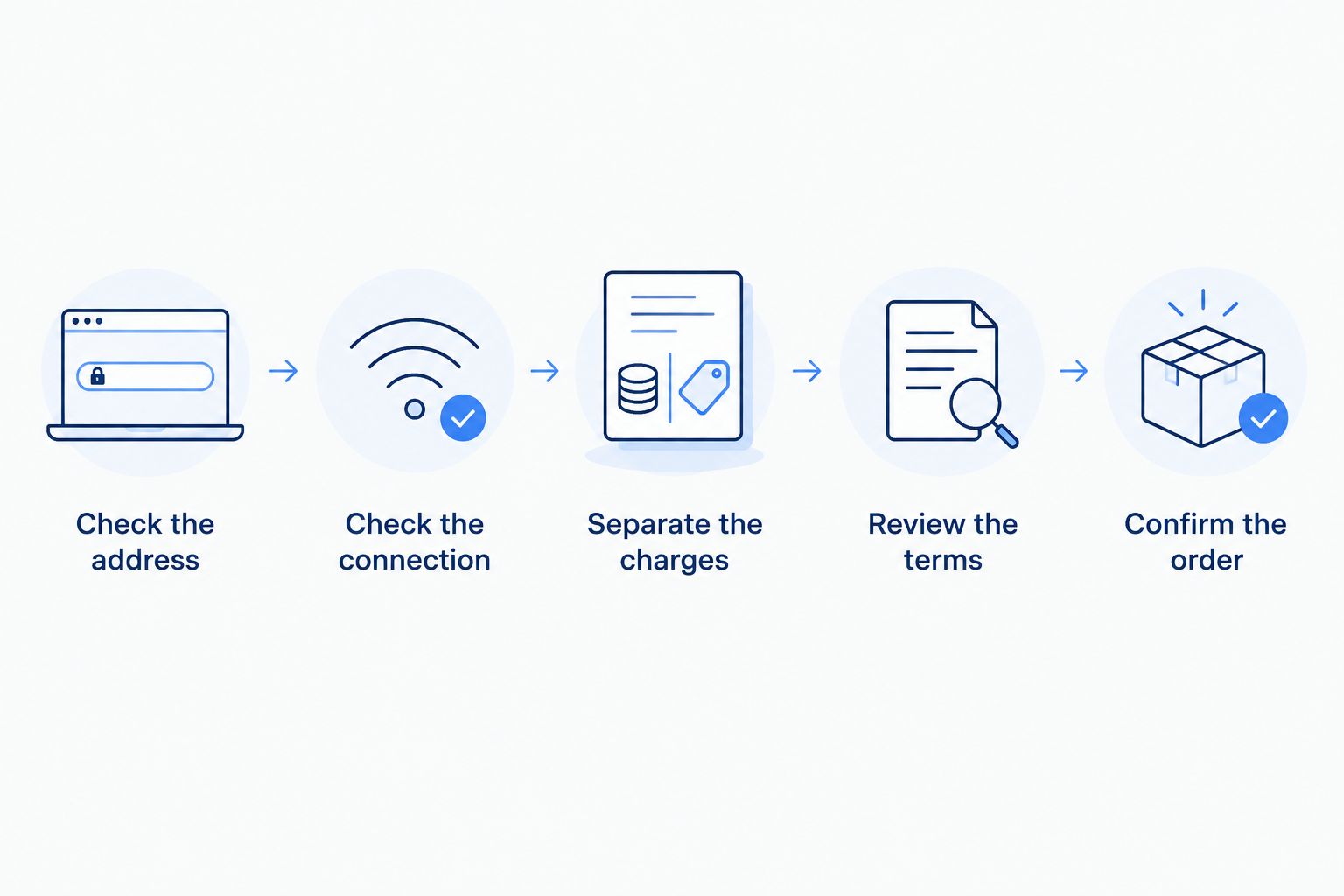
Use the same sequence for each provider. The goal is a written comparison you can understand without reconstructing the bill later.
- Check the address. Confirm that the requested connection can be ordered for the exact property and ask about installation requirements.
- Check the connection. Record the proposed download and upload speeds, plus the equipment needed to use them.
- Separate the charges. Put recurring service, optional extras, equipment, and confirmed one-time charges on separate lines.
- Review the terms. Check billing changes, cancellation obligations, equipment ownership, and return requirements.
- Confirm the order. Read back the selected services and request written confirmation before accepting.
When you compare 2026 quotes, use the same period for each one. A 12-month comparison should include the confirmed recurring charges for that period and any confirmed one-time charges associated with the change.
Do not multiply an introductory monthly amount across the whole period if the written terms specify a later change. Also keep a one-time equipment purchase separate from an ongoing equipment charge; they affect the comparison differently.
Is upgrading to gigabit worth it if my internet feels slow?
Gigabit is worth considering when your connection's capacity is the bottleneck. First establish whether the slowdown affects the whole home, only one room, or only one device.
Compare a wired connection with WiFi where practical, and check that the computer's network port and adapter support the test you intend to run. A device connection with a lower capacity can limit the result before the internet plan does.
Notice when the problem occurs. If it appears during large simultaneous transfers, investigate connection capacity; if it appears in the same distant room even during light use, investigate wireless coverage.
Will I need a new router for gigabit fiber?
A new router is needed only if your existing setup does not meet the provider's connection requirements or your coverage needs. Ask the provider to confirm compatibility rather than buying replacement equipment in advance.
Check the router's internet-facing port, local wired ports, and wireless capabilities. Those are separate parts of the connection, and a limitation in one can restrict what a device receives.
Ask who configures the equipment and who handles problems afterward. Include that answer in the service comparison, especially if you are choosing between managing the router yourself and purchasing managed WiFi.
Should I bundle other services when upgrading?
Bundle only services you want, and compare the bundle with the services you would otherwise keep. A larger package is not automatically a better household decision.
Sumofiber offers fiber internet, managed WiFi, TV, home phone, and mobile services. Request separate service details so the convenience of one provider does not obscure what you are ordering.
For your 2026 decision, identify which existing subscriptions would actually end. Adding a service while retaining its replacement changes your household spending differently from switching it outright.
FAQ
How much does upgrading to gigabit fiber cost compared with my current internet?
The upgrade cost is the difference between your current recurring internet total and the proposed recurring total, plus confirmed one-time charges. Compare internet-only totals before adding optional services.
Is gigabit fiber the same as 1,000 Mbps?
Yes, 1 Gbps is equivalent to 1,000 Mbps. That describes a connection rate, not a guarantee that every WiFi device reaches it.
Will gigabit fiber fix slow WiFi in my bedroom?
A gigabit upgrade does not fix a weak WiFi signal by itself. Check router placement, coverage, and device connections before paying for a higher speed tier.
Does a gigabit fiber upgrade always include a new router?
Router inclusion depends on the service arrangement. Ask what equipment is included, whether your existing router is compatible, and whether any equipment charge is separate.
Can I compare fiber quotes using only the monthly bill?
The monthly bill alone is not enough when the quotes have different equipment, installation, or billing terms. Compare recurring totals and confirmed one-time charges separately.
Should I cancel my old internet before fiber is installed?
Confirm the new connection's activation arrangements before setting your old service's cancellation date. Check your current provider's cancellation and equipment-return requirements as well.
Does Sumofiber offer more than internet service?
Sumofiber offers residential and business fiber internet, managed WiFi, TV, home phone, and mobile services. Ask for the details of each service you want rather than assuming they are all included in an internet quote.
One last thing
Ask this before accepting: What will change on my ongoing bill, and what will appear only once? Then ask whether any part of the ongoing total changes later.
Those answers make the upgrade easier to judge than a headline speed alone. Keep the written breakdown and compare your first bill with the services you approved.


