

For one 4K stream, plan for 25 Mbps of download speed in 2026. Netflix recommends at least 15 Mbps for its 4K streams, while YouTube recommends 20 Mbps for 4K UHD; 25 Mbps gives you some room above those minimums. If other people are streaming, gaming, or working at the same time, count those activities too.
- For 4K streaming in 2026, plan for 25 Mbps of download speed per active stream.
- Netflix recommends at least 15 Mbps for 4K; YouTube recommends 20 Mbps for 4K UHD.
- Two simultaneous 4K streams call for a 50 Mbps planning target before you count other household activity.
- Test speed at the TV before changing plans; a weak WiFi connection can be the bottleneck.
How much internet speed do I need for streaming in 4K?
Use 25 Mbps of available download speed for each 4K stream you expect to run at once. That is a household planning target, not a requirement set by every streaming service. The published Netflix and YouTube recommendations below describe what their streams need; your connection also has to serve anything else happening at home.
| What you are doing | Published service guidance | Household planning target |
|---|---|---|
| One Netflix 4K stream | At least 15 Mbps download | 25 Mbps for the stream |
| One YouTube 4K UHD stream | 20 Mbps download | 25 Mbps for the stream |
| Two simultaneous 4K streams | Depends on the services used | 50 Mbps for the streams |
| Three simultaneous 4K streams | Depends on the services used | 75 Mbps for the streams |
The planning targets add 25 Mbps for each active 4K stream. They do not include a separate allowance for a large download, a video call, or another device using the connection. If those happen regularly, test your household during a busy evening rather than choosing a plan from the stream count alone. For a closer look at competing uses, see whether fiber internet can handle multiple gamers and streamers at once.
Why this matters
Your plan's advertised speed and the speed reaching your TV are not the same measurement. The first describes the internet service; the second also reflects your WiFi connection, the TV or streaming device, and what everyone else is doing. In 2026, a useful speed check starts where the picture actually plays.
That distinction keeps you from paying for a faster plan when the TV is struggling to connect across the house. It also keeps you from blaming WiFi when the entire household runs out of available download speed at the same time. Find the bottleneck before you change the service.
One 4K stream: plan for 25 Mbps download
If you usually watch one 4K show while the rest of the house is quiet, 25 Mbps is a practical download-speed target for that stream. It sits above Netflix's published 15 Mbps minimum and YouTube's published 20 Mbps recommendation for 4K UHD. Neither service's figure means every video uses precisely that speed throughout playback.
Treat 25 Mbps as speed available to the stream, not simply a number printed on your internet plan. A speed test beside your router does not tell you what a TV in another room receives. Test near the TV while connected the way you normally watch, especially if playback quality drops in the evening.
Best for: A household that watches one 4K stream at a time with little other activity. The advantage is that you can judge your setup against a clear target. The limitation is that 25 Mbps leaves little planning room for another 4K stream or a large download running alongside it.
Two 4K streams: plan for 50 Mbps download
For two simultaneous 4K streams, start with a 50 Mbps household target for streaming alone: 25 Mbps for each screen. This is a planning calculation, not a promise that both screens will always use that much. A parent watching in one room and a child watching in another share the same internet connection even though each device has its own WiFi link.
Check the timing before deciding what speed you need. If two 4K streams rarely overlap, sizing your service around that rare moment has a different payoff than sizing it around a nightly routine. If they overlap while someone also downloads a game, the 50 Mbps streaming target is only part of the household demand.
Best for: Homes where two people regularly watch separate 4K programs at once. The advantage is room for both planned streams. The limitation is that simultaneous work calls, downloads, and other devices still need capacity beyond the streaming target.
Three 4K streams: plan for 75 Mbps download
Three active 4K streams make 75 Mbps a starting target for the streams themselves. Add the rest of your household's activity when assessing a plan. A single TV playing 4K does not tell you whether the connection is ready for several screens, particularly when phones, computers, and game consoles are in use too.
Do not assume a faster plan fixes every screen equally. If one TV buffers while the others play normally, investigate that TV's connection first. If all three struggle together during busy periods, check the total speed reaching your home and the other traffic sharing it.
Best for: A household with several people who often stream in 4K simultaneously. The advantage is a target based on concurrent viewing rather than the number of TVs you own. The limitation is that the target covers streams, not everything else online.
What makes the speed you need vary?
The number of screens in use matters more than the number you own. Count streams that actually overlap, then look at other activity during those same hours. These factors change what a speed test or an advertised plan means for your viewing:
- Streaming service: Netflix lists at least 15 Mbps for 4K, while YouTube lists 20 Mbps for 4K UHD. Use the guidance for the service you watch, then leave room for the rest of your household.
- Simultaneous streams: Two active 4K streams share the connection. An idle TV does not use bandwidth simply because it supports 4K.
- Other household activity: Downloads and video calls compete for connection capacity while someone watches. Judge speed during your busiest normal period, not only when the house is quiet.
- WiFi signal at the screen: A TV far from the router can have a weaker connection than a phone next to it. Compare tests in both places before changing your internet service.
- Device and playback settings: The device and streaming service must support 4K playback. More internet speed alone cannot turn content that is playing at a lower resolution into 4K.
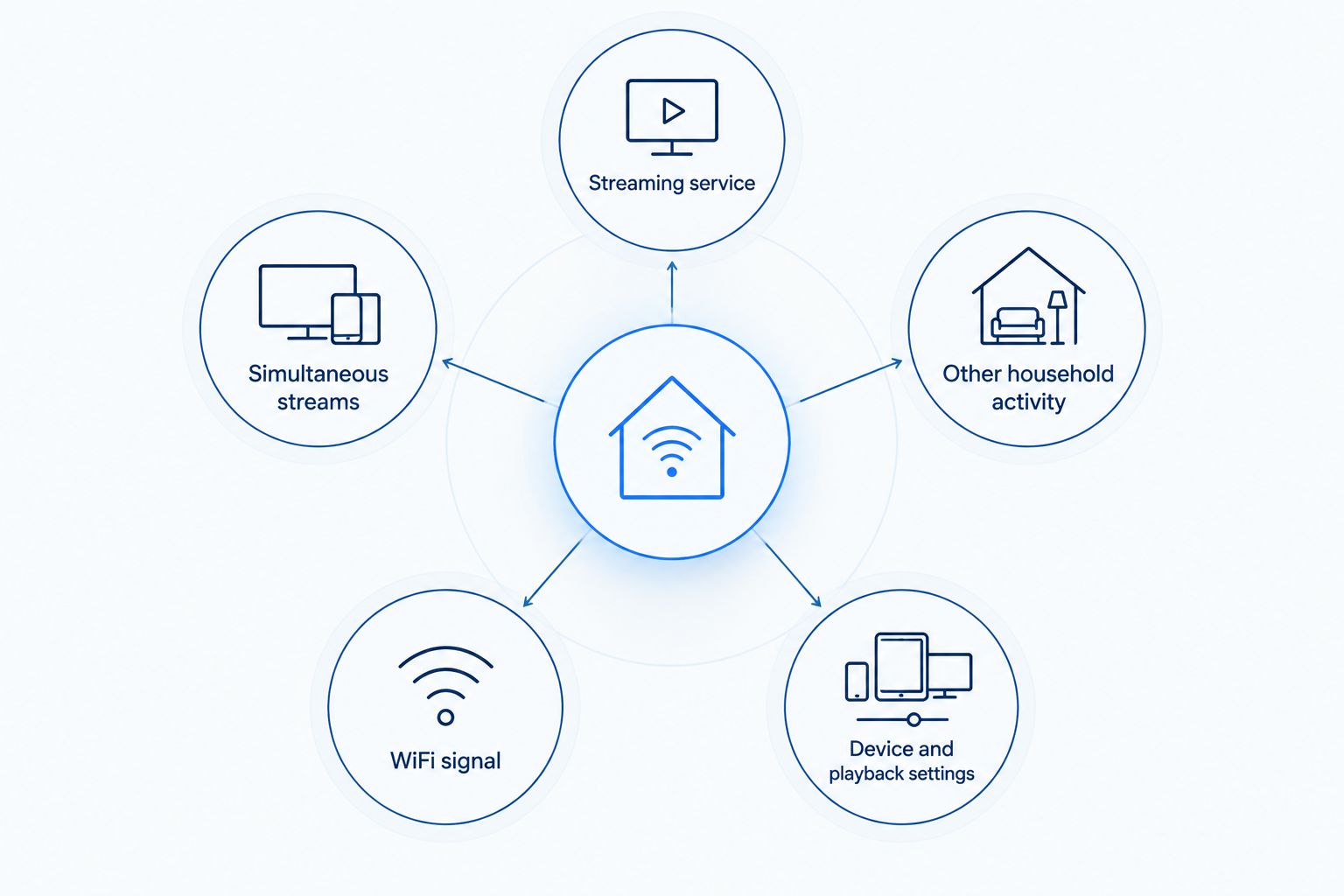
The first two factors help you estimate how much download speed to plan for. The last three help you diagnose why a stream looks poor even when the plan appears fast enough. Keep those questions separate: one is about household capacity; the other is about getting that capacity to the screen.
How do I check whether my TV gets enough speed?
Start a speed test on the TV or streaming device if it offers one. If it does not, test with a phone near the TV on the same WiFi network. The phone test is a clue, not a direct measurement of the TV's connection, so compare it with what happens during playback.
- Test during your normal viewing hours. A quiet daytime result will not show what happens when the household is online together.
- Check the speed near the TV. Compare it with a test closer to the router using the same internet connection.
- Watch what fails. If only one screen buffers, focus on that screen and its WiFi connection. If several devices slow down together, check what else is using the connection.
- Repeat after one change. Move the device or router if practical, or pause a large download, then test again. Changing one thing at a time shows which action helped.
A test is a snapshot, not a guarantee about every minute of a movie. Run it when the problem normally appears. If you want a more detailed sequence for comparing your connection and WiFi, use the speed test to faster WiFi workflow.
SumoFiber fiber internet is a relevant option when your household needs service for simultaneous streaming and other daily use. SumoFiber is best for households that want to consider fiber internet alongside TV and managed WiFi services; it is not a substitute for checking speed at the screen. A connection that meets your household target still needs a working path through your home network to the TV.
Is 25 Mbps enough for 4K streaming and a video call?
25 Mbps is the planning target for one 4K stream, not a combined target for a stream and a call. A video call uses connection capacity too, including upload capacity. Test both activities together where they normally happen; the result matters more than a speed test taken with everything else off.
If the TV plays well until the call starts, check your household's available capacity and the connection each device uses. If the TV alone struggles regardless of the call, begin with its WiFi signal and playback settings instead. That split tells you which problem to investigate first in 2026.
Will faster fiber internet stop 4K buffering?
Faster fiber internet helps when insufficient household download speed is the cause; it does not fix every instance of buffering. A weak WiFi link or a problem limited to one device needs a different fix. Check whether the issue affects every screen before changing service.
For a SumoFiber household, that means testing both the connection and the location where viewing fails. If several devices struggle at once, look at shared activity. If only the living-room TV struggles, focus there first.
Do I need 4K speed if I only stream in HD?
No. The 25 Mbps-per-stream target in this guide is for planning 4K viewing, not HD viewing. Choose a target around the quality you actually use and the number of streams that overlap. Do not count every TV in the house as a 4K stream if those TVs are off or playing at a lower resolution.
FAQ
How much internet speed do I need for 4K streaming in 2026?
Plan for 25 Mbps of available download speed per active 4K stream in 2026. Count other household activity separately, and test near the screen where you watch.
Is 25 Mbps enough for one 4K stream?
Yes, 25 Mbps is a practical planning target for one 4K stream when little else is using the connection. Netflix recommends at least 15 Mbps for 4K, and YouTube recommends 20 Mbps for 4K UHD.
How much speed do two 4K TVs need at the same time?
Plan for 50 Mbps of download speed for two simultaneous 4K streams. That target does not include separate capacity for downloads, video calls, or other activity.
Does a faster internet plan always fix 4K buffering?
No. A faster plan addresses a shortage of household internet speed, but a weak WiFi connection or an issue limited to one device needs its own fix.
Should I test my internet speed next to the router or the TV?
Test near the TV to investigate 4K playback, then compare the result with a test near the router. A difference helps you identify whether the connection to the screen needs attention.
Can SumoFiber fiber internet support a household that streams?
SumoFiber offers residential fiber internet and managed WiFi services. Check the service available at your address and test the connection at your viewing devices to assess your household setup.
One last thing
Count simultaneous streams, not TVs. In 2026, a home with several 4K-capable screens can need less streaming capacity than a home with fewer screens if only one plays at a time. Start with when your household actually watches, then test the screen that gives you trouble. If SumoFiber is one of the services you are considering, apply that same test to the setup you will use every day.


