
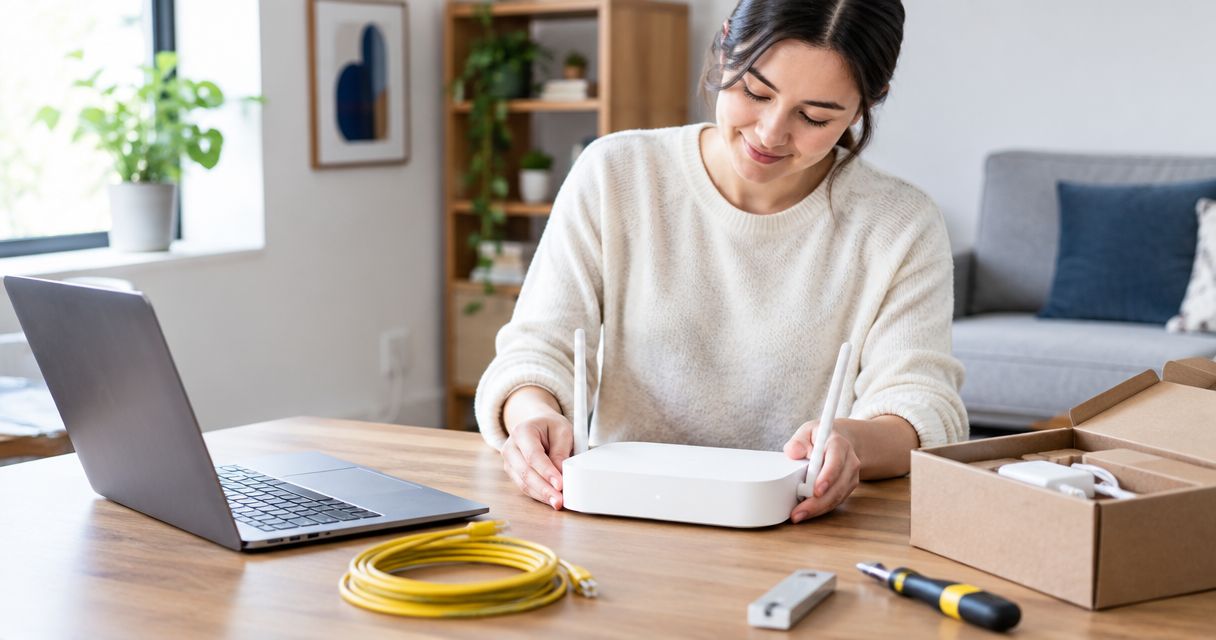
Yes, you can self-install fiber internet when your provider approves the setup and the necessary fiber connection and equipment are already in place. Connecting a router is different from installing a new fiber line: new cabling, unfinished connections, or equipment that needs network activation can still require professional work. For a 2026 order, confirm eligibility for your exact address before choosing self-install.
- Is self install available for fiber internet? Yes, when your provider approves the existing connection and equipment.
- A router setup does not replace installing or activating the fiber connection.
- SumoFiber offers fiber internet and managed WiFi; confirm the installation process for your address before ordering.
- Keep your current internet working until the new connection passes a wired test and a WiFi check.
Why this matters
Self-install sounds like opening a box and plugging something in. That description fits some router setups, but it leaves out the connection between your home and the fiber network. A fiber-ready address and a self-install-ready address are not the same thing.
That difference matters when you need internet for tomorrow's video calls or a restaurant's payment terminal. Before ordering residential or business service from SumoFiber, ask what is already installed at the property and which tasks you are expected to complete. Make that part of your 2026 installation decision, not a question you discover after disconnecting your old router.
Is self-install available for fiber internet setup?
Self-install is an option when the provider accepts the existing fiber connection, supports the equipment you will use, and gives you an activation process you can complete. A box left by a previous resident does not establish any of those conditions. The provider must confirm that it belongs to the right network and can serve your order.
The following situations call for different next steps:
| Setup situation | Best for | What you can handle | Main limitation | Next move |
|---|---|---|---|---|
| Existing, approved fiber connection | Households reconnecting a usable connection | Follow the provider's router and activation instructions | Equipment still needs provider approval | Ask whether self-install is permitted |
| Existing connection with uncertain equipment | New occupants who find a fiber box already installed | Identify equipment and share its details with the provider | Presence alone does not prove compatibility or activation | Confirm the equipment before changing anything |
| New fiber line or unfinished connection | Properties needing physical network work | Prepare access and discuss equipment placement | Router setup cannot create the missing fiber connection | Arrange professional installation |
| Working fiber connection with weak WiFi | Households that have internet but poor room coverage | Check router placement and supported WiFi settings | Reconnecting the fiber does not solve every wireless problem | Troubleshoot WiFi separately |
The advantage of an approved self-install is that you handle the customer-side setup yourself. The trade-off is responsibility for following the instructions and recognizing when a problem sits outside that setup. Professional installation handles physical work you should not attempt yourself, but it requires access arrangements and an appointment.
Choose self-install only after the provider confirms what you can connect, what is already active, and when to stop and ask for help.
Existing fiber connection: verify it before plugging in
An optical network terminal, or ONT, connects the optical fiber network to customer equipment. Depending on the installation, the ONT and router are separate devices or part of a combined unit. Identify what you have before deciding which cable belongs where.
Look for an equipment label, a power connection, and the ports described in your provider's instructions. Share the equipment model or a clear photograph with support if you cannot identify it. Leave equipment identification labels attached.
Do not remove a wall-mounted terminal just because you are replacing a router. It can be part of the network connection rather than something the previous resident owned. Ask who owns each device and whether it should remain at the property.
For an existing connection in 2026, confirm these points:
- The installed equipment serves the network associated with your order.
- The provider accepts that equipment for your service.
- The fiber connection is usable, not simply present.
- You know whether activation happens remotely, through guided steps, or during a visit.
- You have instructions for the exact equipment you will connect.
A powered device is not proof of active internet service. Indicator lights have model-specific meanings, so use the manufacturer's or provider's instructions rather than treating every green light as an all-clear.
New fiber connection: leave physical installation to the installer
If the property needs a new fiber line, a new entry point, or work on the network termination, that is not a router self-install. You can prepare the space, but the network work belongs to the authorized installer. Do not open network enclosures or attempt to splice fiber.
Before the visit, discuss where the connection should enter the building and where powered equipment will sit. A convenient entry point is not always the best place for household WiFi. Ask how the proposed layout connects the fiber equipment to the router.
In a rental or apartment, check building rules before anyone drills, routes cable through shared areas, or changes fixed equipment. An existing fiber connection elsewhere in the building does not establish that your unit has a finished connection. Confirm the unit, not just the street address.
For a business, identify the person authorized to approve access and equipment placement. Keep networking equipment accessible for troubleshooting without putting it where customers or visitors can unplug it. These preparations help whether the final router setup is customer-led or installer-led.
How do I complete an approved fiber self-install?
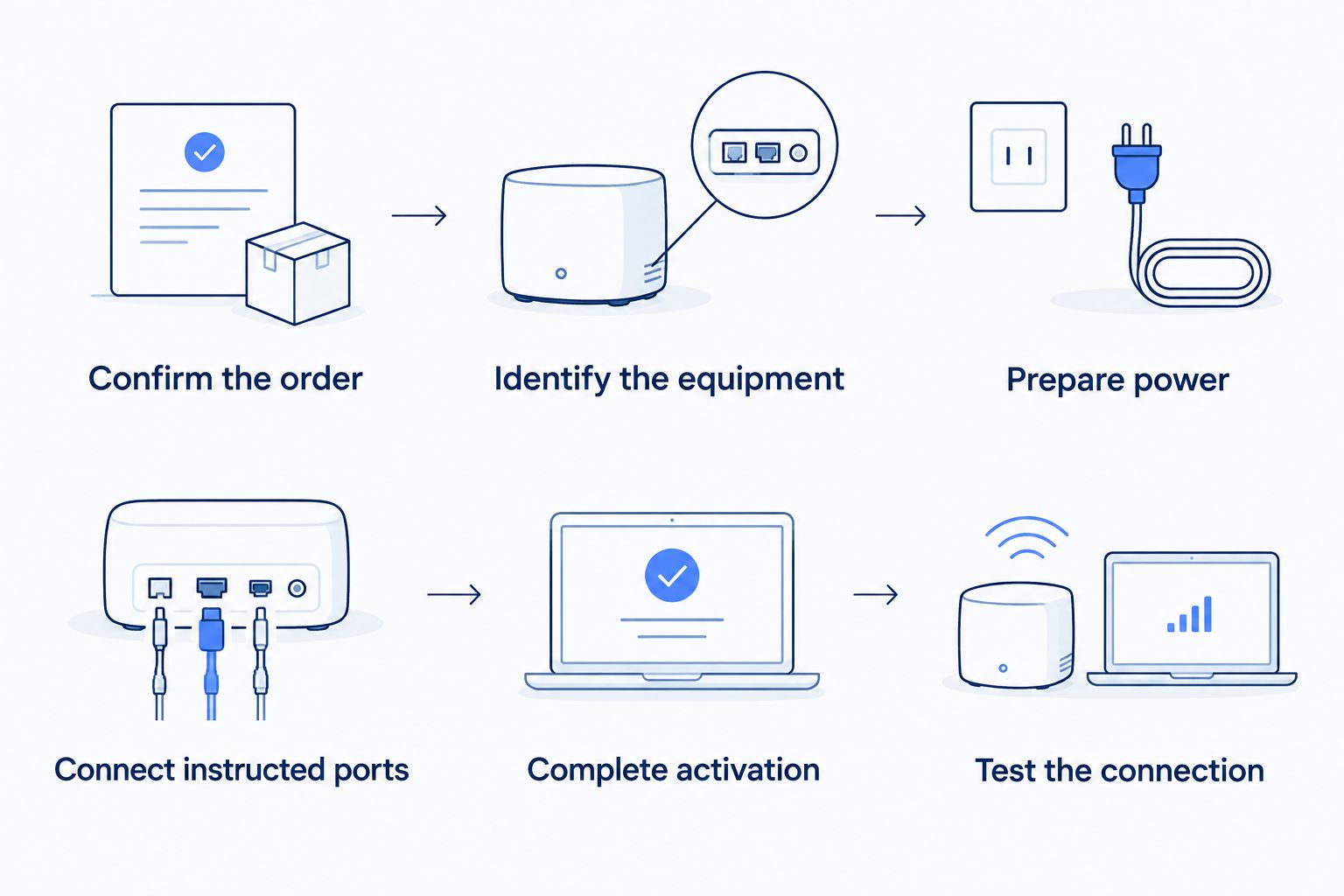
Follow your provider's equipment-specific instructions first. The sequence below is a preparation and checking framework, not a substitute for the activation procedure attached to your order.
- Confirm the order. Check that the address, unit, equipment, and installation method match your order. Ask what must happen before the connection can carry internet traffic.
- Identify the equipment. Locate the ONT or combined device and the router. Separate the provider's network equipment from anything left by a previous resident.
- Prepare power and placement. Use the specified power adapters and an appropriate outlet. Put the router in an open location rather than hiding it inside a cabinet.
- Connect the instructed ports. Follow the exact Ethernet and power connections shown in the instructions. Do not disconnect or move the optical fiber unless the provider explicitly directs you to do so.
- Complete activation. Follow the provider's activation steps and check the equipment indicators against its guidance. Contact support if the process stops at a network or equipment error.
- Test the connection. Check internet access over Ethernet where possible, then check WiFi in the rooms where you actually use it. Confirm everyday tasks work before retiring your previous service.
The order matters. Moving the router around cannot fix a connection that has not been activated, and repeating activation cannot fix a poorly placed WiFi router.
For your 2026 setup, keep the instructions and support details accessible somewhere other than the connection you are installing. A saved document or printed instruction sheet lets you keep working if the router is offline.
Why fiber self-install eligibility varies
Eligibility depends on the physical connection and the provider's process, not how comfortable you are with technology. Being able to configure a router does not remove the need for missing network work.
These are the checks that change the installation decision:
- Connection status: A completed fiber connection is different from fiber infrastructure nearby or cable that has not been terminated.
- Equipment approval: An installed ONT or an existing router needs to match the provider's requirements.
- Activation process: The provider determines what must happen on its network before service works.
- Property access: New cabling or fixed equipment work requires access to the relevant parts of the property.
- Building permissions: Shared buildings and rented units require coordination when physical changes are involved.
- Setup scope: Connecting internet, arranging WiFi coverage, and connecting phone or TV equipment are separate tasks.
Ask about each task rather than accepting a broad statement that the property is ready. You want to know exactly which part you are doing and which part someone else must finish.
Can I use my own router for a fiber self-install?
You can use your own router only when it meets the provider's requirements and the provider permits it for your setup. Router compatibility and self-install eligibility are separate questions. An approved router does not replace a required ONT or create an active fiber connection.
Ask about the required connection type and configuration before buying or reconnecting equipment. Some setups need settings beyond choosing a WiFi name and password. Follow the supplied configuration rather than copying settings from your previous internet service.
Use this guide to using your own router with fiber internet to frame those questions. The deciding answer still comes from the provider handling your address and order.
Does self-install include setting up WiFi throughout my home?
Self-install does not automatically include room-by-room WiFi planning. A working internet connection at the router and a dependable wireless connection in an upstairs bedroom are different results. Check both.
Place the router in an open, practical location and test the rooms where people work, stream, or play. Building materials, distance, and wireless interference affect coverage. If a wired connection works but WiFi struggles in one room, investigate the wireless setup before treating the fiber line as the problem.
SumoFiber is a fiber internet option for households and businesses that want internet and managed WiFi from one provider. Its service range makes that a relevant conversation, but it does not establish that a particular address qualifies for self-install. Ask who configures the WiFi, what equipment is included in your order, and which setup tasks remain yours.
Managed WiFi and a customer-configured router place different responsibilities on you. Choose based on whether you want to handle configuration and troubleshooting yourself or discuss a provider-managed arrangement.
What should I do if my fiber self-install does not work?
Start by identifying whether the problem is activation, the wired connection, or WiFi. That distinction gives support something useful to act on. Avoid changing several settings at once.
Check power and the instructed Ethernet connections, then compare indicator lights with the equipment guide. If the instructions permit a restart, follow that sequence. Do not factory-reset provider equipment unless support directs you to do it.
When you contact support, describe the equipment model, light status, the step that failed, and whether any device works over Ethernet. Explain whether the problem affects the whole connection or just one room or device. Those details are more useful than saying the internet is slow.
Stop handling equipment if a cable or enclosure is damaged. Never look into a fiber connector or attempt to repair the optical connection yourself. Let the provider decide whether troubleshooting or a technician visit is the next step.
FAQ
Is self install available for fiber internet in 2026?
Yes, fiber self-install is possible when the provider approves the existing connection, equipment, and activation process. Confirm eligibility for your exact address before placing the order.
Can I install fiber internet if there is no fiber line in my house?
You cannot create a new provider fiber connection by plugging in a router. Arrange the required physical installation with the provider or authorized network installer.
Does an ONT left by the previous resident mean I can self-install?
No, an existing ONT does not prove that self-install is approved. The provider must confirm equipment compatibility, connection status, and activation requirements.
Can I self-install SumoFiber internet?
Confirm the installation method with SumoFiber for your exact address and order. Ask which equipment is already usable, how activation works, and whether any physical installation is required.
Is setting up a WiFi router the same as installing fiber?
No, setting up a WiFi router is not the same as installing the fiber connection. The router distributes internet access after the network connection and required equipment are working.
Should I cancel my current internet before self-installing fiber?
Keep your current internet working until you have confirmed that the new connection works for your everyday needs. Test wired access where possible and WiFi in the rooms you use before arranging cancellation.
Can I use equipment from my previous internet provider?
Reuse equipment only after the new provider confirms it is permitted and compatible. Do not assume that a previous provider's modem, ONT, or router suits the new connection.
One last thing
The most useful question is not whether you can plug in a router. It is whether the provider has confirmed that everything before the router is ready. Get that answer for your 2026 order before planning around self-install.
Ask the provider to separate physical installation, network activation, and WiFi setup in its instructions. Knowing who handles each part prevents you from troubleshooting a task that was never yours to complete.


