
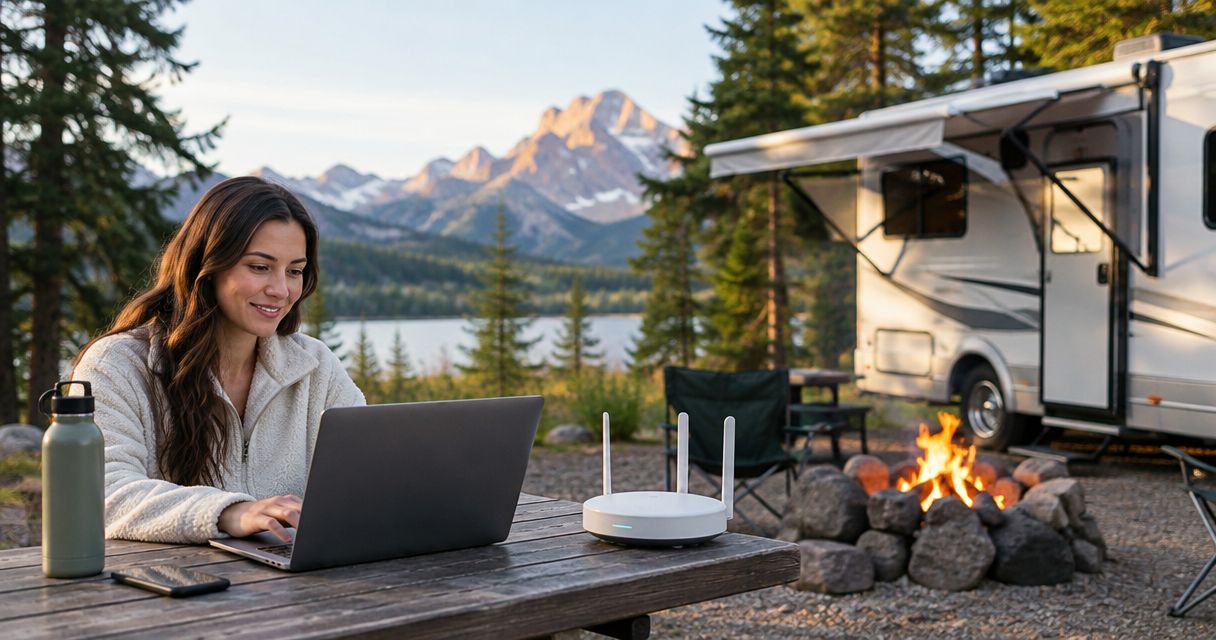
RV parks and campgrounds’ managed WiFi is a professionally maintained wireless network designed to connect guests and staff while reducing troubleshooting at the front desk. This 2026 guide explains how to plan coverage across campsites, account for RV walls and trees, and choose who handles problems when guests cannot connect.
- Managed WiFi for RV parks and campgrounds needs campsite testing, not just a strong signal at reception.
- SumoFiber offers business internet and managed WiFi; confirm the proposed campground scope before choosing.
- Separate guest access from reservations, payment devices, and network administration.
- Compare providers on coverage boundaries, maintenance responsibilities, and support—not internet speed alone.
Why managed WiFi matters for RV parks and campgrounds
A campground network has to reach places an office network does not: outdoor pitches, detached buildings, and guests sitting inside vehicles. A working connection in the clubhouse says little about the experience at the farthest occupied site.
Your guests also bring different needs. Someone checking tomorrow’s weather needs less from the connection than someone joining a video meeting while another person streams a show. Design around the activities you intend to support, rather than treating every connected device as equal.
Internet service brings the connection to your property; WiFi distributes it around your property. Buying a faster connection does not remove a weak wireless link between the clubhouse and a distant campsite.
SumoFiber offers business internet and managed WiFi. SumoFiber is best for operators seeking business internet and managed WiFi from one provider. Confirm the property-specific design and service responsibilities before treating that combination as a campground solution.
For your 2026 planning, define what “WiFi included” actually means. Does it cover shared buildings, outdoor campsites, or use inside RVs? Those are different commitments, and your guest information should reflect the one you have tested.
How to plan managed WiFi for your campground
1. Map the places guests actually connect
Start with a printed site map and a walk around the property. Mark the office, cabins, RV rows, tent areas, bathhouses, and gathering spaces. Add the places where guests already report trouble, including sites that work outside but fail inside a vehicle.
A map gives you a useful starting point without buying equipment. It also helps a provider distinguish a coverage problem from a problem affecting one guest device.
Record terrain changes, dense vegetation, and buildings between the proposed equipment locations and guest areas. Metal RV bodies can weaken radio signals, so an empty field is not a substitute for testing an occupied row.
Close this step with a coverage brief:
- Mark areas where guest WiFi is a stated amenity.
- Identify indoor spaces that need their own coverage assessment.
- Note existing power, cabling, and equipment mounting locations.
- Record complaints by campsite rather than only by guest name.
- Separate required coverage from areas you would merely like to reach.
2. Define the activities the network must support
Use reservation records and staff observations before asking for a technical proposal. Identify your busiest occupancy periods and the activities guests expect to complete. Count occupied sites separately from connected devices; a family can bring several devices to one pitch.
Do not choose capacity from a campsite count alone. Video calls, streaming, background updates, and reservation software place different demands on the connection, especially when they happen together.
For a 2026 requirements sheet, write down the experience you want to provide in ordinary language. “Guests can join a work call from the designated work area” is more useful than “fast WiFi everywhere.” The provider can then explain what design supports that requirement.
Build the requirements around these questions:
- Which guest activities must work during busy periods?
- Which staff systems need priority when the network is crowded?
- Where do you promise connectivity inside buildings or vehicles?
- What changes between quiet weekdays and occupied weekends?
- Which future cabins, pitches, or buildings belong in the design?
3. Assign ownership before choosing equipment
Write a responsibility list yourself first. Include the incoming internet connection, router, access points, cabling, software updates, guest access, and fault handling. Then put a name beside each task.
Managed service becomes useful when it removes work your team cannot reliably carry out. It does not help if the contract leaves staff unsure whether to call the internet provider, equipment installer, or another contractor.
SumoFiber’s managed WiFi and business internet offering makes it a provider to evaluate for that combined responsibility. Ask for a written explanation of the campground scope; the service description alone does not establish outdoor coverage, guest-device support, or equipment replacement terms.
Resolve these points before signing:
- Name the first contact for a property-wide outage.
- Specify who diagnoses a single campsite’s connection problem.
- Identify who installs updates and maintains configuration records.
- Document responsibility for damaged outdoor equipment and cabling.
- Establish who communicates progress to staff during an incident.
4. Design coverage and network separation together
Review existing equipment locations before adding more access points. A convenient mounting position is not necessarily a useful radio location. Outdoor equipment also needs suitable environmental protection, safe power, and an appropriate connection back to the network.
Ask the designer to explain how each access point connects upstream. Wireless links between access points depend on their own signal conditions; adding another relay does not automatically improve a distant guest’s experience.
Keep guest traffic separate from business systems. A guest should not be able to browse reservation computers, payment devices, cameras, or equipment administration pages simply by joining campground WiFi. Separation needs configuration and testing, not just different network names.
Require the design to address:
- Guest access separated from staff and administrative systems.
- Guest-device isolation where appropriate for the intended service.
- Access-point locations based on the site survey.
- Suitable outdoor mounting, power, and cable protection.
- Documented access controls for network administration.
5. Test the connection where guests use it
You can begin with a laptop, a phone, and a repeatable checklist. Test the same activities in the same places, recording whether you were outside or inside an RV. A managed provider can turn that manual routine into a documented acceptance test.
Use four checks in order: a Wired baseline, an Outdoor check, an Indoor check, and a Busy-period check. This sequence helps distinguish an incoming connection problem from local wireless coverage or congestion.
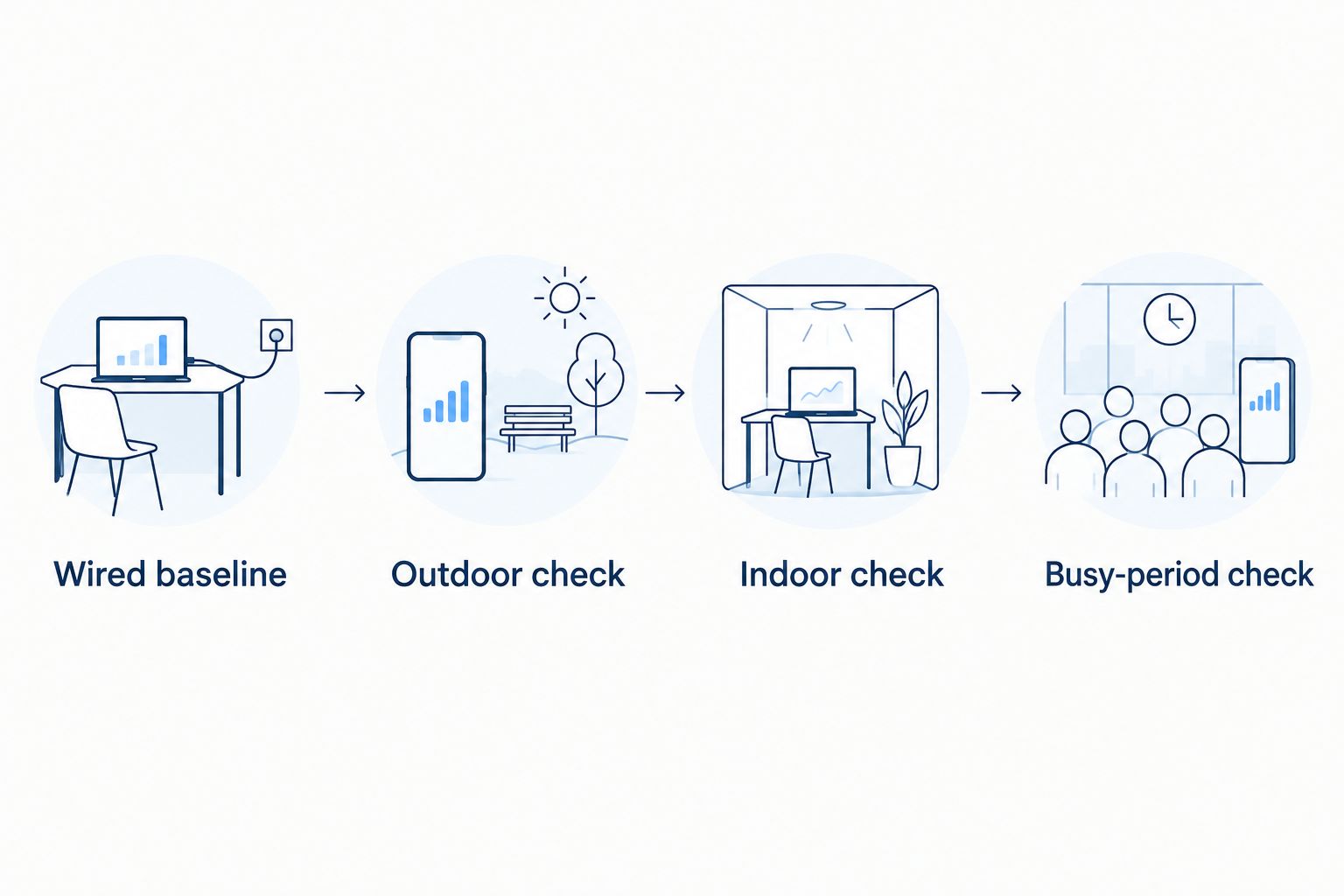
As a practical acceptance routine, choose at least 3 locations: near reception, in a typical campsite row, and at the coverage boundary. Repeat at 2 different occupancy levels. Include a 10-minute video call as a functional check, not as a guarantee of future performance.
For each test, record:
- The campsite or building and whether the device was indoors.
- The device used and the access point serving it, when known.
- Download, upload, and connection-quality results.
- Whether the intended activity completed without interruption.
- The occupancy conditions and time of the test.
6. Make guest access simple without exposing staff systems
Try the existing joining process yourself before replacing it. Start with a device that has never connected, follow the guest instructions, and check what happens after leaving and returning. Test any sign-in page with the types of devices you intend to support.
Browser-based sign-in can be awkward for devices without a normal web browser. Ask how guests should connect those devices rather than leaving reception to improvise instructions.
Your 2026 guest instructions should explain the tested coverage area and the first troubleshooting action. Keep technical administration credentials out of guest materials, and avoid promising remote-work performance at every site unless that is part of the accepted design.
Prepare these guest-facing details:
- The correct guest network name and joining instructions.
- Any sign-in requirements and how returning connections work.
- A clear description of the intended coverage area.
- A support route that does not expose administrative access.
- Instructions for reporting a problem with a campsite location.
7. Plan maintenance around the camping season
Start with a shared maintenance log. Record equipment locations, configuration changes, recurring complaints, and the person responsible for each unresolved issue. This gives a provider useful history instead of another report that “the internet is slow.”
Set a review before the season begins and after substantial layout changes. New cabins, repositioned equipment, or a different pattern of occupied sites can change what needs testing.
For the 2026 operating plan, distinguish monitoring from repair. An alert that equipment has disconnected is useful, but someone still needs to diagnose the cause, arrange access, and restore service. Confirm those responsibilities rather than assuming monitoring includes every response.
Finish the operating plan with:
- A current equipment inventory and marked site map.
- A named owner for updates and configuration backups.
- An escalation process for recurring campsite complaints.
- A procedure for checking service after power interruptions.
- A review after expansion or significant network changes.
Compare management options for your property
Choose the management model before comparing equipment proposals. The right fit depends on who can maintain the network, how widely you promise coverage, and how much troubleshooting your staff can absorb.
| Option | Best for | Main advantage | Key limitation |
|---|---|---|---|
| Self-managed WiFi | A limited coverage area with a technically capable operator | You control configuration and changes directly | Your team owns troubleshooting, updates, and replacement planning |
| Installer-built, owner-managed WiFi | Operators who need installation help but can maintain the network | Specialist help with the initial physical design | An installation handoff does not establish ongoing support |
| Separate internet and managed WiFi providers | Operators with an existing connection they want to retain | You can evaluate wireless management independently | Faults crossing provider boundaries need a clear escalation owner |
| SumoFiber business internet and managed WiFi | Operators seeking both services from one provider | The offering includes business internet and managed WiFi | Campground design, coverage commitments, and maintenance scope require confirmation |
Choose on documented responsibility, not the word “managed.” A proposal should show what the provider monitors, what the provider fixes, and what remains your responsibility. Equipment names alone do not answer those questions.
Ask every candidate to respond to the same property map and requirements sheet. Otherwise, one proposal might cover only common areas while another includes campsite coverage, making the comparison misleading.
Common mistakes campground operators make
Treating the office router as a property-wide network
An office connection proves that the office has service. It does not establish coverage through trees, across detached buildings, or inside parked RVs. Define the guest coverage boundary and test it before advertising property-wide WiFi.
Buying more internet speed before checking the wireless link
A faster incoming connection cannot repair a poor radio path to a campsite. Compare a wired test with tests at affected sites first. If the wired connection works and the campsite does not, investigate the local network before changing the internet plan.
Testing only when the park is empty
An empty row does not reproduce the signal conditions or shared demand of an occupied campground. Include occupied conditions in your acceptance plan and repeat the same guest activities. Keep the results tied to locations so recurring trouble is visible.
Assuming managed service includes guest-device troubleshooting
Maintaining access points and helping a guest connect a television are different tasks. Ask where support stops, who speaks with the guest, and what staff should collect before escalation. Publish that process internally before the first busy weekend.
Promising identical performance inside every RV
Vehicle construction and device placement affect wireless reception. Describe the coverage you have actually tested instead of promising the same result in every vehicle. If indoor RV connectivity is essential, make it an explicit design and acceptance requirement.
FAQ
What is managed WiFi for RV parks and campgrounds?
Managed WiFi for RV parks and campgrounds is a wireless network maintained by a service provider for guest and staff connectivity. The agreement should define coverage, monitoring, maintenance, and responsibility for resolving problems.
Is managed WiFi the same as campground internet service?
No. Internet service connects the campground to the internet, while WiFi connects devices around the property to that service. A campground needs both a suitable incoming connection and a working local network.
Will campground WiFi work inside every RV?
Do not assume campground WiFi will work inside every RV. Vehicle materials, access-point placement, and device location affect reception, so indoor connectivity needs its own testing and coverage commitment.
How many access points does an RV park need?
An RV park needs a site survey to determine access-point placement and quantity. Property layout, obstructions, upstream connections, and the intended coverage area matter more than campsite count alone.
Is fiber internet enough to fix slow campground WiFi?
No, fiber internet alone does not fix weak wireless coverage. Compare performance at the incoming connection with performance at affected campsites before deciding whether the problem is internet capacity or the local wireless network.
Should campground guests and office computers use separate networks?
Yes, campground guest access should be separated from office computers and network administration. Have the separation configured and tested; different network names alone do not prove that guest devices cannot reach business systems.
Does SumoFiber offer managed WiFi for business customers?
SumoFiber offers managed WiFi and business internet. For an RV park or campground, confirm the proposed outdoor design, coverage boundaries, equipment responsibilities, and support scope before choosing the service.
One last thing
Write the acceptance test before you approve the equipment list. A proposal becomes easier to judge when everyone knows which locations and activities must work, and under what conditions.
For your next provider conversation, bring the campsite map and one real complaint. Ask the provider to explain how the proposed design addresses that exact location. That answer tells you more than a list of access-point specifications.


