

Yes—choose fiber over cable internet in 2026 if it is available at your address and you rely on video calls, uploads, gaming, or several people using the connection at once. Keep cable on your shortlist if fiber is not available or your current connection already handles everything you do. Compare the actual plans before switching: the word fiber does not tell you the upload speed, equipment setup, or terms you will get.
- Should I choose fiber over cable internet? Choose fiber if it is available and upload performance matters to your household.
- Cable remains a sensible choice when it handles your household's needs or fiber does not reach your address.
- SumoFiber is best for households that can get its fiber service and want 24/7 human support.
- Compare actual upload speeds, WiFi setup, and service terms before replacing a working cable connection.
Why this matters
Your home does not use the internet in one direction. A child streams a show while someone joins a video call; a phone backs up photos while a game downloads. The plan's download speed describes only part of that experience. Upload performance and WiFi inside the home matter too.
SumoFiber is best for households that can get its fiber service and want 24/7 human support alongside internet, WiFi, TV, home phone, or mobile options. Start with SumoFiber when checking whether its service fits your address. Its strengths do not erase fiber's main limitation: you cannot choose it where the connection is unavailable. This 2026 decision starts at your front door, not with a technology label.
Should I choose fiber over cable internet for my home?
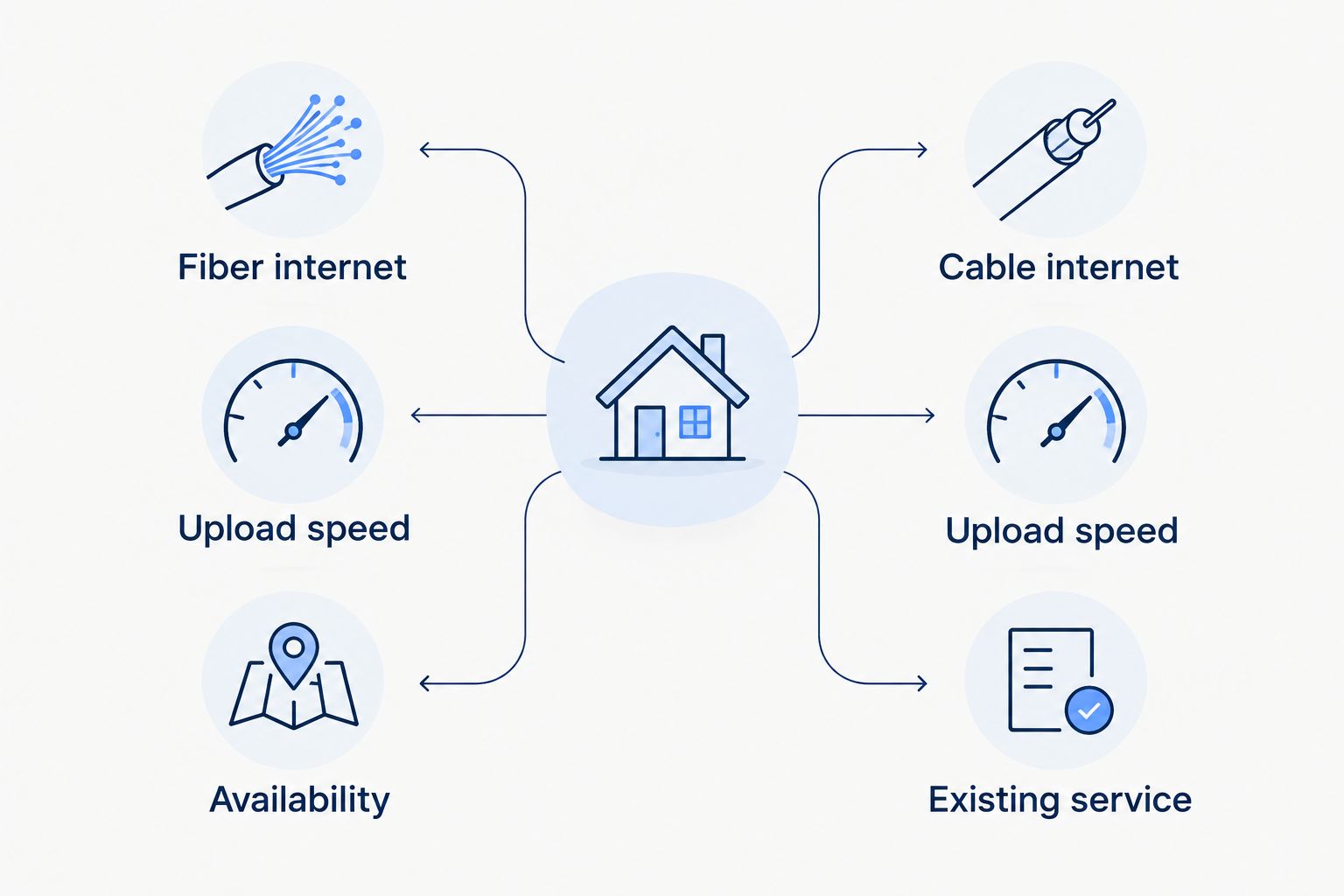
Choose fiber when it is available and the plan gives you an upload connection that better fits what your household does. Choose cable when it meets those needs and the fiber plans you can actually order do not offer a meaningful improvement. Use this comparison to identify what to verify, rather than treating every fiber or cable plan as identical.
| Question | Fiber internet | Cable internet |
|---|---|---|
| What does the connection use? | Fiber-optic lines carry the connection to the served location. | Cable service uses the coaxial network serving the home. |
| What should I check first? | The advertised and expected upload speed, not just download speed. | Whether the upload speed handles calls and file transfers while others are online. |
| Where can it fall short? | Service must reach your address; the available plan and installation need checking. | Upload performance can be more restrictive than download performance on some plans. |
| Best for | A home with available fiber and frequent uploads, calls, or simultaneous use. | A home whose existing service works well, particularly where fiber is unavailable. |
The verdict for 2026: pick the connection that solves a problem you actually have. Fiber deserves the first look when uploading is a regular part of home life. Cable is not a mistake simply because fiber exists nearby. The relevant comparison is between the plans at your address, including the equipment and service terms attached to each.
A plan comparison also has limits. Advertised connection speeds do not measure the WiFi signal at the far end of your house. If calls fail only in one room, changing the line coming into the home might leave the problem untouched. Test near the router and in the room where the trouble happens before you blame the provider connection.
When fiber is the better fit
Fiber is the stronger choice when your available plan improves the part of your connection that currently gets in the way. If video calls struggle while someone else is online, compare upload speeds. If you regularly send large files, back up photos, or work with cloud files, the same check matters more than a higher download figure alone.
Do not assume that every fiber plan has identical upload and download speeds. Read the figures for the specific plan you can order. Ask how the connection will enter the home and where the equipment will sit; those details affect your switch even though they do not appear in a speed headline.
For a household that streams while someone works from home, fiber can be the better fit without requiring anyone to pause what they are doing. That is a reason to compare it, not a promise that every WiFi dead spot will disappear. The wireless setup remains a separate decision after the connection is installed.
When keeping cable makes sense
Keep cable in contention if your calls are steady, uploads finish when you need them, and the connection supports the people in your home. A switch takes time and requires an available alternative. If the new plan does not fix a real shortcoming, the cable line you already use has a practical advantage: you know how it performs in your rooms.
Cable can also be the only one of these two options available at an address. A fiber network serving your town does not prove that your building is connected. For apartments, check the exact unit and any installation requirements rather than relying on a neighborhood-level coverage claim.
Do not confuse a WiFi problem with a cable problem. A weak signal in a bedroom calls for an examination of router placement and home coverage first. A weak connection right beside the router is a different clue. Separating those cases keeps you from changing providers to solve the wrong issue.
Why the right choice varies by home
The fiber-versus-cable answer changes with the address, the available plans, and what happens on your connection during an ordinary day. Use these factors in 2026:
- Address-level availability. Confirm service for your exact home or apartment unit. A provider's coverage in a city is not a confirmed connection at your door.
- Upload speed. Check the upload figure on each available plan. Calls, file sharing, and backups send data out of your home; download speed alone will not describe that workload.
- Simultaneous use. Think about the busiest hour in your home. A call that works when everyone else is away tells you less than a call during streaming and downloads.
- WiFi coverage. Check performance near the router and in the rooms where you use devices. The access line and the wireless signal are different parts of the connection.
- Installation and equipment. Find out what must change inside your home and what equipment the plan uses. An available connection still needs a usable setup.
- Service terms and support. Compare the terms presented for the actual plans and how you will get help if the connection stops working. Do not assume every provider treats these the same way.
Check your home internet options
Start with the service available at your address and compare the plan details.
Check the household, not just the headline speed
Streaming requirements put download figures in perspective. Netflix Help Center's streaming speed recommendations list 3 Mbps for HD, 5 Mbps for Full HD, and 15 Mbps for Ultra HD, per stream. Those are requirements for the stream, not a complete household plan recommendation. They do not account for another person on a call, a large download, or the WiFi signal between the router and the television.
The figures also explain why a speed label by itself is a poor tie-breaker. If your television streams smoothly but calls struggle when photos are uploading, compare upload performance. If the television buffers only in a distant room, investigate WiFi coverage. In 2026, the useful question is not simply whether fiber can deliver a faster number; it is which part of your current experience needs to change.
Compare the plans you can order
Write down the fiber and cable options available at your address, then put their download and upload speeds side by side. Read the equipment, installation, and service terms supplied for each plan. If anything is unclear, ask the provider before arranging a switch.
Next, test your current connection during a busy time. Try a call near the router, then from the room where you usually work. Notice whether problems follow a particular room or appear throughout the home. This does not replace a provider's plan details, but it gives you a specific problem to solve when comparing them.
Finally, decide what would count as an improvement. For one home, it is steadier calls while others stream. For another, it is workable WiFi in the back bedroom. Do not pay attention to a download headline until you know whether it addresses your problem. A fiber line and a good wireless setup answer related, but different, questions.
Questions to ask before switching
Is fiber better if I mostly stream television?
Fiber is not automatically better for streaming television if your cable connection already plays what you watch without interruptions. Netflix lists 15 Mbps per Ultra HD stream in its streaming speed recommendations, but the experience also depends on other activity and WiFi coverage. Compare the plans available to you rather than switching on the strength of the word fiber.
Will fiber fix a video call that freezes upstairs?
Fiber will not fix a weak upstairs WiFi signal by itself. First check whether calls also struggle close to the router; if they do, compare the available plans' upload performance. If the problem happens only upstairs, examine wireless coverage before changing the internet connection.
Should I cancel cable as soon as fiber is available?
No. Confirm the fiber plan, installation arrangements, and a working connection before ending the cable service you use now. Availability at an address is the start of the decision, not proof that the new setup is ready for your household.
FAQ
Should I choose fiber over cable internet in 2026?
Choose fiber if it is available at your address and its plan better meets your upload, call, and shared-use needs. Keep cable in consideration if it already works well or fiber is unavailable.
Is fiber always faster than cable internet?
No; compare the download and upload speeds of the specific plans available at your address. The technology name alone does not tell you which plan meets your needs.
Does fiber internet give me better WiFi throughout my house?
No; a fiber connection does not automatically improve WiFi coverage inside your home. Router placement and the wireless setup still affect rooms far from the equipment.
Is cable internet good enough for working from home?
Yes, cable can support working from home when the available plan and your home setup handle calls and uploads reliably. Check upload performance during the hours when others also use the connection.
Do I need fiber for Ultra HD streaming?
No; Ultra HD streaming does not require fiber specifically. Netflix Help Center recommends 15 Mbps per Ultra HD stream, so consider other household activity and WiFi coverage too.
Can I get fiber if my neighborhood has it?
Not necessarily; check service at your exact address or apartment unit. Neighborhood coverage does not confirm that a connection is ready for your home.
What should I compare besides download speed?
Compare upload speed, WiFi coverage, installation, equipment, service terms, and support. Those details determine whether a new plan fixes the problem you have now.
One last thing
The most useful comparison starts with the call that freezes or the room where streaming stops, not with a speed claim. In 2026, choose fiber over cable when an available fiber plan addresses that specific problem. If the issue is WiFi coverage inside the house, solve that part of the connection before assuming you need a different line.


